
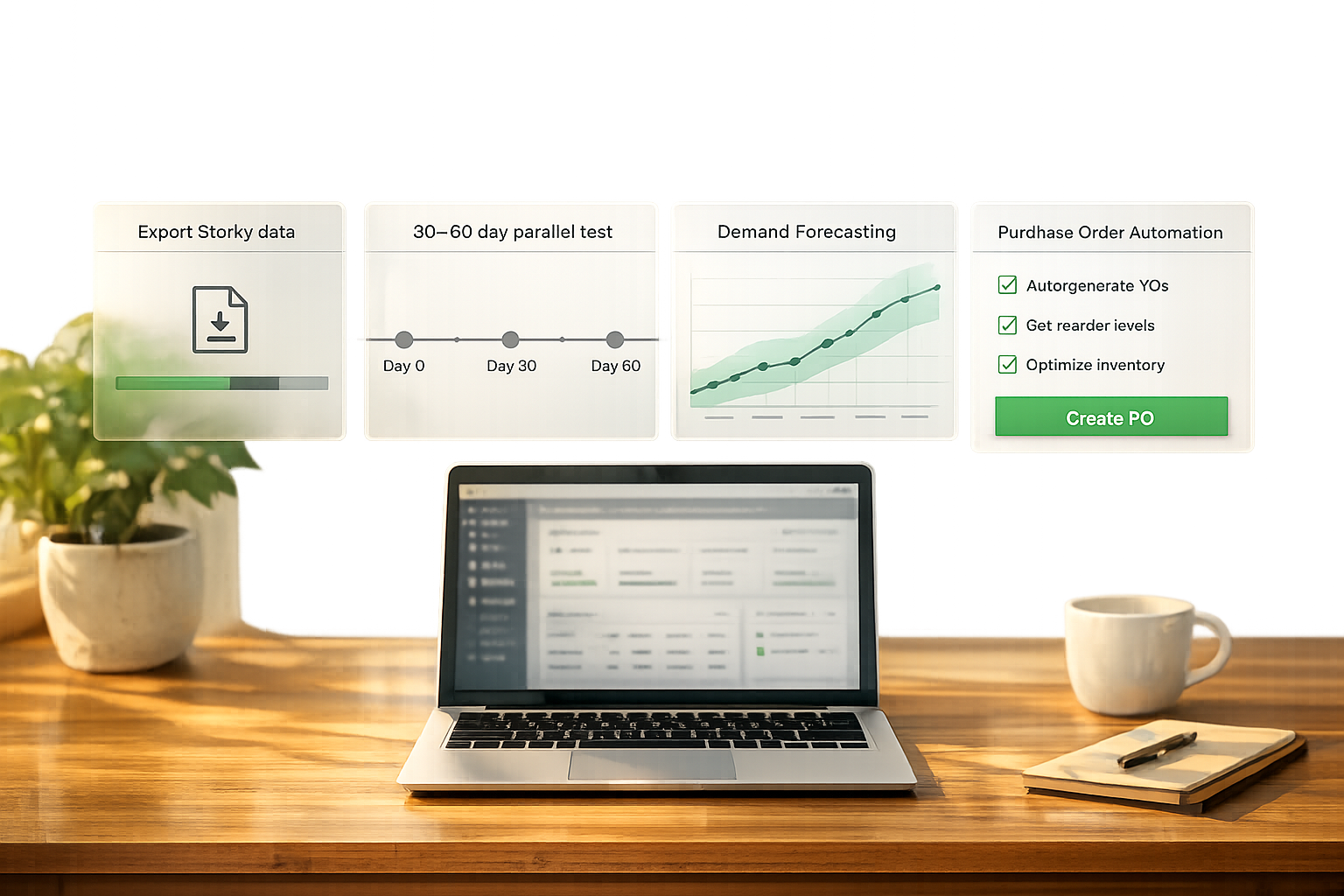
Shopify is discontinuing Stocky on August 31, 2026. If you’re using Stocky, you need to act fast to avoid losing critical inventory data and workflows. Migrating to a new app can take up to 12 weeks, so starting now is key. Here's what you need to know:
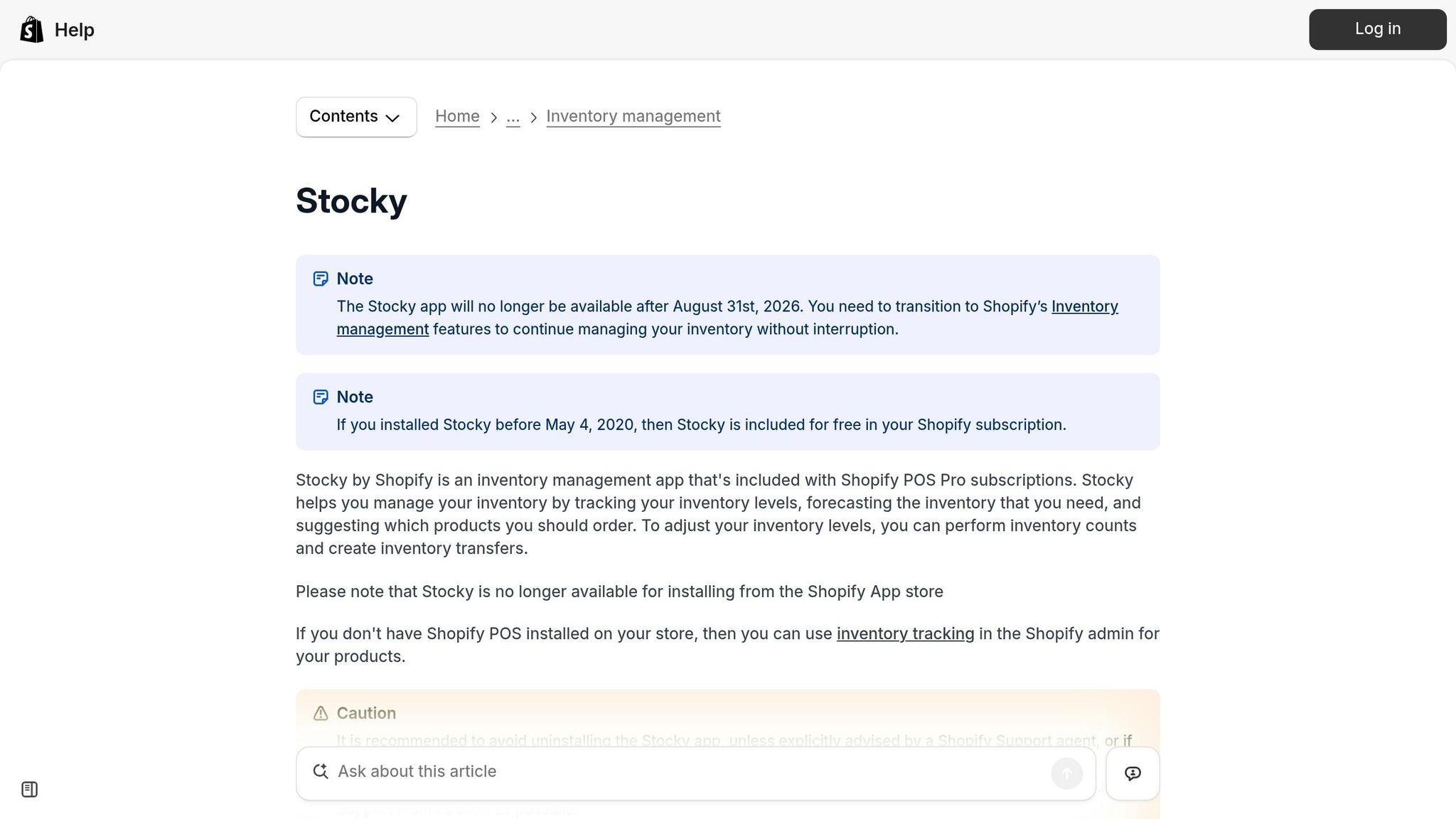
- Key Dates: Stocky will be removed from the Shopify App Store on February 2, 2026, and fully shut down by August 31, 2026.
- Data Loss Warning: Stocky data (like purchase orders, supplier details, and stocktakes) won’t transfer automatically. Export and document this information manually before it’s gone.
- Migration Timeline: Plan for 30–60 days of overlap between Stocky and your new app to ensure smooth operations.
- App Features to Look For:
- Demand Forecasting: Tools that analyze sales trends and calculate reorder points.
- Purchase order automation features: Save time with supplier-grouped orders and payment tracking.
- Multi-Location Management: Manage inventory across warehouses and retail stores.
Pro Tip: Test your new app with real data for 30 days before fully switching over. This ensures accuracy and prevents disruptions.
The shutdown isn’t just about replacing Stocky - it’s an opportunity to improve your inventory processes. Start by auditing your workflows, exporting essential data, and selecting an app that aligns with your business needs.
Best Inventory Management Apps for Shopify in 2026

sbb-itb-f0fc809
Section 1: Understand Your Current Inventory Management Needs
Start by reviewing your current Stocky workflows. Without this step, you might end up choosing a replacement that looks promising on the surface but fails to support the workflows your team relies on every day. This groundwork is essential for setting up the evaluation criteria in the next section.
Audit Your Stocky Workflows and Dependencies
Create a list of all tasks your team performs in Stocky, covering both weekly and monthly cycles. These usually include managing orders, conducting stocktakes, and performing reorder reviews. Be sure to note who is responsible for each task and how often they occur - this will form the foundation of your baseline requirements.
Additionally, identify any custom integrations or scripts that rely on Stocky’s API. Remember, all Stocky APIs will stop functioning after August 31, 2026. Pinpointing these dependencies early will save you from potential disruptions during the transition.
Document Key Data and Configurations
After detailing your workflows, shift your focus to your critical data. As highlighted in the Kijun Blog:
"Supplier details can't be exported from Stocky. Supplier details have to be captured by hand."
This means you’ll need to manually copy supplier information - names, contact details, lead times, minimum order quantities (MOQs), payment terms, and currencies - into a spreadsheet. Skipping this step could leave you scrambling to rebuild this data after Stocky shuts down.
In addition to supplier details, make sure to export your full purchase order history and stocktake records while you still have access. For businesses operating across multiple locations, the "All states inventory CSV export" in Shopify is the most reliable way to capture accurate stock levels across all locations before migration.
Identify Pain Points and Areas to Improve
This migration also presents a chance to address long-standing issues. For example, Shopify’s native inventory tracking only retains 180 days of adjustment history, which can be problematic for businesses with seasonal demand patterns.
"Six months of data isn't enough for seasonal businesses. If you sell products with annual demand cycles... you can't see year-over-year patterns with only 180 days of history." - Stockful Blog
Another area to review is cost accuracy. Unlike Stocky, Shopify’s native tools require an extra manual step to update unit costs when inventory is received. This gap can lead to inaccurate margin calculations over time. Before migrating, cross-check your current cost prices against recent supplier invoices to ensure your numbers are correct. Tackling these challenges now will help you choose an app that better aligns with your operational needs and improves your workflows moving forward.
Section 2: Define Core Criteria for Evaluating Inventory Management Apps
Once you've mapped your workflows, the next step is to pinpoint the key features your inventory management app needs. With Stocky's shutdown approaching, addressing gaps in your current system is more important than ever.
Demand Forecasting and Restocking Features
Today's apps rely on demand-driven forecasting to determine reorder dates, factoring in sales velocity, supplier lead times, and safety stock levels. Look for apps that provide transparency in their calculations. For instance, Replenish: Inventory Forecast highlights:
"Every suggestion explains the math: 'Reorder 200 units - selling 8/day, 25 left, supplier takes 14 days, stock out in 3 days.' No black-box AI."
Make sure the app can import at least 12–24 months of Shopify sales data to identify seasonal trends accurately. Additionally, ensure that the app simplifies your purchasing workflows.
Purchase Order Automation and Tracking
Manually creating purchase orders (POs) can be a huge time sink. Automated PO generation has been shown to save operations teams over 10 hours per week. When reviewing apps, focus on features that go beyond basic PO creation. Key capabilities include:
- Supplier-grouped draft POs
- Landed cost tracking for shipping, duties, and taxes
- Real-time visibility into order statuses
If your warehouse manages physical stock, barcode scan receiving is invaluable for updating Shopify inventory as soon as items arrive, reducing manual errors. The app should also track payment statuses - whether unpaid, partially paid, or fully settled - to streamline purchasing. Finally, confirm the app supports multi-location operations if you manage inventory across different sites.
Multi-Location Inventory Management
For businesses with multiple warehouses, multi-location management is non-negotiable. The app should accommodate location-specific reorder points, as demand and supplier lead times often vary by location. Beyond forecasting, the app should enable stock transfers between sites, helping balance inventory without unnecessary purchase orders.
Another essential feature is the ability to handle partial shipments. Recording split deliveries accurately and assigning quantities appropriately can prevent inventory discrepancies. Be aware that some apps reserve multi-location capabilities for premium plans, so ensure the plan you choose meets your requirements.
| Feature Category | Must-Have Capabilities |
|---|---|
| Forecasting | Sales velocity analysis, seasonality adjustments, dead stock detection, stockout urgency ranking |
| Purchasing | PDF PO creation, supplier-grouped drafts, landed cost tracking, payment status monitoring |
| Operations | Barcode scan receiving, multi-location stock transfers, cycle count workflows |
| Migration | Stocky CSV import, automatic supplier creation from Shopify vendors, historical data preservation |
Section 3: Key Features for U.S.-Based Shopify Merchants
Operating a Shopify store in the U.S. comes with unique inventory challenges - think seasonal demand surges during events like Black Friday/Cyber Monday (BFCM) and managing stock across warehouses, retail locations, and fulfillment centers. To tackle these, U.S. merchants need tools that go beyond basic inventory tracking. Let’s look at some features designed to address these specific needs.
Demand Forecasting With U.S. Market Considerations
Standard forecasting tools often fall short when it comes to the complexities of the U.S. market. The right app should analyze your Shopify sales history to identify patterns like seasonal demand spikes and promotional boosts. Using AI-driven demand planning can improve forecast accuracy by up to 28% and cut stockouts by 75%.
Look for tools that forecast at the SKU variant level while factoring in landed costs - freight, duties, and taxes - so you can maintain accurate margins in USD. This approach aligns with the earlier discussed forecasting essentials, but with a sharper focus on U.S. market trends.
Simplifying Purchase Order and Supplier Management
Accurate demand forecasting lays the groundwork for efficient purchase order (PO) management. For U.S. merchants, it’s all about speed and simplicity. Choose tools that automatically generate draft POs grouped by supplier, based on sales velocity and reorder signals. This saves time by letting your team review and approve orders in bulk rather than creating them manually.
"The automated PO creation saves us 10+ hours weekly. Setup was seamless - just 2 minutes!" - Alexander, Supply Chain Manager at FashionCo
Beyond automation, the ability to apply demand lift percentages for U.S.-specific events, like BFCM, is a game-changer. Tools that monitor lead-time variance and flag late shipments also help hold suppliers accountable, ensuring smoother operations.
multi-warehouse inventory optimization in Shopify
For U.S. merchants juggling inventory across multiple locations - whether warehouses or retail stores - having centralized visibility is critical. A single dashboard that shows inventory levels, order statuses, and supplier activity across all locations simplifies the process. These features go beyond general multi-location management, addressing the specific logistical hurdles faced by U.S. businesses.
Key functionalities to prioritize include split purchase orders (which send stock directly to the locations that need it), real-time inventory syncing upon receipt, and tools for transferring stock between locations to balance overstocked and at-risk areas. One merchant shared that automated inventory planning helped them avoid stockouts that were costing $50,000 per month. Features like location-based reorder points and alerts can make a huge difference, offering more precision than aggregate data alone.
Section 4: Evaluate Forstock as a Shopify Inventory Management Solution
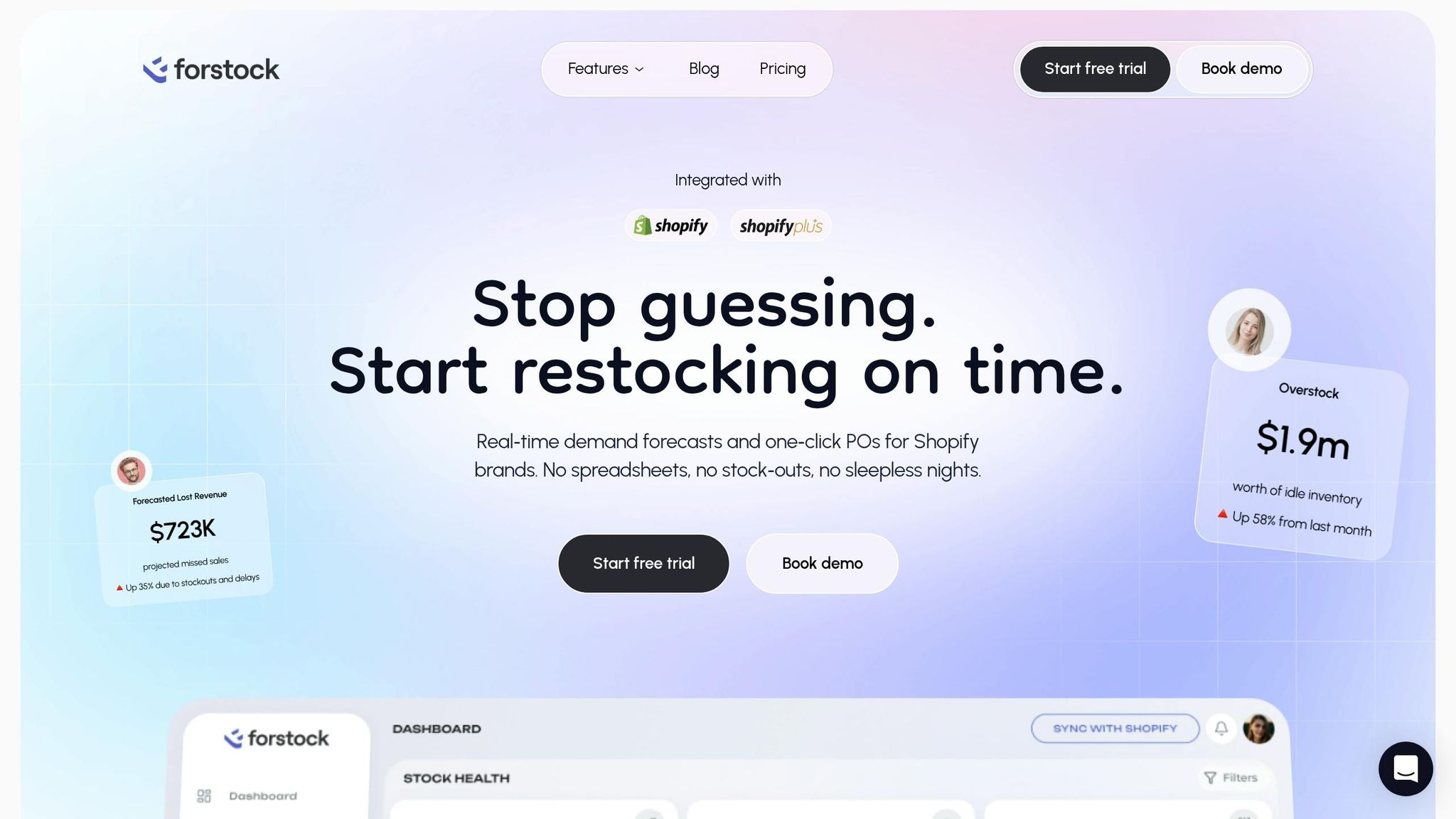
For merchants preparing to transition from Stocky, Forstock presents itself as a strong contender. Launched on September 26, 2025, it was specifically designed for Shopify merchants making this shift, offering tools and features tailored to meet their needs.
How Forstock Connects With Shopify
Forstock integrates seamlessly with Shopify's admin panel, providing real-time access to critical data like products, variants, SKUs, inventory levels, order history, and fulfillment details across all locations. It consolidates this information into a single dashboard, making it easier to manage multiple locations at once. To function effectively, Forstock requires permissions to edit products, orders, and location data, so merchants should double-check these access settings during the initial setup. Beyond this integration, Forstock stands out with its advanced forecasting tools.
Demand Forecasting and Replenishment in Forstock
Using Shopify sales history, Forstock’s AI engine delivers precise reorder suggestions at the SKU level. These suggestions are presented in a centralized Reorder Table, helping merchants avoid overstock vs. stockouts. This system has already delivered tangible results, such as cutting excess inventory by 45% and freeing up $150,000 in working capital. Matt, Operations Lead at TechGear, shared his experience:
"Forstock has been great. We're preventing stockouts that were costing us $50K monthly. The AI predictions are incredibly accurate."
For U.S. merchants, especially those navigating busy periods like Black Friday or Cyber Monday, these AI-driven predictions provide the confidence to plan inventory more effectively.
Supplier Management and Purchase Order Automation in Forstock
Forstock also simplifies supplier management and automates purchasing workflows. By centralizing supplier information - such as lead times and minimum order quantities (MOQs) - and integrating these tools directly with Shopify, it streamlines the entire process. Purchase orders can be automated using templates, filters, or even CSV imports, with landed costs factored in to ensure accurate margin calculations. Additionally, Forstock enables merchants to split purchase orders by location, ensuring stock is delivered to the correct warehouse or store. Payment progress tracking is another useful feature, allowing businesses to monitor amounts paid versus outstanding balances across all open orders.
Section 5: How to Migrate From Stocky to a New Inventory App
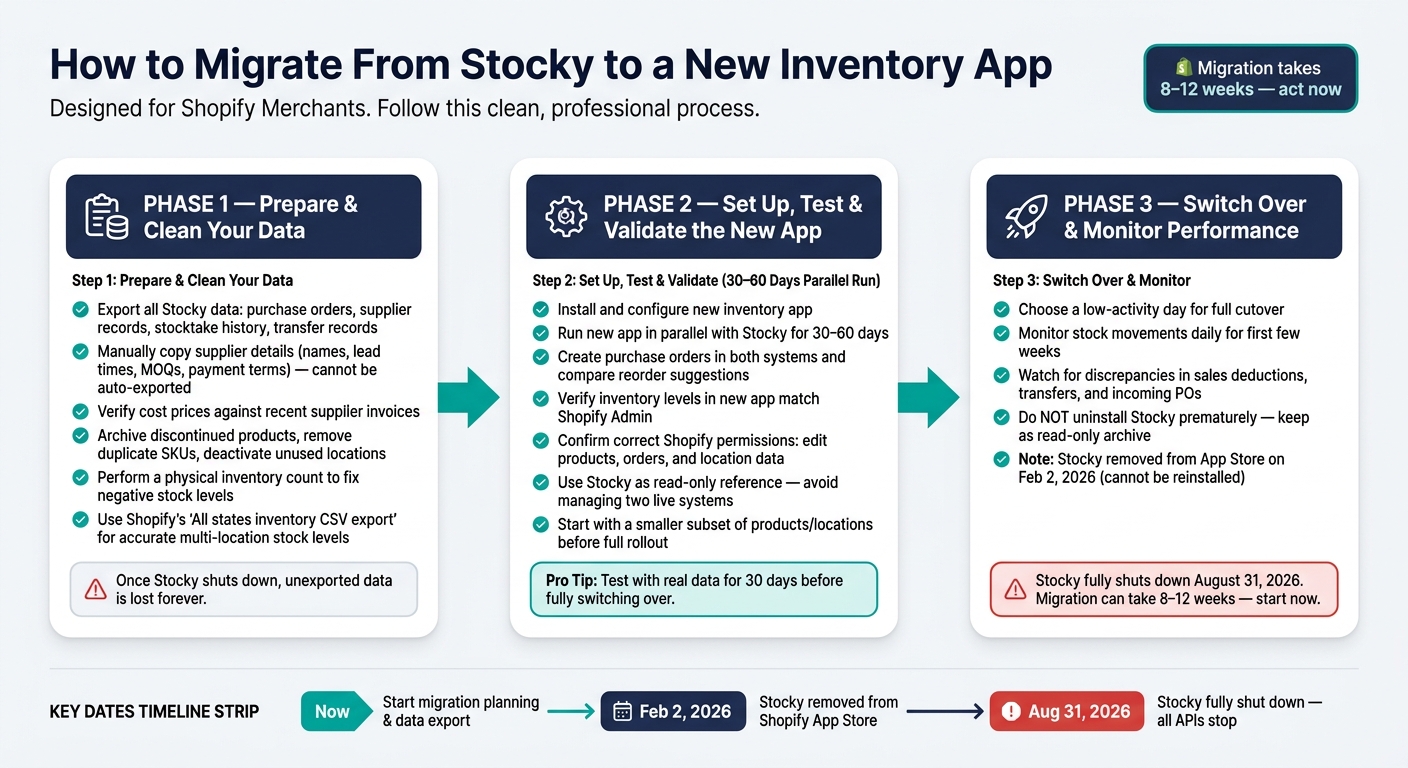
Stocky to New App Migration Timeline & Checklist
Switching from Stocky to a new inventory app takes careful planning to ensure your data stays intact and your operations run smoothly. The process can be broken into three main steps: cleaning up your data, testing the new system, and transitioning fully.
Prepare and Clean Your Existing Data
Before you start, export all critical data from Stocky. This includes purchase orders, supplier records, stocktake history, and transfer records. Remember, Stocky data doesn’t automatically transfer to Shopify Admin or other third-party apps. Once Stocky sunsets, any unexported data will be lost forever.
Take this opportunity to verify your cost data. For instance, in early 2026, Bailey & Coco discovered during their 10-week migration that their Stocky cost prices were 12% lower than actual supplier costs. This error caused them to under-budget container shipments by about $8,400 annually.
"Migration is not just about moving data. It is about discovering how inaccurate your current data has become." - Canopy
Next, clean up your SKU list. Archive discontinued products, remove duplicates, and deactivate unused locations. Perform a physical inventory count to correct any negative stock levels. This ensures your new system starts with accurate data. Once your data is clean and verified, you’re ready to test the new app.
Set Up, Test, and Validate the New App
With your cleaned data, set up the new inventory app. Run it in parallel with Stocky for 30–60 days to ensure everything functions properly. During this testing phase, create purchase orders in both systems and compare reorder suggestions. If differences appear, check for mismatches in settings like lead times or demand calculations.
After syncing, verify that inventory levels in the new app match those in Shopify Admin. Also, make sure the app has the correct Shopify permissions to edit products, orders, and location data. Missing permissions can cause sync errors. Use Stocky as a read-only reference during this time to avoid managing two live systems at once.
"A safer approach is to migrate inventory operations in stages. Start with a smaller group of products, locations, or workflows first." - Bhoomi Singh, Content Creator, Sumtracker
Once you confirm that the data is consistent and the new system works as expected, you’re ready to move to the final phase.
Switch Over and Monitor Performance
Choose a low-activity day for the full transition. Monitor stock movements daily for the first few weeks, paying close attention to sales deductions, transfers, and incoming purchase orders. Quickly address any discrepancies before they escalate into larger problems.
"It's far easier to troubleshoot discrepancies when you have both systems running than to discover problems after Stocky goes dark." - Stockful Blog
Avoid uninstalling Stocky too soon. Since February 2, 2026, Stocky cannot be reinstalled from the Shopify App Store, so deleting it prematurely could mean losing access to historical data. Keep Stocky as a read-only archive until you’re confident the new system is fully operational.
Conclusion: Steps to Choose the Right Inventory App Before the Deadline
Time is ticking. Stocky will no longer be supported after August 31, 2026, and with migration taking anywhere from 8 to 12 weeks, the clock has already started. It’s crucial to act now.
This transition isn’t just about swapping tools - it’s a chance to rethink your inventory management strategy. Following a Shopify inventory management guide can help you structure this new approach.
"Treat this as an opportunity to actually assess what your business needs from inventory management in 2026, rather than settling for whatever comes bundled with your plan." - Stockful Blog
Start by exporting key data like purchase order history, supplier records, and stocktake data. Remember, this information won’t transfer automatically and will be lost once Stocky shuts down. Use your workflow audit and evaluation criteria to identify which features are essential and which are simply nice-to-have. This clarity will help you choose from the top cloud inventory tools that truly fit your business.
Before making a full commitment, run a 30-day test using your actual data, as recommended in Section 5. Make sure to validate the system with a real purchase order to confirm everything works smoothly.
"The upgrade from Stocky is not just about features - it is about data confidence." - Canopy
This isn’t just about replacing Stocky - it’s about setting your business up for cleaner data and more efficient workflows in 2026. Use the detailed migration steps outlined earlier to ensure your transition is as smooth as possible.
FAQs
What data should I export from Stocky first?
Before Stocky winds down, it's important to back up and manually organize your key data to prevent losing crucial information. Start by compiling supplier records into a master spreadsheet. Include details like supplier names, contact information, lead times, payment terms, and minimum order quantities.
Next, capture screenshots of your demand forecasting settings and reorder points for future reference. Finally, export purchase order history, stocktake records, and essential reports - such as ABC analysis, sales data, and current stock levels - as CSV files to ensure you have everything securely saved.
How do I choose the right permissions for a new Shopify inventory app?
When choosing permissions for a Shopify inventory app, focus on apps that only ask for the essential read and write access needed for key activities like handling products, inventory, and orders. Look for apps that implement secure authentication methods, such as AES-256 encryption, and adhere to industry standards like SOC 2 or GDPR. Remember, you can always review and modify permissions in your Shopify admin, including revoking access if your requirements change.
How can I validate reorder suggestions before I fully switch?
Running both systems side by side for 30–60 days can be a game-changer. During this period, you can compare reorder suggestions by generating purchase orders in both platforms. If you notice any discrepancies, dive into the details - things like lead times, safety stock levels, or demand calculations might be the culprits. This overlap isn’t just about spotting differences; it’s also a chance to clean up your data, double-check supplier information, and give your team hands-on experience with the new system. By the end of the trial, you’ll have built confidence in its logic, making the transition to relying solely on the new tool much smoother.