
Stocky vs Forstock: Purchase Orders, Forecasting, Suppliers, and Reorder Recommendations Compared
Compare Stocky and Forstock for Shopify: forecasting, automated POs, supplier tracking, and smarter reorder recommendations.
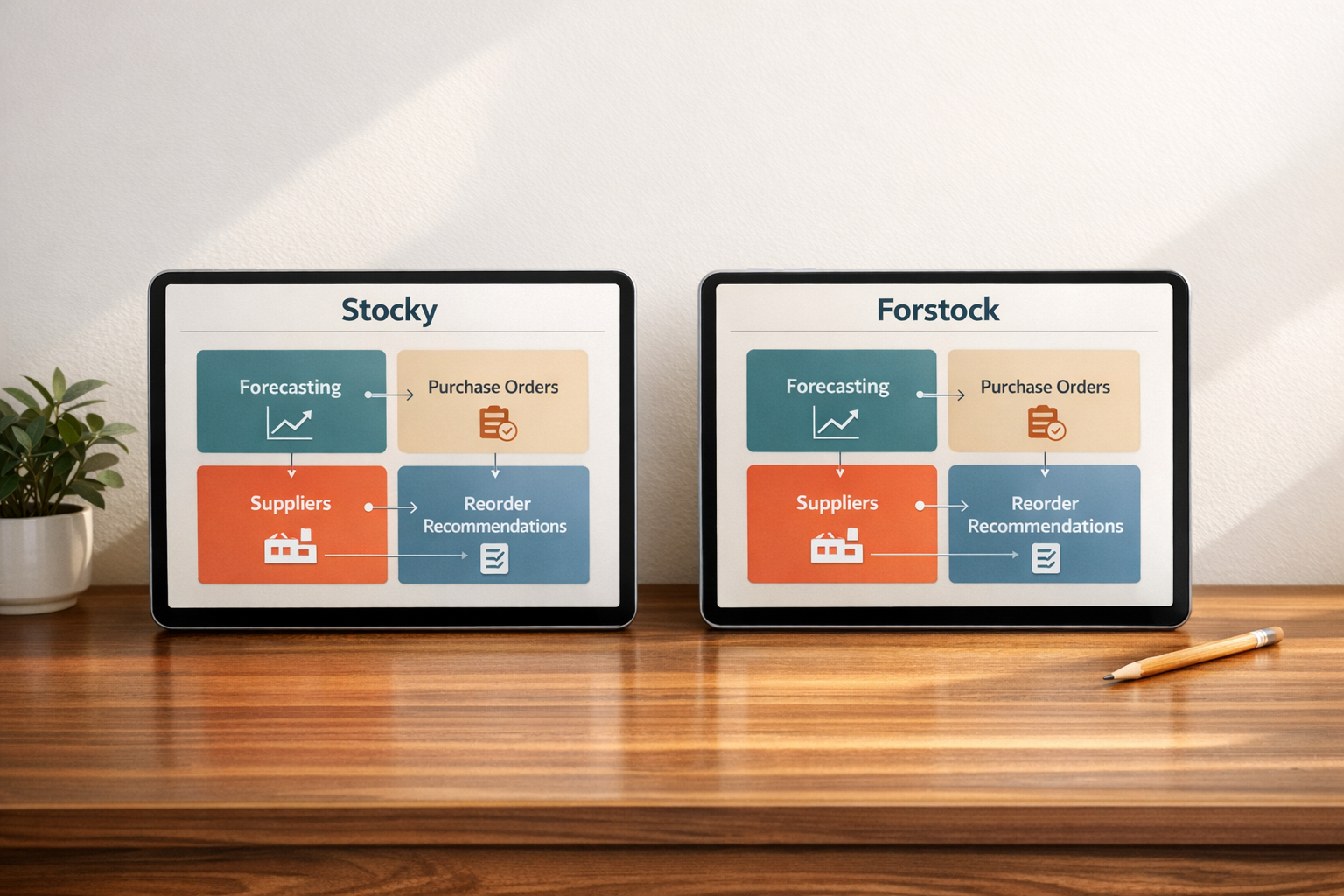
Stocky vs Forstock: Purchase Orders, Forecasting, Suppliers, and Reorder Recommendations Compared
Stocky is being phased out. Forstock is the modern alternative for Shopify merchants. Here’s what you need to know:
- Stocky, once included with Shopify POS Pro, will stop functioning on August 31, 2026. It offered basic inventory tools but lacked features like demand forecasting, supplier management, and automated reorder points.
- Forstock, launched in September 2025, addresses these gaps. It provides AI-driven forecasting, automated purchase orders, supplier tracking, and smarter reorder recommendations.
- Merchants report saving time, reducing stockouts and excess inventory by 75% and 45% respectively.
Quick Comparison:
| Feature | Stocky | Forstock |
|---|---|---|
| Forecasting | Based on recent sales only | AI-driven with seasonality and trends |
| Purchase Orders | Manual | Automated, includes landed costs |
| Supplier Management | Basic vendor list | Tracks lead times, MOQs, and performance |
| Reorder Suggestions | Static | Real-time, proactive alerts, safety stock |
If you’re managing inventory on Shopify, Forstock offers a time-saving, accurate solution to replace Stocky.
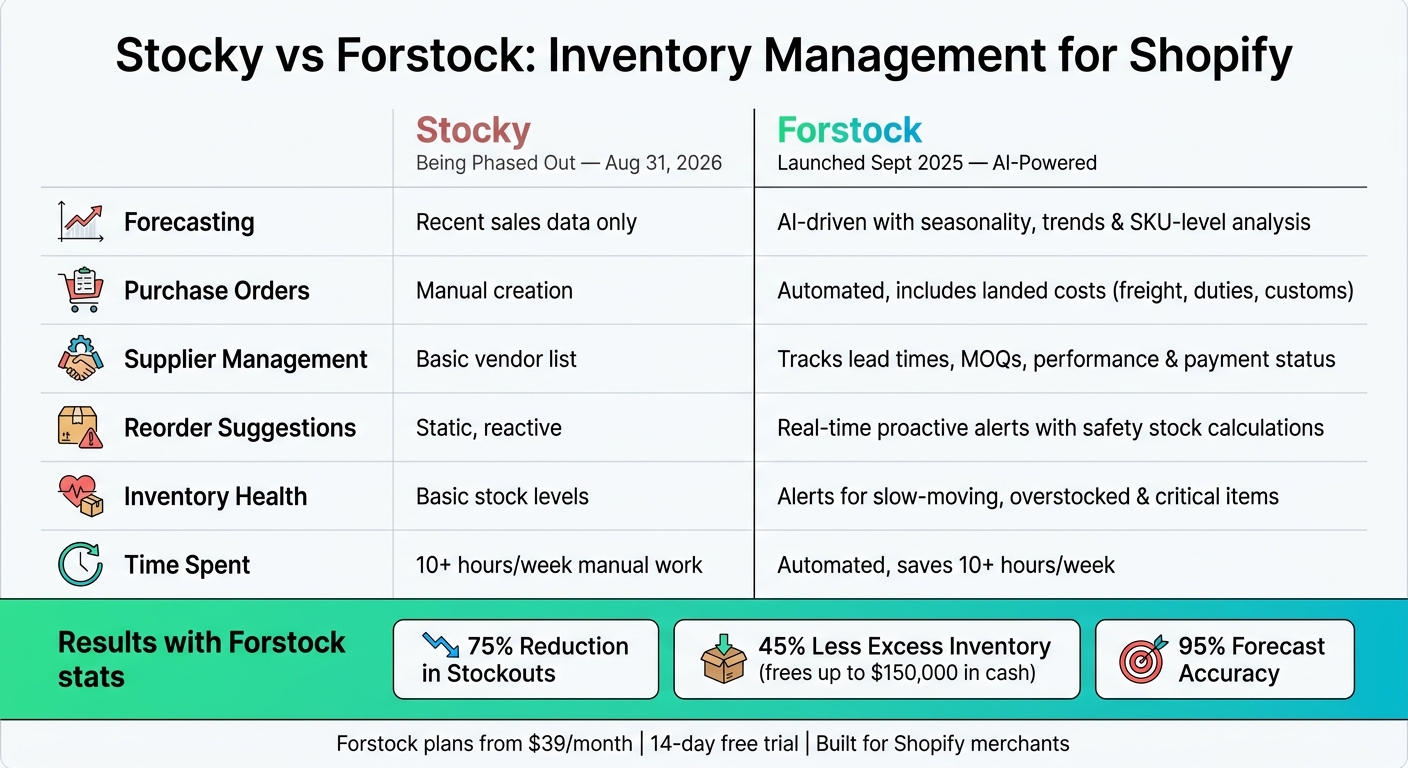
Stocky vs Forstock: Inventory Management Feature Comparison
Stocky: What It Offered and Where It Fell Short
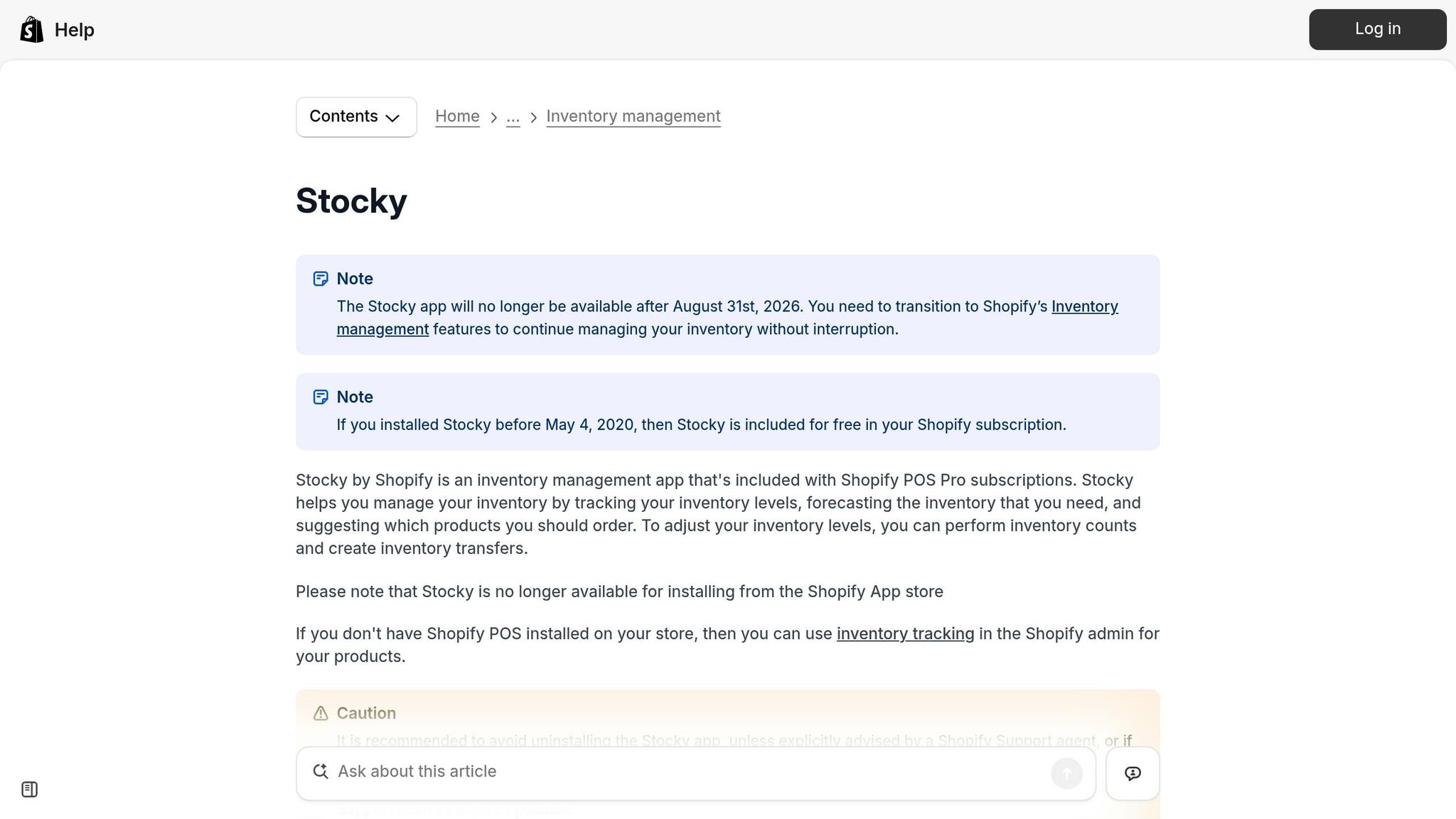
Stocky's Core Features
Stocky was included with Shopify POS Pro, offering tools like real-time inventory tracking, stock counts, inventory transfers between locations, and manual purchase order creation. It also provided basic reorder suggestions based on recent sales data and reports to help merchants assess their stock health. Merchants who installed Stocky before May 4, 2020, received it as part of their Shopify subscription.
While these features worked for smaller businesses, they often fell short for those experiencing growth.
Stocky's Limitations for Growing Businesses
Stocky's core tools were designed to meet basic inventory needs, but they struggled to keep up with businesses scaling their operations. For instance, its reorder suggestions relied entirely on recent sales, ignoring factors like seasonality, trends, or growth patterns. This reactive approach often left businesses unprepared for demand fluctuations. As one inventory manager put it:
"Growth was exciting but also chaotic. We would either run out of our best sellers or sit on piles of slow-moving stock." - Emily, Inventory Manager
Another key limitation was Stocky’s lack of advanced supplier management. It didn’t offer structured tracking for lead times, minimum order quantities (MOQs), or vendor-specific rules. For businesses juggling multiple suppliers, this often meant important details fell through the cracks, forcing merchants to turn to spreadsheets for workarounds.
Here’s a comparison of Stocky’s capabilities versus what growing businesses need:
| Capability | Stocky | What Growing Brands Need |
|---|---|---|
| Forecasting | Recent sales data only | Seasonality, trends, growth patterns |
| Supplier Management | Basic vendor list | Lead times, MOQs, supplier rules |
| PO Creation | Manual and inflexible | Automated, data-driven |
| Inventory Health | Basic stock levels | Alerts for slow-moving or overstocked items |
| Reliability | Often required spreadsheet verification | High-precision, real-time accuracy |
Because of these limitations, merchants often spent over 10 hours a week on manual processes, dealing with stockouts that could cost up to $50,000 in lost sales each month. These challenges underscore why growing businesses need more advanced inventory tools to keep pace with their demands and minimize costly inefficiencies.
sbb-itb-f0fc809
Best Inventory Management Apps for Shopify in 2026

Forstock: What It Does Differently
Forstock steps in where Stocky falls short, offering tools specifically designed for Shopify merchants. Instead of patching up manual processes, it integrates demand forecasting, purchase orders, and supplier management into one seamless workflow. The result? Data-driven decisions that replace guesswork. Let’s break down its key features.
Purchase Order Management in Forstock
Forstock transforms what used to be a multi-hour task into something that takes seconds. It automatically generates purchase orders by converting AI-powered demand forecasts into reorder suggestions, taking into account each product's sales velocity and projected stock depletion. Merchants can also include landed costs - like freight, duties, and customs - right in the purchase order, offering a clear view of total spending. Once goods arrive, a single click updates Shopify inventory, even handling partial shipments without requiring manual changes.
Alexander, a Supply Chain Manager at FashionCo, shared his experience:
"The automated PO creation saves us 10+ hours weekly. Setup was seamless - just 2 minutes!"
Forstock’s demand forecasting feature takes this efficiency even further.
Demand Forecasting in Forstock
Forstock’s forecasting tool uses machine learning to dig deep into historical Shopify sales data, factoring in seasonality, holiday peaks, and product lifecycle details at the SKU level. It even adjusts automatically for promotions and growth trends, so merchants don’t have to. For new products without any sales history, the platform applies intelligent bootstrapping to create an initial forecast, removing the guesswork.
Transparency is a key feature here. Forstock explains the logic and calculations behind every prediction, so users aren’t left relying on a mysterious black box. The results speak for themselves: merchants report up to 95% forecast accuracy, a 75% drop in stockouts, and a 28% improvement in overall forecast precision after adopting Forstock.
Its supplier management tools further streamline operations.
Supplier Management in Forstock
Forstock consolidates supplier relationships into one easy-to-use platform. Lead times, minimum order quantities (MOQs), and vendor-specific reorder rules are all stored and applied automatically during recommendations, eliminating the need for clunky spreadsheets. The platform also tracks supplier performance and payment statuses within the same dashboard, ensuring nothing falls through the cracks, even when managing multiple vendors.
Daniel, another Supply Chain Manager, highlighted the difference it made:
"We were juggling dozens of suppliers and purchase orders every month, and things kept slipping through the cracks. With Forstock, we can create POs in minutes, track supplier performance, and forecast demand without the guesswork."
Reorder Recommendations: Stocky vs Forstock
How Stocky Handled Reorder Suggestions
Stocky’s approach to reorder suggestions was simple but lacked depth. It primarily focused on current stock levels and recent sales history to flag low-stock items. However, it didn't include automation or safety stock calculations. This meant that products could seem adequately stocked one day but run out shortly after due to promotions or seasonal demand. Meanwhile, slow-moving items could pile up unnoticed, tying up valuable cash flow. This reactive strategy struggled to adapt to sudden market changes or unpredictable demand.
How Forstock Calculates Reorder Points
Forstock takes a more advanced, proactive approach. It uses AI-powered demand forecasting and real-time sales velocity to calculate optimal reorder points for each SKU. The platform’s Reorder Table organizes products by stock health - categories like "Stock Gap", "Running Low", or "Critical Levels" - making it easy for merchants to identify which items need restocking and how many days of inventory remain.
Forstock also considers supplier lead times, minimum order quantities (MOQs), and custom reorder rules to ensure its suggestions are supplier-ready. Additionally, the system calculates safety stock automatically for each SKU, accounting for demand fluctuations and supplier reliability. This helps businesses avoid unexpected stockouts or overstocking without the need for manual adjustments.
The results speak for themselves. One company cut excess inventory by 45%, freeing up $150,000 in cash, while another saved $50,000 per month by avoiding stockouts.
| Feature | Stocky | Forstock |
|---|---|---|
| Reorder Basis | Manual logic based on sales | AI-driven demand forecasting |
| Risk Alerts | Limited | Proactive alerts for stockouts and overstock |
| Supplier Rules | Basic | Incorporates lead times, MOQs, and reorder rules |
Users have embraced Forstock’s smarter approach. Ezz Studios summed it up perfectly:
"Finally a tool that works!! We've tried a few inventory tools and always ended up going back to spreadsheets because we wanted to verify the numbers ourselves. Forstock is the first tool that actually feels close to how we think about re-ordering!" - Ezz Studios
Moving from Stocky to Forstock
Switching from Stocky to Forstock is designed to be straightforward, ensuring smooth operations without unnecessary disruptions. This guide walks you through the process step-by-step, focusing on simplicity and efficiency.
Setup and Migration Steps
To get started, install Forstock. The platform will automatically sync your products, variants, SKUs, and real-time inventory directly from your Shopify admin. The only manual step is configuring supplier details. This includes adding lead times, minimum order quantities (MOQs), unit costs, and reorder rules. For larger catalogs or purchase order histories, you can speed things up by bulk-importing data using CSV files.
"We used to spend hours syncing data between spreadsheets and Shopify. Forstock eliminated all of that." - Alexander, E-commerce Manager at PureOrganics
Once your supplier profiles are set up, the Reorder Table becomes your go-to tool. It highlights SKUs labeled "Stock Gap" or "Running Low", helping you avoid stockouts during the transition. After completing the initial setup, you can shift your focus to refining forecasts and reorder settings for even better inventory management.
Migration-Specific Supplier Setup
During migration, the key is to accurately input data related to your existing vendors. This includes lead times, MOQs, unit costs, and reorder rules. By doing this, Forstock’s recommendations will be accurate and actionable from the start.
Calibrating Forecasts and Reorder Settings
Once your data is in place, Forstock’s AI starts analyzing your historical data to refine its forecasts and inventory turnover. The system improves its accuracy as it learns from your sales patterns. Users have reported a 28% improvement in forecast accuracy and a 75% reduction in stockouts after completing the configuration process.
Forstock also provides transparency into its recommendations. You can review why the system suggests reordering specific items at certain times. This feature builds trust and helps you better understand how the platform interprets your sales trends, allowing you to stay ahead of inventory challenges.
"The forecasting transparency is unmatched. I can see exactly why Forstock recommends reordering now vs. later. No more black-box guessing." - Founder & CEO, DTC Beauty Brand ($8M ARR)
To maximize efficiency, use Forstock’s ABC analysis tool. Focus on "A" grade items - your highest-value inventory - to safeguard key revenue streams. Once those are optimized, you can fine-tune the settings for slower-moving SKUs.
| Migration Phase | Action Item | Method |
|---|---|---|
| Product Data | Sync SKUs, variants, and descriptions | Automatic Shopify Sync |
| Supplier Data | Set lead times, MOQs, and costs | Manual Entry / Supplier Dashboard |
| Historical Data | Import existing POs and stock lists | CSV Bulk Import |
| Forecasting | Calibrate safety stock and reorder points | AI Demand Planning Engine |
| Workflow | Configure landed costs and receipt rules | Purchase Management Settings |
Conclusion: Stocky vs. Forstock - Which One Fits Your Business?
The choice between Stocky and Forstock boils down to a key difference: manual processes versus AI-driven efficiency. While Stocky handled basic inventory tasks, it relied heavily on manual workarounds. Forstock eliminates that hassle by offering a streamlined dashboard that integrates forecasting, purchase orders, supplier management, and reorder recommendations - all in one place.
Forstock’s advanced approach addresses the growing demands of Shopify merchants by combining smarter forecasting, simplified purchase orders, better supplier management, and accurate reorder suggestions.
For Shopify merchants in the U.S. still juggling inventory manually, the cost of sticking with outdated methods can be steep. For example, TechGear's Operations Lead Matt uncovered over $70,000 in slow-moving stock in just his first week using Forstock. He also stopped stockouts that had been costing $50,000 per month in lost sales. Similarly, Jason, co-founder of HomeGoods, reduced excess inventory by 45% and freed up $150,000 in working capital after making the switch. These real-world results highlight how replacing guesswork with data can transform a business.
Professionals in the industry echo these benefits:
"Before Forstock, I was literally living in spreadsheets... Since switching, I haven't had a single stockout, and I don't overorder anymore." - Sophie, E-commerce Manager
If your business checks these boxes - you're on Shopify, managing multiple SKUs or suppliers, and struggling with time-consuming inventory planning - the decision is clear. Forstock offers plans starting at $79/month and scales with your revenue. Plus, every paid tier comes with a 14-day free trial, so you can test it with your sales data without any risk.
With Stocky no longer available, Forstock steps in as a true upgrade for inventory management.
FAQs
What happens to my inventory data after August 31, 2026?
After August 31, 2026, Stocky will be completely deactivated, and all inventory-related data - such as purchase history, supplier records, and forecasting settings - will no longer be accessible. The app's APIs will also stop functioning, meaning any third-party tools dependent on this data will lose their connection.
To prevent losing important information, make sure to export your data as CSV files. This includes purchase orders, stocktake records, and cost data. Additionally, take time to manually document details that can't be exported, like supplier lead times, well before the deadline.
How quickly can I get accurate forecasts if my sales are seasonal?
When you connect your Shopify store, the system quickly pulls in your historical sales data and generates forecasts almost immediately - no need for manual uploads or juggling spreadsheets. It automatically adjusts to your store’s seasonal patterns and growth trends, fine-tuning predictions as fresh data becomes available. For new products without much sales history, it uses smart bootstrapping techniques to deliver insights right from the start.
What supplier details do I need to set up to get good reorder suggestions?
To ensure accurate reorder suggestions in Forstock, it's crucial to build thorough supplier profiles. Make sure to include key details such as the supplier's legal name, contact information, payment terms (like Net 30), minimum order quantities (MOQs), pack sizes, and delivery methods.
Additionally, document dependable historical lead times and connect each product SKU to its default supplier. This setup helps the system trigger reorders correctly by considering reorder points, daily sales, lead times, and safety stock levels.
Keep reading
Try Forstock free for 14 days.
AI-powered demand forecasting and reorder automation for Shopify brands. No credit card required.