
Stocky vs Shopify Admin: What Changes Before the August 31, 2026 Shutdown
Stocky stops Aug 31, 2026 — export POs, stocktakes and supplier data now and pick an alternative for forecasting and reorder automation.

Stocky vs Shopify Admin: What Changes Before the August 31, 2026 Shutdown
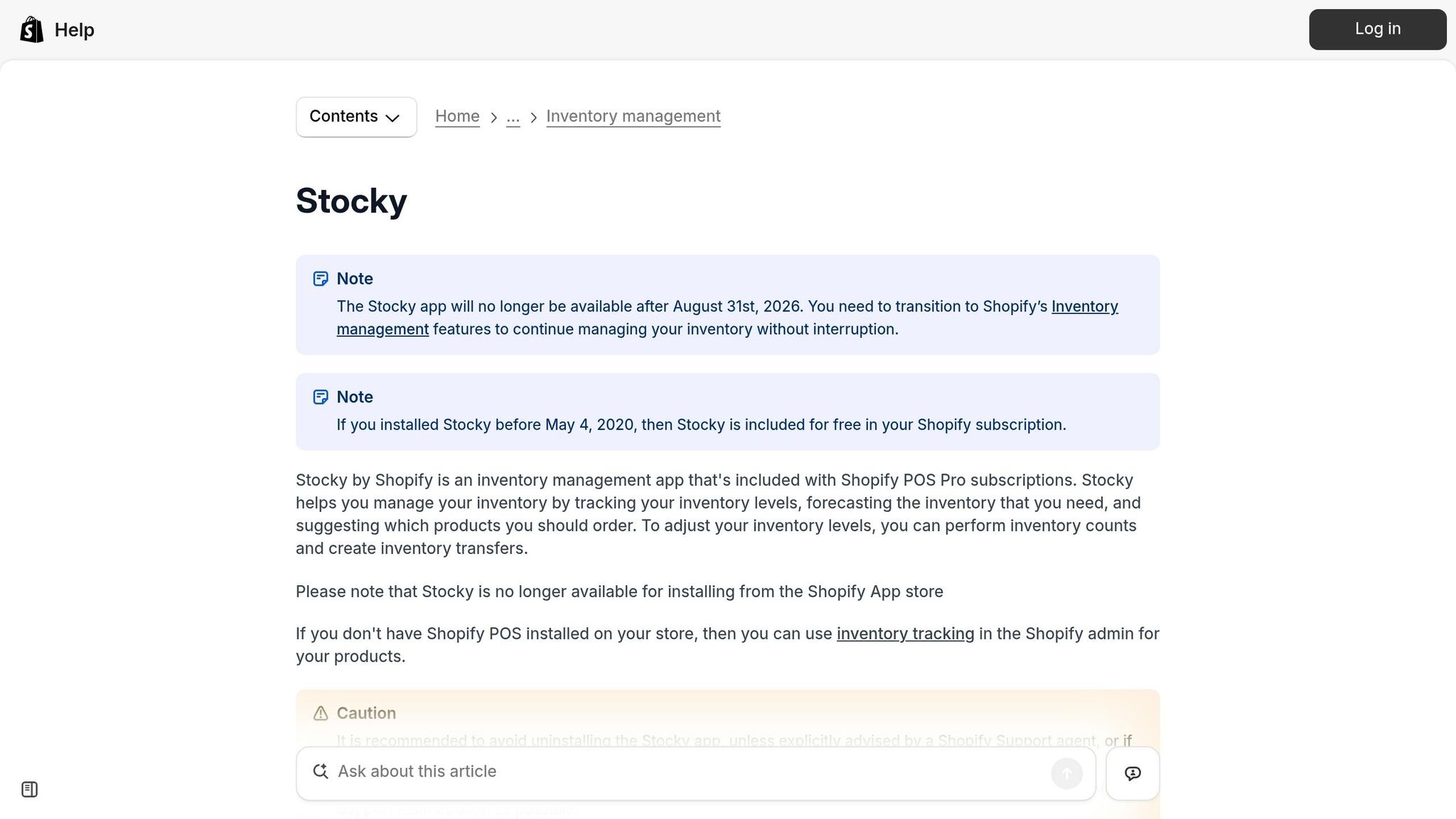
If you’re relying on Stocky for inventory management, here’s the key update: Stocky will stop working on August 31, 2026, with its removal from the Shopify App Store already in effect as of February 2, 2026. This shutdown impacts features like purchase orders, demand forecasting, and supplier management. Shopify Admin will take over, but it lacks many of Stocky’s advanced tools. To avoid losing critical data and functionality, you need to act now.
Key Takeaways:
- Deadlines to Know:
- February 2, 2026: Stocky removed from the App Store (no reinstallations).
- August 31, 2026: Stocky stops working entirely.
- Data Loss Risk: Historical data won’t transfer automatically. Export purchase orders, stocktakes, and supplier details before August 31, 2026.
- Feature Gaps: Shopify Admin lacks Stocky’s demand forecasting, supplier lead time tracking, and Shopify purchase order apps with automation.
- Next Steps:
- Start exporting data by mid-April 2026.
- Consider tools like Forstock ($79/month) to replace lost functionality.
Bottom Line: Stocky’s shutdown requires preparation to avoid disruptions. Begin transitioning now to secure your data and explore alternatives to fill gaps in Shopify Admin’s inventory management tools.
Stocky Alternatives for Shopify: What to Choose Next
sbb-itb-f0fc809
Key Dates and Transition Timeline
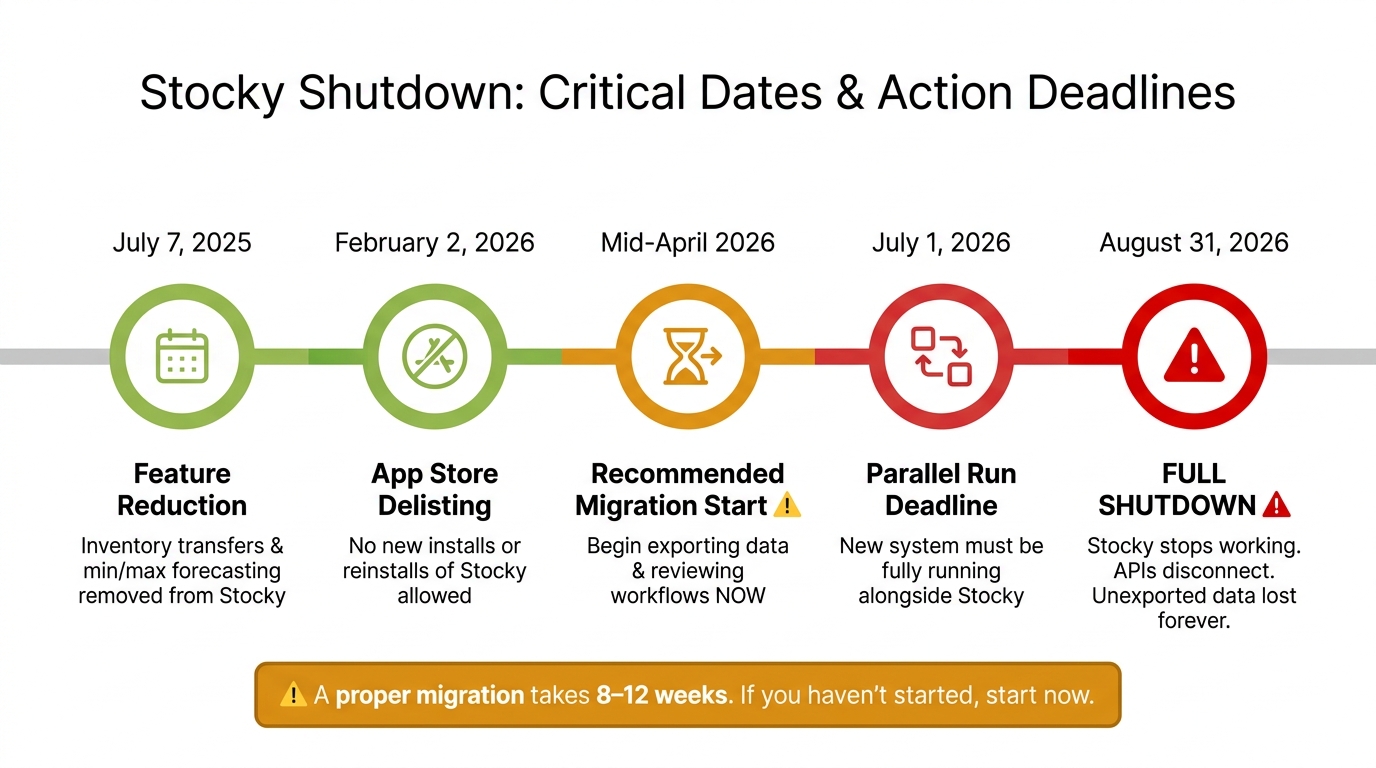
Stocky Shutdown Timeline: Key Dates Before August 31, 2026
Deprecation Timeline at a Glance
The shutdown of Stocky is happening in stages, and the process is already underway. The first major step occurred on February 2, 2026, when Shopify removed Stocky from the App Store, preventing any new installations. The final milestone is August 31, 2026, when the app will stop functioning entirely.
| Date | Milestone | What It Means for You |
|---|---|---|
| July 7, 2025 | Feature Reduction | Inventory transfers and forecasting features removed from Stocky |
| February 2, 2026 | App Store Delisting | No new installs or reinstalls of Stocky allowed |
| Mid-April 2026 | Recommended Migration Start | Best time to begin exporting data and reviewing workflows |
| July 1, 2026 | Parallel Run Deadline | New system should be fully set up and running alongside Stocky |
| August 31, 2026 | Full Shutdown | Stocky stops working; APIs disconnect; only read-only access to data remains |
"The Stocky shutdown date is 31 August 2026. That sounds like plenty of time. It is not... you need to start the process by mid-April 2026 to have a comfortable migration." - Canopy
These dates are more than just deadlines; they are critical checkpoints to ensure a smooth transition. Missing them could result in lost data and disrupted workflows.
What the Full Shutdown Actually Affects
When Stocky shuts down on August 31, the effects will ripple through your operations. It’s not just about losing access to the app itself - any custom dashboards, automations, or third-party tools that rely on Stocky's data will stop working immediately. Shopify has made it clear that there will be no grace period for API connections.
After the shutdown, Shopify plans to offer temporary read-only access to historical data. However, once that window closes, the data will no longer be retrievable.
"Stocky will be removed from your store and all data within it will be permanently lost. You will still have Shopify's basic inventory tracking, but you will lose all purchase order history, supplier data, and any demand forecasting configuration." - Canopy
Shopify has also confirmed that they will not offer data exports after the shutdown, making it essential to act before the deadline. Critical information such as purchase order history, supplier details, and stocktake records won’t automatically transfer to Shopify Admin. This means you’ll need to manually export or document these details ahead of time to avoid losing them forever.
Feature Comparison: Stocky vs Shopify Admin
What Stocky Currently Does
Stocky takes inventory management up a notch by handling purchase orders, forecasting demand, tracking suppliers, and managing inventory counts. It adds an intelligent layer to basic stock tracking, making it a more comprehensive tool.
For demand forecasting, Stocky offers four modes - Fill Shelves, Target Stock Level, Last X Days, and Same Period Last Year. These modes help calculate order quantities based on real sales data. It also keeps detailed supplier records, including contact details, lead times, minimum order quantities (MOQs), and order multiples. When inventory is received, Stocky automatically updates unit costs, and its ABC analysis highlights top-performing SKUs while flagging underperformers. In comparison, Shopify Admin focuses on simplicity but lacks these advanced automation features.
"If Stocky was your entire inventory management system, you were already operating with significant blind spots." - Canopy
What Shopify Admin Natively Offers
Shopify Admin provides basic inventory tools like stock tracking across multiple locations, manual purchase orders, inventory adjustments, and low-stock alerts. It also supports multi-location order routing based on available stock.
However, Shopify's purchase order system requires manual input for product selection, quantities, and receipt confirmation. There are no automated suggestions or demand-based triggers for replenishment. This simplicity can be convenient but comes at the cost of more advanced features like those offered by Stocky.
Where the Two Overlap and Where the Gaps Are
Both platforms handle basic inventory tasks like stock adjustments and transfers, and each supports purchase order creation. However, their approaches differ significantly in functionality and automation.
Shopify Admin lacks several advanced features found in Stocky. These include demand forecasting, supplier lead time tracking, ABC analysis, and barcode scanning workflows for inventory counts. Additionally, Shopify Admin only retains 180 days of inventory adjustment history, which may be insufficient for businesses that rely on year-over-year data. When receiving inventory, Shopify Admin updates quantities but doesn’t automatically adjust unit costs, requiring manual intervention.
| Feature | Stocky | Shopify Admin (Native) |
|---|---|---|
| Demand Forecasting | Yes – four modes | No |
| Purchase Orders | Demand-based | Manual only |
| Supplier Lead Times & MOQs | Comprehensive records | Basic vendor information |
| Inventory Transfers | Yes | Yes |
| ABC Analysis | Yes | No |
| Barcode Stocktakes | Yes | No |
| Automatic Cost Updates | Yes | Manual step required |
| Adjustment History | Long-term | Limited to 180 days |
"Shopify Admin gives you inventory reports and sales data, but it does not interpret that data into reorder suggestions." - Gaurav Radadiya, Storebeep
How Daily Workflows Will Change After the Switch
Purchase Orders and Replenishment
Stocky offered automated purchase order suggestions based on sales trends, but Shopify Admin requires manual input for every detail. Processing just one supplier invoice for 30 styles can take 1–3 hours, which significantly adds to the workload over an entire cycle.
Another challenge is tracking costs. When inventory is received in Shopify Admin, stock quantities are updated automatically, but unit costs are not. This requires a separate manual step, increasing the risk of errors.
"Updating costs is now a separate manual step, which means your margin calculations and inventory valuations can drift if you're not careful." - Stockful Blog
To mitigate some of these gaps, Shopify Flow (available on plans starting at $79/month) can help by triggering low-stock alerts based on predefined thresholds. While it doesn’t provide order quantity suggestions, it does notify you when action is needed.
Planning and forecasting workflows will also undergo substantial changes with Shopify Admin.
Demand Forecasting and Inventory Planning
Shopify Admin lacks built-in forecasting tools. Features like Stocky’s Fill Shelves, Target Stock Level, and Same Period Last Year modes will no longer be available after Stocky shuts down on August 31, 2026. Merchants will need to calculate reorder quantities manually or adopt alternative solutions.
Additionally, Shopify Admin doesn’t track supplier lead times, which could lead to late reorders and stockouts while waiting for deliveries. Managing lead time data will now require external tools, like spreadsheets, or optimizing inventory across multiple warehouses using specialized software.
The 180-day limit on inventory adjustment history poses another hurdle, especially for seasonal businesses that rely on year-over-year data for planning. This restriction removes critical visibility during key planning periods.
"Inventory systems are not just tools. They are the backbone of your operation. When purchasing becomes clunky, receiving slows down... reorders turn into guesswork." - SKULabs
Forstock offers a solution by integrating with Shopify to provide demand forecasting, reorder suggestions, and safety stock calculations. It helps restore much of the planning functionality lost with Stocky’s shutdown.
Supplier and Vendor Management
With manual data entry becoming more central to ordering and planning, maintaining accurate supplier records will require extra diligence. This is especially important as Shopify Admin’s native tools only include a basic vendor field on products, lacking the detailed supplier profiles that Stocky provided.
Stocky tracked supplier information such as contact details, lead times, minimum order quantities (MOQs), payment terms, and SKU-level relationships. Shopify Admin does not support exporting supplier records from Stocky via CSV, so all relevant details must be documented manually before the August 31 deadline.
The experience of Bailey & Coco highlights the risks involved. When they migrated 2,845 SKUs and 23 suppliers from Stocky in early 2026, they discovered that only 6 of their suppliers were still active. Additionally, cost prices in Stocky were 12% below actual costs due to unrecorded supplier price increases. This oversight caused them to under-budget container orders by approximately $8,400 per shipment for over a year.
To avoid similar issues, review and update supplier records thoroughly. Remove inactive suppliers, verify lead times based on recent orders, and ensure cost prices are accurate.
"Shopify says suppliers cannot be exported from Stocky. Document supplier names, contacts, lead times, MOQs, and vendor/SKU relationships before the deadline." - Synplex
Getting Ready: Data Migration and Risk Reduction
Data to Export from Stocky Before It Closes
As Stocky approaches its shutdown, it's crucial to secure and organize your data for a seamless transition to Shopify Admin. Start exporting your data as soon as possible - after August 31, 2026, Stocky's APIs will no longer work, and your data will eventually become permanently inaccessible.
You can download several key records as CSV files, including purchase order history (PO numbers, line items, quantities, costs, and dates), stocktake records, adjustment history, transfer history for multi-location setups, and any custom reports you’ve relied on for buying decisions. However, some settings, like demand forecasting parameters, reorder points, and SKU-level triggers, cannot be exported. For these, take detailed screenshots of every configuration page you use. These screenshots will serve as a reference when setting up your planning logic in a new system.
Additionally, cross-check your exported cost prices with those recorded in Shopify Admin. Stocky sometimes stored cost data separately, which could lead to discrepancies between the two systems.
Once you’ve exported your data, validate it within Shopify Admin to ensure accuracy.
Cleaning Up Inventory in Shopify Admin
Exporting your data is only the first step. To ensure smooth operations after Stocky's shutdown, your Shopify Admin records must be accurate and up-to-date.
Start with a full physical stocktake to reconcile your actual inventory with system records. Pay special attention to negative inventory quantities, as these may indicate errors in receiving or fulfillment that could disrupt your new workflows. While auditing, clean up your records by eliminating duplicate SKUs, standardizing product naming conventions, and deactivating unused or outdated locations. Outdated location data can create confusion and inflate your perceived stock levels. Also, fulfill any outstanding orders before conducting your final stocktake. Stocky treats inventory as available even when it’s committed to unfulfilled orders, which can lead to overcounting.
Before making any irreversible changes during a stocktake - such as using the "Zero All" or "Zero Selected" functions - download a CSV backup of your current location inventory to avoid losing critical information.
With your Shopify Admin inventory verified and cleaned up, you’ll be ready to implement Forstock to regain the advanced features you’ll lose with Stocky.
Utilizing Forstock to Restore Advanced Inventory Functionality
Once your data is cleaned and exported, you can replace Stocky's advanced features by integrating Forstock.
While Shopify Admin handles basic inventory tasks - like tracking stock quantities, creating simple purchase orders, and logging vendor names - it lacks advanced tools for demand forecasting, reorder quantity suggestions, supplier lead time tracking, and retaining inventory history beyond 180 days. For businesses that relied on Stocky’s advanced planning features, these gaps can be challenging.
Forstock steps in to bridge this gap. It integrates seamlessly with Shopify and offers features like demand forecasting with 95% accuracy, automated purchase order creation, safety stock calculations, and a detailed supplier management directory that includes lead times and minimum order quantities (MOQs). Unlike Shopify Admin’s 180-day inventory history limit, Forstock retains full historical data - a key advantage for seasonal businesses that plan based on year-over-year trends. At $79 per month for all revenue tiers, it’s a cost-effective option for brands that need advanced planning tools without a significant increase in expenses.
To ensure a smooth transition, run Forstock alongside Stocky for at least 60 days before Stocky shuts down. This overlap allows you to compare reorder suggestions, identify data discrepancies early, and give your team time to adapt to the new system.
"A proper migration requires parallel running - operating both your old and new system simultaneously to verify data accuracy. Best practice is 60 days."
- Canopy
Conclusion: What to Do Before August 31, 2026
August 31, 2026, is a hard deadline with no room for extensions. Once Stocky shuts down, its APIs will stop functioning, and any unexported data will be lost for good. Merchants who act early will be in a much better position to avoid operational disruptions.
The real challenge isn’t just the shutdown itself - it’s the gap it leaves in functionality. While Shopify Admin can manage basic tasks, it doesn’t offer the advanced tools required for effective inventory planning. Stores that rely on Stocky’s features could face stockouts, over-ordering, and even risk losing up to 11% in annual revenue. Rushing the transition only increases these risks.
Planning ahead is critical. A proper migration typically takes 8 to 12 weeks, so if you haven’t started yet, now is the time. Key steps include exporting your purchase order history, recording supplier details like lead times, and cleaning up your inventory data in Shopify Admin. These actions will help ensure a smoother transition.
To close the gap left by Stocky, consider tools like Forstock. It offers advanced features such as real-time demand forecasting and lead time adjustments, automated purchase order creation, safety stock calculations, and a detailed supplier management directory. At $79 per month, Forstock is designed to replace Stocky’s planning capabilities. Running Forstock alongside Stocky for 30–60 days allows you to test reorder suggestions and fine-tune your processes before the final shutdown.
FAQs
What data should I export from Stocky before August 31, 2026?
Before the August 31, 2026, shutdown, make sure to manually export any data that won’t transfer to Shopify Admin. This includes:
- Purchase orders
- Stocktakes
- Adjustment records
- Low-stock reports
- Stock-on-hand reports
- Custom inventory reports
Additionally, document all supplier details, such as names, contact information, lead times, minimum order quantities, and SKU-vendor relationships. Don’t forget to save your demand forecasting settings and reorder points, as these won’t be accessible in Shopify Admin.
What Stocky features won’t be replaced in Shopify Admin?
Shopify Admin lacks several important features that Stocky previously offered, creating challenges in inventory planning and supplier management. Some of the missing tools include:
- Demand forecasting: Essential for predicting future inventory needs.
- AI-driven reorder suggestions: Helpful for automating restocking decisions.
- Supplier tracking: Missing features like lead time monitoring and managing minimum order quantities (MOQs).
Additionally, Shopify Admin does not support key functionalities such as ABC analysis, automated reorder alerts, PO label printing, or barcode-based workflows for stocktaking. These tools, which were integral to Stocky, will no longer be available natively once it is phased out.
How long should I run Stocky and Shopify Admin in parallel before the shutdown?
Running both systems simultaneously for at least one full ordering cycle - ideally 30 to 60 days before August 31, 2026 - can make all the difference. This overlap allows you to generate purchase orders in both systems, compare the outcomes, and resolve any discrepancies. A 60-day transition ensures that your new process is fully operational by July 1, 2026. Waiting until the last month could leave you scrambling to fix issues at the eleventh hour.
Keep reading
Try Forstock free for 14 days.
AI-powered demand forecasting and reorder automation for Shopify brands. No credit card required.