
Stocky Is Shutting Down: What Shopify Merchants Lose and Why Shopify Admin May Not Be Enough
By Forstock Team · Last updated June 9, 2026
Stocky ends Aug 31, 2026 — merchants lose forecasting, PO automation, and supplier lead-time tools; Shopify Admin lacks inventory planning features.

Stocky is shutting down on August 31, 2026, leaving Shopify merchants without key inventory planning tools. Shopify Admin offers basic inventory management but lacks advanced features like demand forecasting, calculating reorder points, and supplier lead time tracking. For merchants who relied on Stocky, this change could disrupt workflows and impact efficiency.
Key Takeaways:
- Stocky’s Features Going Away: Demand forecasting, automated purchase orders, supplier lead time tracking, and multi-location inventory planning.
- Shopify Admin Limitations: No forecasting, limited purchase order functionality (mostly for Shopify Plus users), and minimal supplier management tools.
- Solution: Tools like Forstock ($79/month) provide advanced forecasting, automated purchase order suggestions, and detailed supplier management to fill the gap left by Stocky.
Merchants should act now to transition to alternative tools, ensuring minimal disruption before Stocky’s deactivation.
Stocky Alternatives for Shopify: What to Choose Next
sbb-itb-f0fc809
1. Stocky
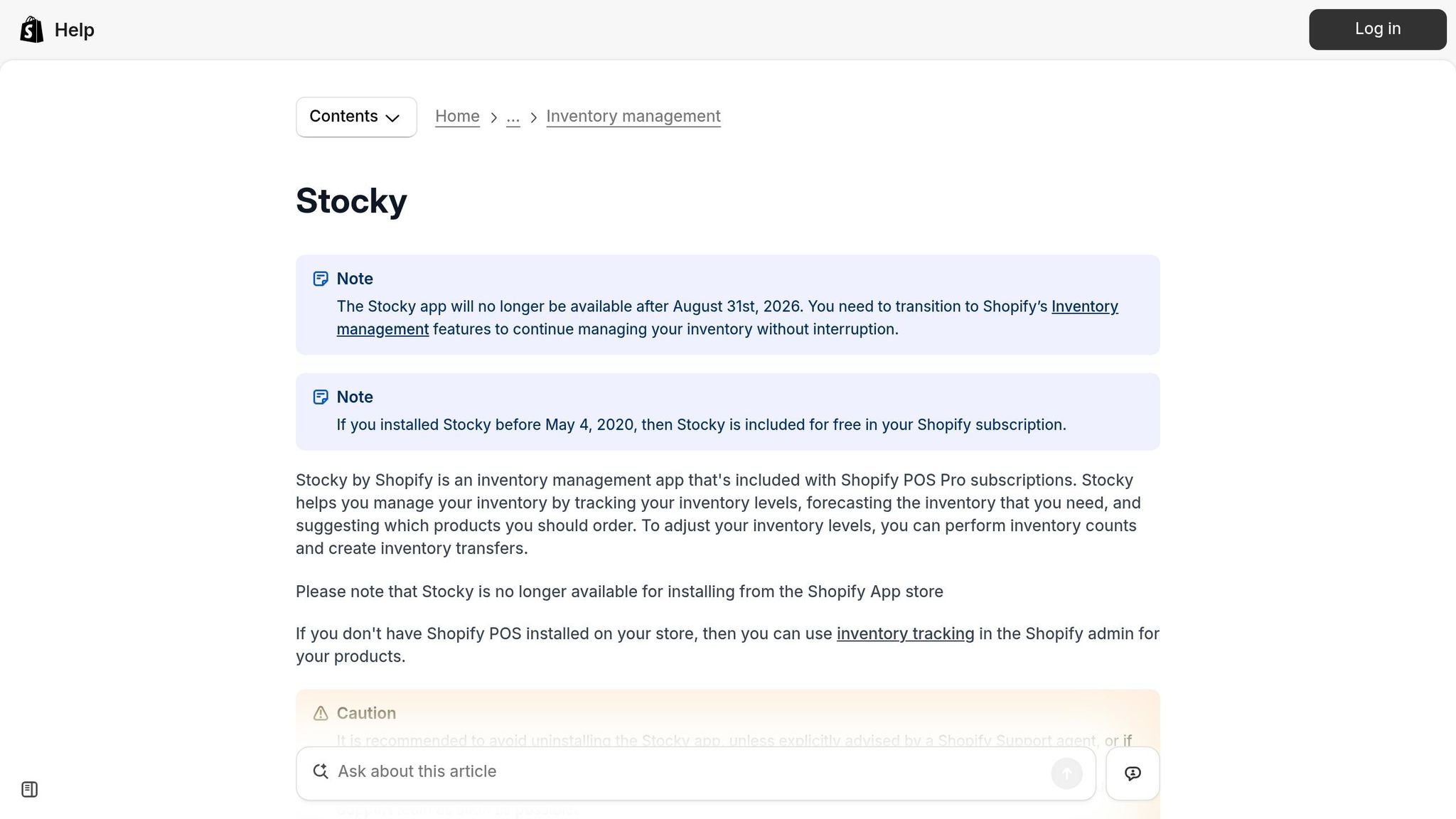
Stocky was a free tool designed specifically for Shopify merchants, included with Shopify POS Pro. It handled various aspects of inventory planning, from forecasting demand to tracking deliveries. For merchants juggling multiple suppliers and managing hundreds of SKUs, Stocky became an integral part of their daily operations. Below is a closer look at its key features.
Demand Forecasting
Stocky offered three forecasting modes: "fill shelves", "target stock level," and "sales-based predictions." Using a 90-day simple moving average of sales data, it calculated reorder quantities and allowed merchants to set automated reorder points. These points triggered alerts whenever stock levels fell below a certain threshold. However, its forecasting model had its limitations - it didn’t factor in variables like seasonality, marketing activities, or sudden demand surges, which could lead to overstock vs. stockouts.
Purchase Order Management
One of Stocky’s standout features was its ability to link demand forecasting directly to purchase order creation. Merchants could easily generate purchase orders based on reorder suggestions, assign them to suppliers, set delivery dates, and update stock levels automatically once inventory was received. This streamlined workflow eliminated much of the manual data entry, saving time and reducing errors.
Supplier Management
Stocky also simplified supplier management by maintaining a directory with key details like contact information, payment terms, minimum order quantities (MOQs), and lead times. This data allowed the system to calculate not only what to reorder but also the optimal timing to place orders, helping merchants avoid stockouts.
Multi-Location Inventory Planning
For businesses with multiple locations, Stocky provided a centralized view of stock levels across all sites. It supported inter-location transfers, enabling merchants to redistribute inventory as needed to meet demand. Additional tools, such as stocktakes (physical inventory counts) and ABC analysis for prioritizing stock by sales performance, further enhanced its planning capabilities. With Stocky no longer available, merchants who depended on these workflows will need alternative solutions to fill this gap.
| Feature | Stocky Capability |
|---|---|
| Demand Forecasting | Modes: fill shelves, target stock level, sales-based predictions |
| Purchase Orders | Created from forecasts with complete receiving workflows |
| Supplier Records | Stores lead times, MOQs, payment terms, and contact details |
| Multi-Location | Enables stock transfers and provides inventory visibility across locations |
| Reorder Alerts | Automated alerts for low stock levels |
| Reporting | Weekly email updates and ABC analysis tools |
A case in point: Bailey & Coco, a merchant managing 2,845 SKUs over a 190-day supply chain, processed 847 purchase orders for 23 suppliers over four years. This level of complexity underscores the type of challenges Stocky was built to address. Now, with Stocky discontinued, merchants must rethink their inventory management strategies to maintain efficiency and avoid disruptions in their supply chain operations.
2. Shopify Admin
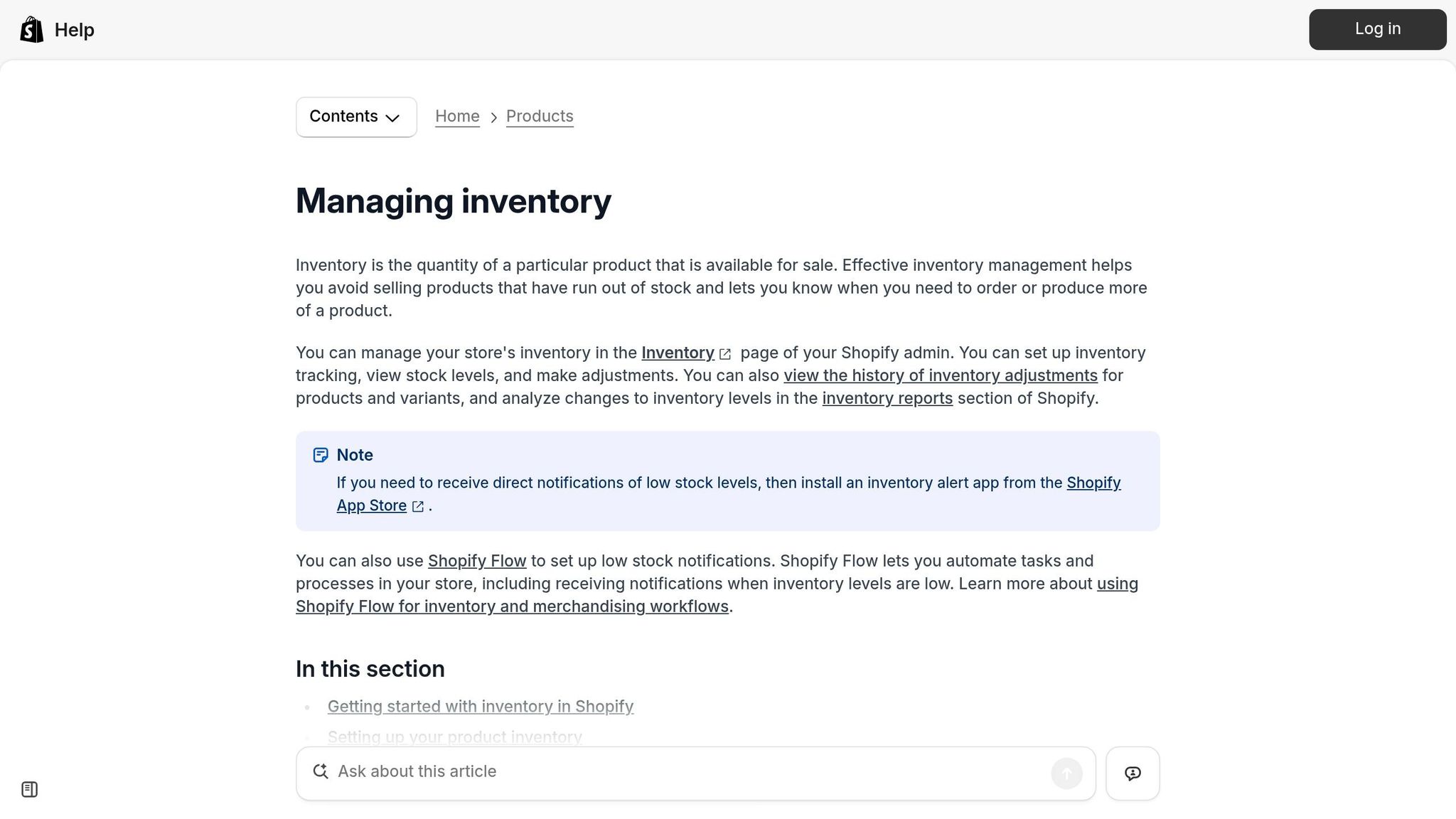
With Stocky set to be discontinued on August 31, 2026, many merchants may look to Shopify Admin as an alternative. Shopify Admin is already included with Shopify plans and handles basic inventory tasks. However, there's a big difference between managing inventory and actually planning it.
"Shopify handles inventory operations (tracking, moving, counting stock) but not inventory planning (predicting demand, timing reorders, optimizing stock levels)." - Sensible Tools
Let’s dive into the core functions of Shopify Admin - demand forecasting, purchase order and supplier management, and multi-location planning - to better understand how it compares to Stocky and where it falls short.
Demand Forecasting
Shopify Admin doesn’t include built-in demand forecasting. While it provides access to historical sales and sell-through data, it lacks tools like reorder suggestions, safety stock calculations, or seasonal demand models.
Purchase Order Management
Shopify Admin allows merchants to create basic purchase orders, but this feature is only available to Shopify Plus users. Even then, it’s missing many of the fields and functionalities that Stocky provided. Developer Paul Holmes pointed this out in the Shopify community:
"Shopify's own inventory management features aren't at feature parity with Stocky. For example: There's no way to bulk manage suppliers... Purchase orders are missing many of the fields featured in Stocky."
Additionally, Shopify Admin doesn’t currently offer an API endpoint for purchase orders, which complicates integrations with external tools.
Supplier Management
Supplier information in Shopify Admin is limited to the "Vendor" field on product pages. This setup lacks dedicated fields for crucial details like lead times, minimum order quantities (MOQs), payment terms, or contact information. Bulk management of suppliers is also not supported.
Multi-Location Inventory Planning
Shopify Admin does allow merchants to manually track multi-location stock and transfer inventory between locations. However, it doesn’t include automated restocking logic. Additionally, cost prices are recorded with only two decimal places, compared to Stocky’s four.
| Feature | Shopify Admin |
|---|---|
| Demand Forecasting | None - provides historical data only, no reorder suggestions |
| Purchase Orders | Basic creation; full functionality limited to Shopify Plus |
| Supplier Management | Vendor field only; lacks lead times, MOQs, payment terms, or bulk tools |
| Multi-Location Transfers | Manual tracking and transfers; no automated restocking logic |
| Reorder Alerts | Manual - requires checking low-stock reports |
| Cost Price Precision | 2 decimal places (Stocky allowed 4) |
3. Forstock
Forstock steps in to address the gaps left by Shopify Admin, offering a robust solution for inventory planning. By taking over the advanced functions previously handled by Stocky, it ensures that merchants can continue to rely on accurate SKU-level forecasting and seamless order scheduling. This tool bridges the shortcomings of Shopify’s native options with precision and efficiency.
Demand Forecasting
Forstock dives into your historical sales data to create SKU-level demand forecasts for the next 30, 60, or 90 days. It’s particularly adept at handling seasonal trends. For instance, if a product typically sells 12 units per day in November and December but only 4 units daily throughout the rest of the year, Forstock will recognize the pattern. It will then recommend larger pre-holiday orders to meet the anticipated demand.
The app also calculates safety stock levels, factoring in demand variability and supplier lead times. This ensures you’re prepared for unexpected spikes or delays. SKUs at risk of running out or being overstocked are flagged early. A Home Goods brand with $5M ARR shared their experience:
"Our forecasts were just educated guesses - until Forstock. It predicted demand 6 weeks ahead with 95% accuracy and prevented a stockout before Black Friday."
This level of forecasting precision sets the stage for smoother purchase order workflows, which we’ll explore next.
Purchase Order Management
Forstock simplifies the complexities of purchase orders by automatically generating PO suggestions. These recommendations take into account supplier lead times, minimum order quantities (MOQs), and case pack sizes. For example, a U.S.-based cosmetics company with a California warehouse and a 25-day supplier lead time might see a PO suggestion pop up about 30 days before a potential stockout.
Merchants can review, tweak, and approve these suggestions directly in Forstock, which then syncs them with Shopify. The app tracks each PO’s status - from Draft to Received - helping to avoid oversights. Many users have noted that this automation saves them over 10 hours per week.
Supplier Management
Forstock goes beyond basic supplier tracking by maintaining comprehensive profiles. These profiles include lead times, MOQs, unit costs, and tiered pricing details (e.g., $5.00 per unit for 100 units versus $4.50 per unit for 500 units). It also monitors actual delivery dates compared to promised ones, giving merchants a clear picture of supplier reliability.
With this information, U.S. merchants can make smarter sourcing decisions - whether that means renegotiating terms, shifting volume to more reliable suppliers, or building additional safety stock for slower vendors.
Multi-Location Inventory Planning
Forstock treats each location - whether it’s an East Coast warehouse, a West Coast warehouse, a retail store, or a 3PL - as its own planning hub. It generates forecasts, reorder suggestions, and even inter-location transfer recommendations for each site. If one location is overstocked while another is running low, Forstock suggests redistributing inventory. For example, transferring 500 units from a Nevada warehouse to New Jersey ahead of winter can help reduce costs while ensuring shelves stay stocked.
| Feature | Forstock |
|---|---|
| Demand Forecasting | SKU-level projections (30/60/90 days); seasonality-aware; safety stock calculations |
| Purchase Orders | Automated PO suggestions; lead time–aware; status tracking from Draft to Received |
| Supplier Management | Dedicated profiles with lead times, MOQs, costs, and on-time delivery tracking |
| Multi-Location Planning | Per-location forecasts, reorder points, and transfer recommendations |
| Reorder Alerts | Proactive stockout and overstock risk flags per SKU |
| Cost Price Precision | Supports tiered pricing and detailed unit cost configurations |
Pros and Cons
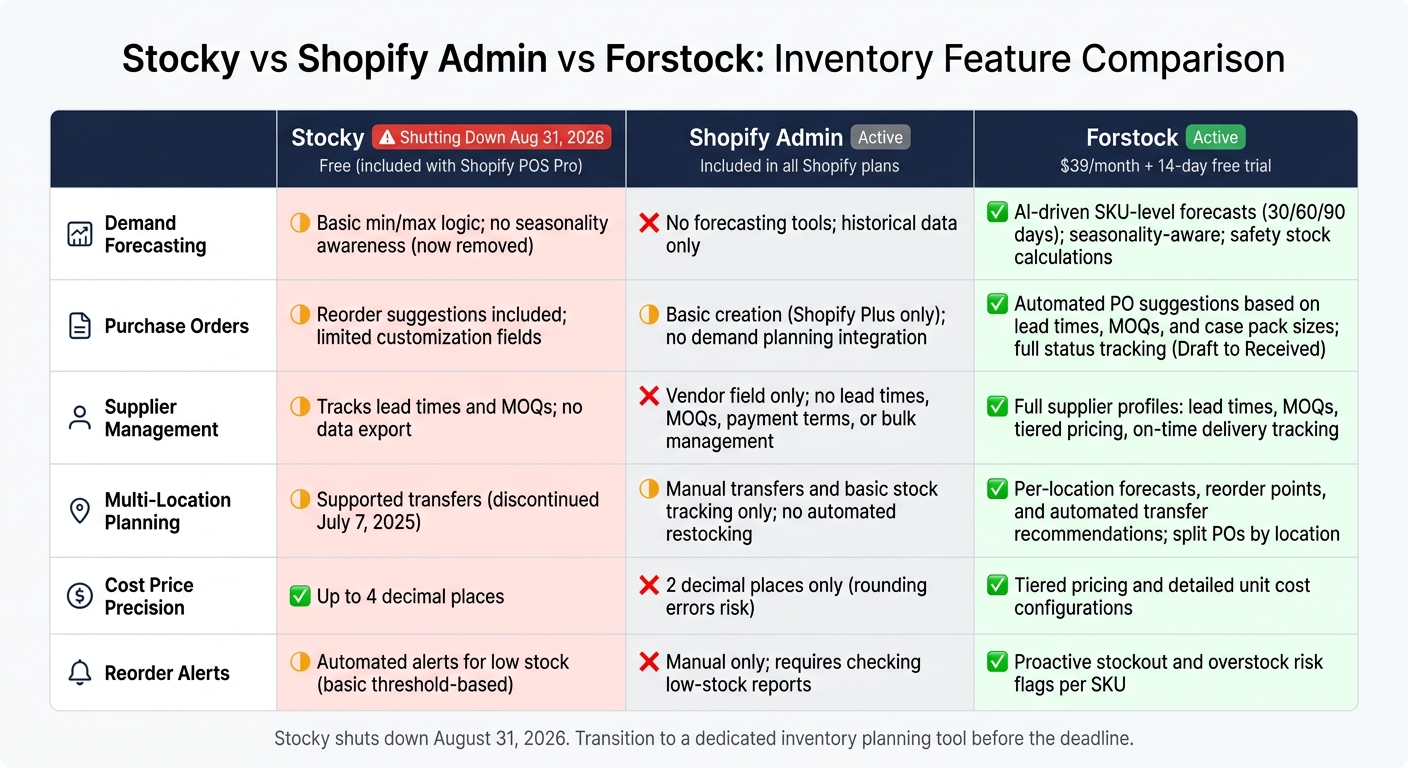
Stocky vs Shopify Admin vs Forstock: Inventory Feature Comparison
Here's a breakdown of the strengths and weaknesses of each tool based on their key features:
| Feature | Stocky | Shopify Admin | Forstock |
|---|---|---|---|
| Demand Forecasting | Relied on basic min/max logic (now removed) and lacked awareness of seasonality | Offers no forecasting tools or velocity-based planning | Uses AI forecasting to reduce stockouts with SKU-level predictions for 30/60/90 days, incorporating seasonality and safety stock |
| Purchase Orders | Includes reorder suggestions but offers limited fields for customization | Allows basic creation and receiving (available only with Plus plans); lacks integration with demand planning | Provides automated suggestions based on lead times, MOQs, and case pack sizes, with full status tracking |
| Supplier Management | Tracks lead times and MOQs, though data export is unavailable | Offers basic supplier assignment but no lead time tracking or bulk management options | Features comprehensive supplier profiles, including lead times, MOQs, tiered pricing, and on-time delivery tracking |
| Multi-Location Planning | Supported transfers, though this feature was discontinued on July 7, 2025 | Limited to manual transfers and basic stock tracking | Automates transfer recommendations and allows split POs by location |
| Cost Price Precision | Supports up to 4 decimal places for detailed pricing | Limited to 2 decimal places, which may lead to rounding errors | Provides tiered pricing and detailed unit cost configurations |
| Status | Scheduled to shut down on August 31, 2026 | Active and included in all Shopify plans | Active with a $79/month subscription and a 14-day free trial |
Each tool serves a unique purpose but comes with its own set of limitations. A critical point to note: Stocky's upcoming discontinuation leaves a gap in inventory planning that Shopify Admin cannot fill. For merchants, this highlights the need for a dedicated planning tool to manage inventory effectively as they transition away from Stocky.
Shopify Admin works well for daily operations but lacks the advanced functionality needed for proactive inventory planning. For a complete walkthrough on setting up your store's backend, see our Shopify inventory management guide.
Conclusion
With Stocky shutting down on August 31, 2026, Shopify merchants lose a key tool for advanced inventory planning. Features like demand forecasting, automated reorder points, and supplier lead time tracking have been crucial for staying ahead of inventory challenges. Without these, merchants risk shifting from proactive management to reactive crisis handling.
While Shopify Admin covers basic inventory tasks, it falls short in providing the strategic tools needed for effective planning. This leaves a clear need for a solution that can handle the complexities of inventory management.
Enter Forstock. For $79/month, it offers AI-driven SKU-level forecasting, detailed supplier profiles (including lead times and MOQs), and automated purchase order suggestions - features designed to replace the strategic capabilities Stocky provided but Shopify Admin does not.
Before Stocky is deactivated, make sure to record all supplier data - names, contacts, lead times, and MOQs - as this information cannot be exported after the shutdown. To ensure a smooth transition, run your new tool alongside Stocky for 2–4 weeks to align its forecasting with your store’s sales patterns.
Time is of the essence. Merchants who act quickly will be better prepared for the busy fall selling season, ensuring their inventory management stays on track during this pivotal change. Don’t wait - secure your strategy now.
FAQs
What should I export or document before Stocky shuts down?
Stocky data will no longer be available after August 31, 2026, so it's crucial to export and document essential records ahead of time. Here's what you need to do:
- Export a CSV: Download key data such as purchase orders, supplier details, payment terms, lead times, and stocktake records.
- Manually Document Settings: Take note of demand forecasting settings, reorder points, and SKU-level triggers since these may not be exportable.
- Handle Multi-Location Data: For businesses with multiple locations, make sure to export transfer records for reference.
- Verify Cost Prices: Cross-check exported cost prices against your most recent invoices. Stocky might contain unsynced or outdated information, so this step ensures accuracy.
Taking these steps now will save you from potential data loss or discrepancies once Stocky data is permanently deleted.
What can Shopify Admin handle well, and what will I still be missing?
Shopify Admin covers the basics for inventory management, including stock tracking, inventory transfers, manual purchase orders, adjustments, and low-stock alerts.
That said, it falls short in several areas. It doesn’t offer demand forecasting, automated reorder points, or velocity-based restock recommendations. Features like advanced supplier management - such as tracking lead times and setting optimal order quantities - are absent. Additionally, tools like ABC analysis or access to long-term inventory history aren’t included, leaving users to rely on manual processes or third-party solutions to bridge these gaps.
How do I switch to Forstock without disrupting reorders and POs?
To make the switch to Forstock as smooth as possible, start by exporting all your historical purchase order (PO) data, supplier information, and demand forecasts from Stocky before it shuts down on August 31, 2026. Double-check this data against your invoices to ensure everything is accurate.
Run Forstock alongside Stocky for a 60-day period. This overlap allows you to validate reorder suggestions and identify any potential issues. During this time, organize your SKUs, input supplier details, and establish reorder rules in Forstock. Once everything checks out, you can confidently transition to Forstock’s automated PO dashboard for streamlined operations.
Keep reading
Try Forstock free for 14 days.
AI-powered demand forecasting and reorder automation for Shopify brands. No credit card required.