
What Replaces Stocky Forecasting in Shopify After August 2026?
By Forstock Team · Last updated May 28, 2026
Stocky ends Aug 31, 2026 — export your data and switch to tools that restore forecasting, automated reorders, and supplier tracking.

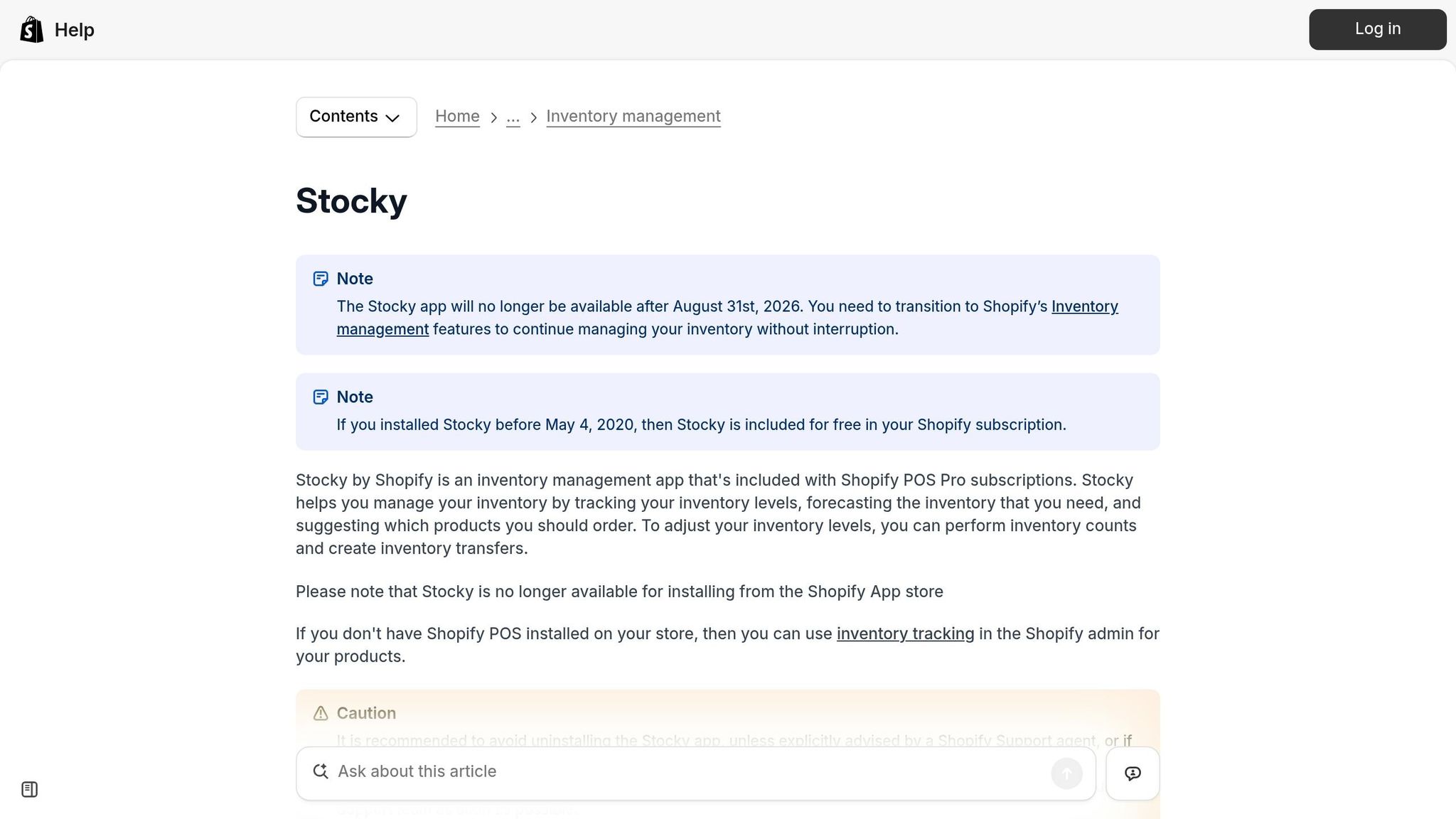
Stocky is shutting down on August 31, 2026, leaving Shopify merchants without its demand forecasting, reorder suggestions, and inventory planning tools. If you rely on Stocky, it’s crucial to prepare now to avoid disruptions in inventory management.
Key Points:
- Stocky’s Features Being Lost: Demand forecasting, safety stock calculations, supplier lead-time tracking, and more.
- Shopify Admin Limitations: It tracks inventory but doesn’t offer forecasting or reorder automation.
- Risks Without a Replacement: Increased manual errors, stockouts, overstocking, and data loss if you don’t export Stocky data before the shutdown.
- Solution: Tools like Forstock can fill the gap with AI-driven forecasting, automated reorder points, and centralized supplier management.
Act now to export your Stocky data and explore alternatives like Forstock to stay ahead of inventory challenges.
How Stocky's Shutdown Affects Shopify Merchants
Key Features Lost When Stocky Shuts Down
Stocky provided merchants with four powerful forecasting methods: Fill Shelves (based on sales velocity), Target Stock Level, Last X Days (a projection using recent sales data), and Same Period Last Year (to account for seasonal trends). These tools will no longer be available after August 31, 2026.
In addition to forecasting, Stocky offered several other critical inventory management features, including automated reorder points, safety stock calculations, supplier lead-time tracking, ABC analysis, and purchase order label printing. However, supplier data cannot be exported, meaning merchants must manually record vendor contacts, lead times, and minimum order quantities (MOQs) before the shutdown.
The loss of these capabilities highlights a significant gap, as Shopify Admin - built primarily for tracking inventory - cannot replace Stocky's robust planning tools.
Why Shopify Admin Cannot Replace Stocky
While Shopify Admin is effective for managing stock counts, adjustments, and basic purchase orders, it lacks the predictive tools that made Stocky indispensable.
"Shopify Admin gives you inventory reports and sales data, but it does not interpret that data into reorder suggestions." - Storebeep
One major limitation is Shopify Admin’s 180-day inventory history, which is insufficient for merchants relying on seasonal trends or year-over-year analysis. To illustrate the difference, here’s a comparison of planning features:
| Planning Feature | Shopify Admin | Stocky (Deprecated) |
|---|---|---|
| Demand Forecasting | No | Yes |
| Reorder Suggestions | No | Yes |
| Safety Stock Calculations | No | Yes |
| Supplier Lead-Time Tracking | No | Yes |
| ABC Analysis | No | Yes |
| Full Inventory History | No (180-day limit) | Yes |
Risks of Not Replacing Stocky Before the Deadline
The shutdown of Stocky poses serious operational risks for merchants. Without its tools, businesses face a higher likelihood of manual errors, overstock vs. stockouts situations. Losing forecasting capabilities could push merchants toward using manual spreadsheets - a time-consuming and error-prone method. Relying on guesswork instead of data-driven insights can result in costly inventory mismanagement.
The financial stakes are high. Globally, inventory distortions cost retailers $1.73 trillion annually, with stockouts alone accounting for $1.2 trillion. Additionally, 69% of online shoppers will turn to competitors if their desired product is unavailable. Poor inventory management can drain an average of 11% of annual revenue from businesses.
After August 31, 2026, the consequences escalate further. Purchase order records, stocktake history, and inventory reports stored in Stocky will no longer be accessible. Merchants who fail to export their data before the deadline risk losing critical historical information - a gap that Shopify Admin cannot bridge.
sbb-itb-f0fc809
Stocky Alternatives for Shopify: What to Choose Next
What to Look for in a Stocky Replacement
With Stocky's closure highlighting gaps in planning and inventory management, finding a replacement tool that excels in demand forecasting, reorder automation, and supplier management is critical. These features are essential to keep operations running smoothly as Stocky's planning functions become unavailable.
Velocity-Based Demand Forecasting
A key feature to prioritize is the tool's ability to answer: How quickly is this product selling, and will that change? Velocity-based forecasting uses sales data to predict shifts in demand and determine the best times to reorder, all at the SKU level. Unlike static approaches, like averaging sales over the last 30 days, this method accounts for seasonal variations. For example, a product selling 10 units daily in October might jump to 40 units daily in December. A reliable forecasting tool identifies these changes automatically. Tools powered by AI have been shown to boost forecast accuracy by 28% and cut stockouts by 75%. Look for features that exclude out-of-stock periods from calculations, so a week of zero sales due to running out of stock doesn’t skew the forecast downward artificially.
Dynamic Reorder Points and Safety Stock Calculations
Reorder points are essential for knowing exactly when to place an order so stock arrives before running out. The formula is straightforward: (Daily Velocity × Lead Time) + Safety Stock. Dynamic tools take this further by adjusting reorder points in real time based on current sales velocity and supplier lead times, ensuring calculations stay accurate even as conditions shift. These tools also maintain safety stock buffers - typically 10–20% above expected demand - with a 7–14 day sales buffer being a practical minimum. This proactive approach to inventory management helps prevent stockouts rather than just tracking them after they occur. Once forecasting and reorder points are fine-tuned, the next step is effective supplier management.
Supplier Management and Purchase Order Automation
A great forecasting tool isn’t complete without automation to act on its insights. Supplier lead times, minimum order quantities (MOQs), and costs should be organized in one centralized system instead of scattered across spreadsheets and emails. Automating purchase order (PO) generation based on reorder suggestions can save over 10 hours per week. Transitioning from manual spreadsheets to an automated platform also speeds up decision-making by 40%. The table below breaks down the most important features and their benefits:
| Feature | Why It Matters |
|---|---|
| Velocity-Based Forecasting | Detects demand changes early to avoid stockouts or overstock |
| Dynamic Reorder Points | Automatically updates based on real-time sales and lead times |
| Safety Stock Buffers | Protects against delays and unexpected demand spikes |
| Centralized Supplier Data | Keeps MOQs, lead times, and costs organized in one place |
| Automated Purchase Orders | Reduces manual work and ensures compliance with supplier rules |
| Out-of-Stock Correction | Prevents inaccurate forecasts caused by previous stockout periods |
How Forstock Fills the Gap Left by Stocky
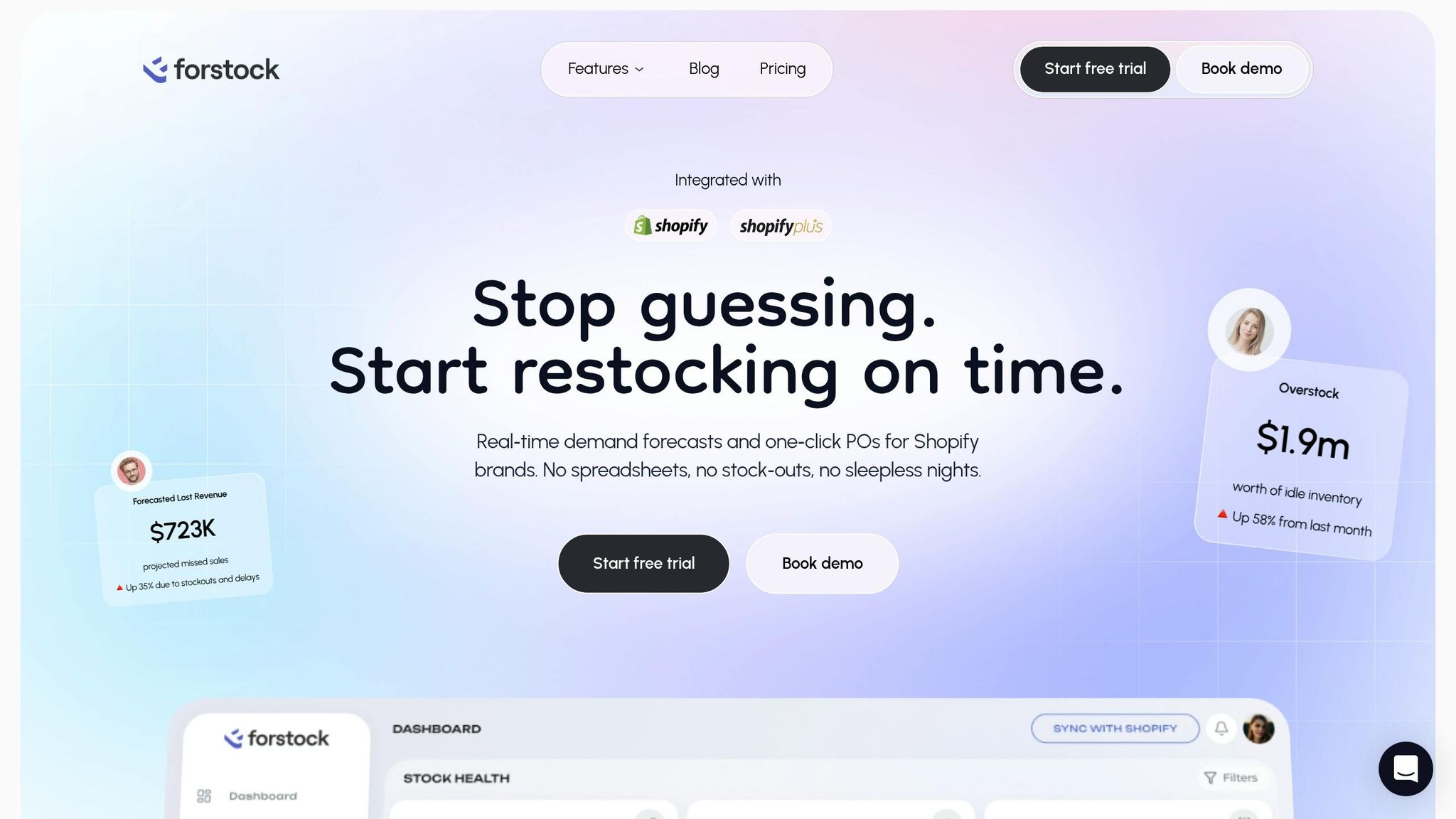
Forstock steps in as a tailored solution for Shopify merchants, designed to replace Stocky and address its limitations. While Stocky depended on manual inputs and basic statistical methods, Forstock uses AI to automate demand forecasting and streamline purchase order creation.
AI-Powered Demand Forecasting in Forstock
Forstock analyzes your entire Shopify sales history to identify patterns like seasonality, growth trends, and SKU-specific behaviors across all sales channels. What sets it apart is its transparency - Forstock doesn't just provide forecasts; it explains the reasoning behind each recommendation, showing exactly why it suggests reordering now or later.
"The forecasting transparency is unmatched. I can see exactly why Forstock recommends reordering now vs. later. No more black-box guessing." - Founder & CEO, DTC Beauty Brand
This clarity, combined with its advanced forecasting, simplifies inventory planning and ensures you're always ahead of demand.
Reorder Automation and Safety Stock in Forstock
Forstock takes inventory management to the next level by automating reorder triggers and safety stock calculations. It stays in sync with your Shopify store, updating reorder suggestions in real time as new orders come in. The platform also considers supplier-specific factors like lead times and minimum order quantities (MOQs) to create actionable reorder plans. Safety stock levels are dynamically adjusted based on demand variability and lead times, helping you avoid costly stockouts. Plus, Forstock sends proactive alerts for low-stock situations or when buffer levels are breached.
"Forstock has been great. We're preventing stockouts that were costing us $50K monthly. The AI predictions are incredibly accurate." - Matt, Operations Lead at TechGear
Unified Inventory and Supplier Management in Forstock
Forstock goes beyond forecasting and reordering by centralizing all inventory and supplier information in one dashboard. It combines lead times, MOQs, costs, and inventory tracking into a single view. When a reorder is needed, the platform generates supplier-ready purchase orders in seconds, saving time and effort.
"The automated PO creation saves us 10+ hours weekly. Setup was seamless - just 2 minutes!" - Alexander, Supply Chain Manager, FashionCo
Jason, Co-founder at HomeGoods, shared how this centralized approach reduced his team's excess inventory by 45%, freeing up $150,000 in working capital.
Steps to Move from Stocky to Forstock
How to Migrate from Stocky to a Replacement Before August 2026
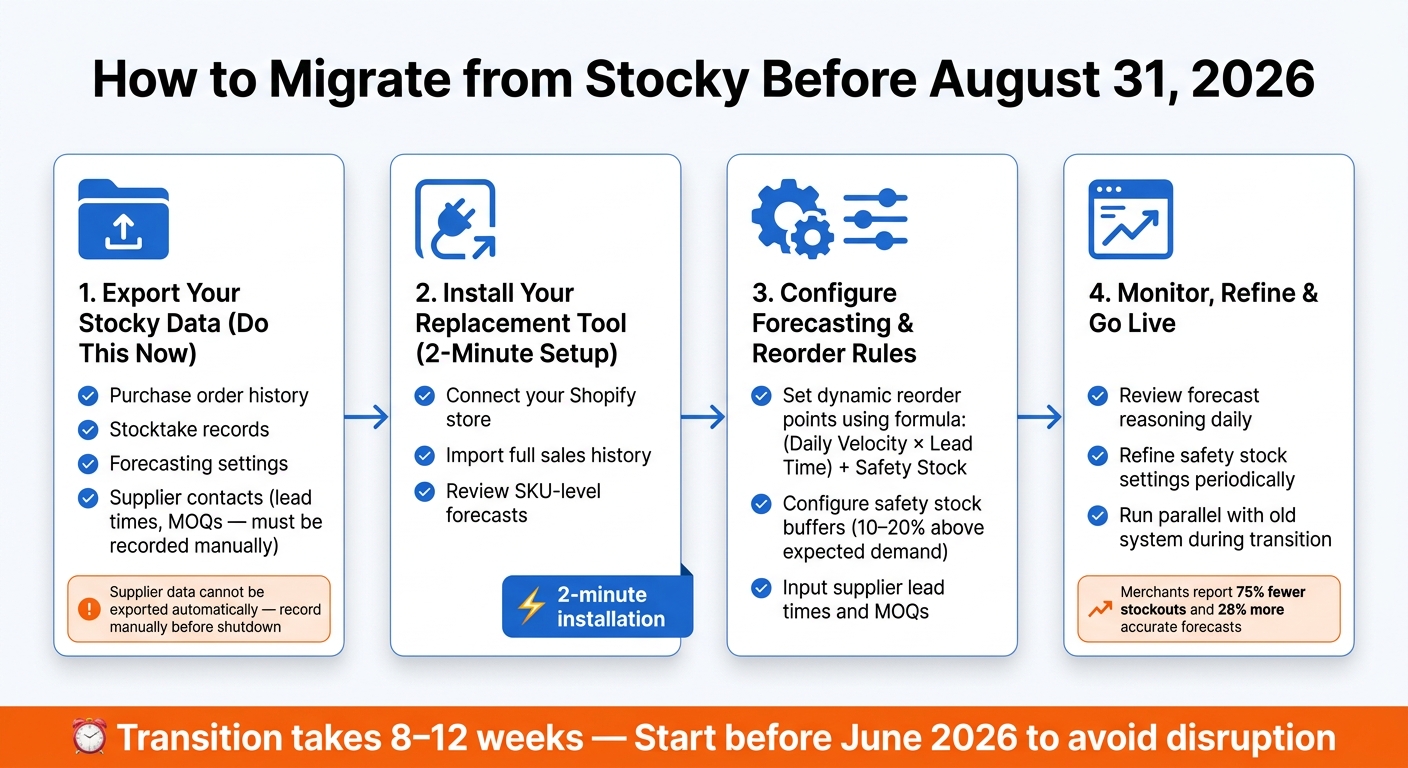
If Stocky is part of your inventory management process, planning your transition to Forstock before Stocky's shutdown is crucial. Here's how you can ensure everything runs smoothly.
Export Your Stocky Data Before August 31, 2026
The first step is to export your data as soon as possible. This includes purchase order history, stocktake records, and forecasting settings. These records act as a critical reference for your inventory decisions and can reveal patterns that will help you get started with a new system. Store this data securely - whether in a local folder or a trusted cloud storage service.
Install Forstock and Sync Your Shopify Data
Once your data is safely exported, you can move forward with Forstock. The installation process is quick - just 2 minutes. Here's how it works:
- Connect your Shopify store to Forstock.
- Allow the AI to import your sales history.
- Review SKU-level forecasts generated by the system.
- Approve your initial reorder plan.
Forstock automatically pulls orders, SKUs, and inventory levels directly from your Shopify store, creating forecasts based on actual sales data to reduce stockouts. If you're adding new products without a sales history, Forstock uses smart bootstrapping to create an initial forecast tailored to your business.
Monitor and Refine Forstock After Setup
After setting up Forstock, it's important to keep refining the system. Focus on your top-performing products and regularly review Forstock's forecast reasoning to address specific factors, like seasonal promotions or potential supplier delays. As Emily, an Inventory Manager, shared:
"I open the dashboard in the morning and instantly know what needs reordering, what is overstocked, and what to focus on."
To get the most out of Forstock, revisit your safety stock settings and supplier lead times periodically as your business evolves. Merchants who actively engage with these inputs have reported a 28% improvement in forecast accuracy and a 75% drop in stockouts after switching to Forstock.
Conclusion: Keeping Inventory Management on Track After Stocky
Stocky's shutdown on August 31, 2026, means losing more than just a tool - it’s the end of a forecasting system that many Shopify merchants depend on daily. While Shopify Admin can track inventory, it doesn’t offer forecasting, safety stock calculations, or lead-time analytics. This creates a critical gap that needs addressing to keep inventory management running smoothly.
Merchants who act early can avoid unnecessary disruptions. As discussed earlier, transitioning to a new system takes 8–12 weeks when done properly. This includes exporting data, setting up the new system, and running both systems in parallel to ensure everything works as expected. That timeline is tighter than it seems, so finding a solution that combines forecasting with efficient operations is more important than ever. This often requires moving beyond manual vs. automated purchase orders to find a system that scales.
Forstock steps in with AI-driven demand forecasting, automated purchase orders, and supplier management - all in one platform. Jason, Co-founder at HomeGoods, summed up the impact:
"We reduced excess inventory by 45% and freed up $150K in working capital."
Merchants using Forstock have reported impressive results, including 75% fewer stockouts, 28% more accurate forecasts, and decisions made 40% faster. Plus, the setup is quick - just a 2-minute installation - and it starts analyzing your Shopify sales data immediately.
With August 31, 2026, fast approaching, time is of the essence. Export your Stocky data and get Forstock up and running now to ensure your operations stay on track when Stocky is no longer available.
FAQs
What data should I export from Stocky before August 31, 2026?
To ensure you keep critical information before Stocky shuts down on August 31, 2026, you'll need to export and manually save essential data. Here's what to focus on:
- Supplier details: Save contact information, lead times, and minimum order quantities.
- Purchase order history and stocktake records: Export these to maintain a clear record of past transactions and inventory checks.
- Inventory reports: Include stock on hand, sales items, ABC analysis, and low stock variants.
- Custom settings: Take screenshots of forecasting and safety stock settings to preserve these configurations.
By organizing this data now, you'll avoid disruptions later.
How far in advance should I start migrating off Stocky?
With Stocky set to shut down on August 31, 2026, it's crucial to begin your migration early to avoid any interruptions to your operations. Experts recommend starting the process right away and running your new system alongside Stocky for 2–4 weeks or at least one complete ordering cycle. This overlap gives you the chance to:
- Validate your new processes
- Train your team thoroughly
- Identify and resolve any gaps
Waiting until the last month can lead to major headaches, as rebuilding supplier records and workflows often requires more time than expected. Starting early ensures a smoother transition and keeps your business running seamlessly.
How does Forstock handle new SKUs with no sales history?
Forstock uses smart bootstrapping techniques to predict demand for new SKUs, even if they don’t have any sales history yet. By examining patterns and growth trends within your Shopify data, the platform creates forecasts automatically - no manual input or previous sales records required.
Keep reading
Try Forstock free for 14 days.
AI-powered demand forecasting and reorder automation for Shopify brands. No credit card required.