
The Real Cost of Your First Co-Packer Stockout
By Forstock Team · Last updated July 20, 2026
How a co-packer stockout leads to lost sales, rush runs, freight fees and retailer fines — and how SKU-level visibility prevents it.
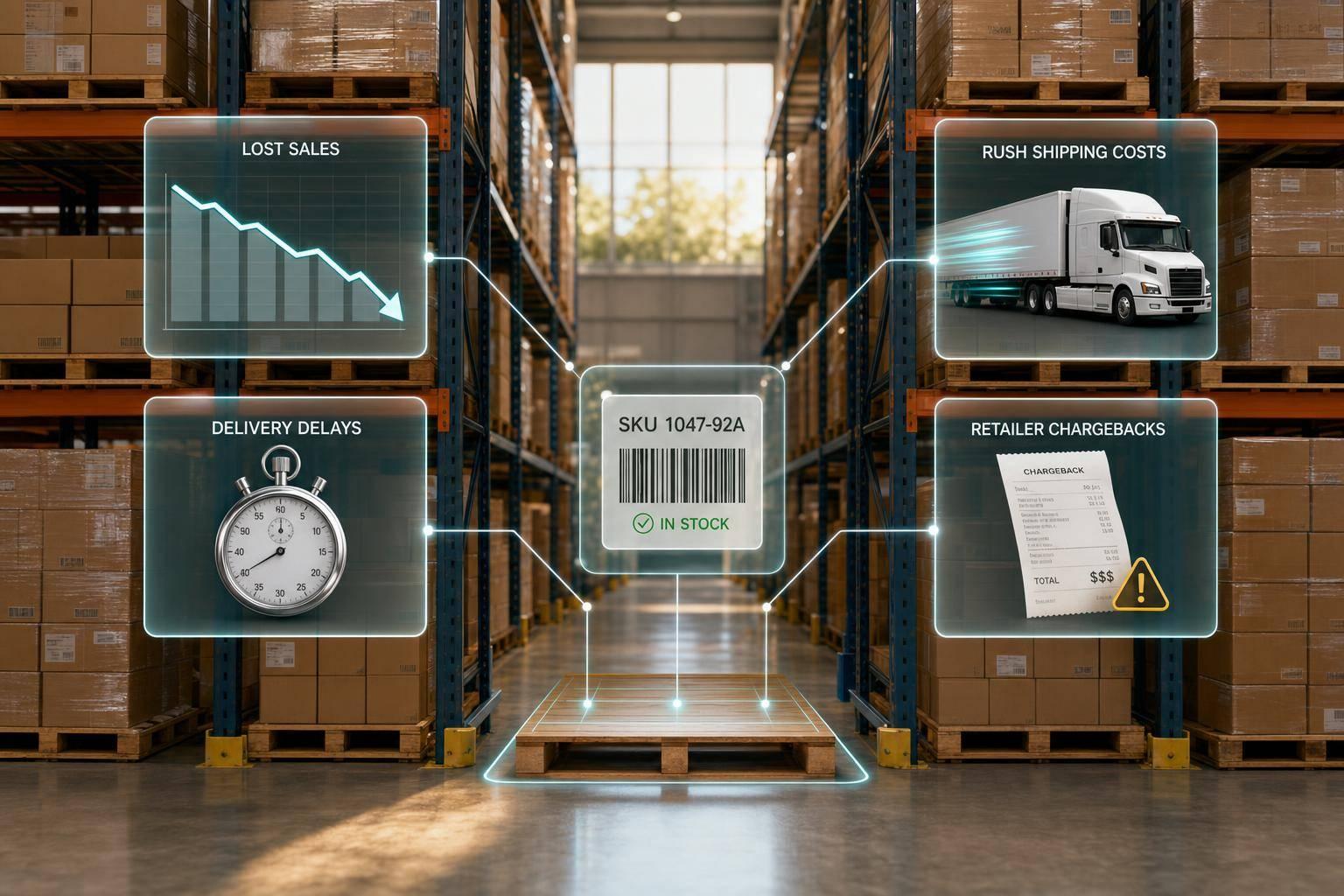
A first co-packer stockout can cost far more than the sales you miss while a SKU is out of stock. If a hero product goes dark for two weeks, I might lose around $30,000 in sales, $12,000 to $15,000 in gross margin, plus extra run costs, rush freight, retailer fines, and a lot of team time.
Here’s the short version:
- Lost sales are just the start.
- Late components can stop an entire production run.
- Split records across Shopify, spreadsheets, and POs make problems hard to see early.
- SKU-level reorder points, safety stock, and lead times help cut risk.
- One shared view of demand, production, and inbound supply helps catch issues before inventory hits zero.
If I boil the article down to one point, it’s this: the first stockout is usually not a demand problem alone. It’s often a visibility problem.
A few numbers make that clear:
- A brand doing $150,000/month in sales with a hero SKU at 40% of revenue can lose about $30,000 during a two-week stockout
- An emergency catch-up run can add $7,500 in extra manufacturing cost
- Rush shipping can stack on $2,500, $1,800, and $1,200 in added freight costs
- Retail fines can hit 3% of purchase price on non-compliant cases in some programs
What I’d watch first:
- inventory on hand vs. reorder point
- supplier lead times
- component coverage by SKU
- open POs vs. confirmed delivery dates
- demand vs. forecast
This article explains the cost, the common causes, and the simple checks I’d use each week to spot stockout risk before it turns into a scramble.
The full cost of a co-packer stockout
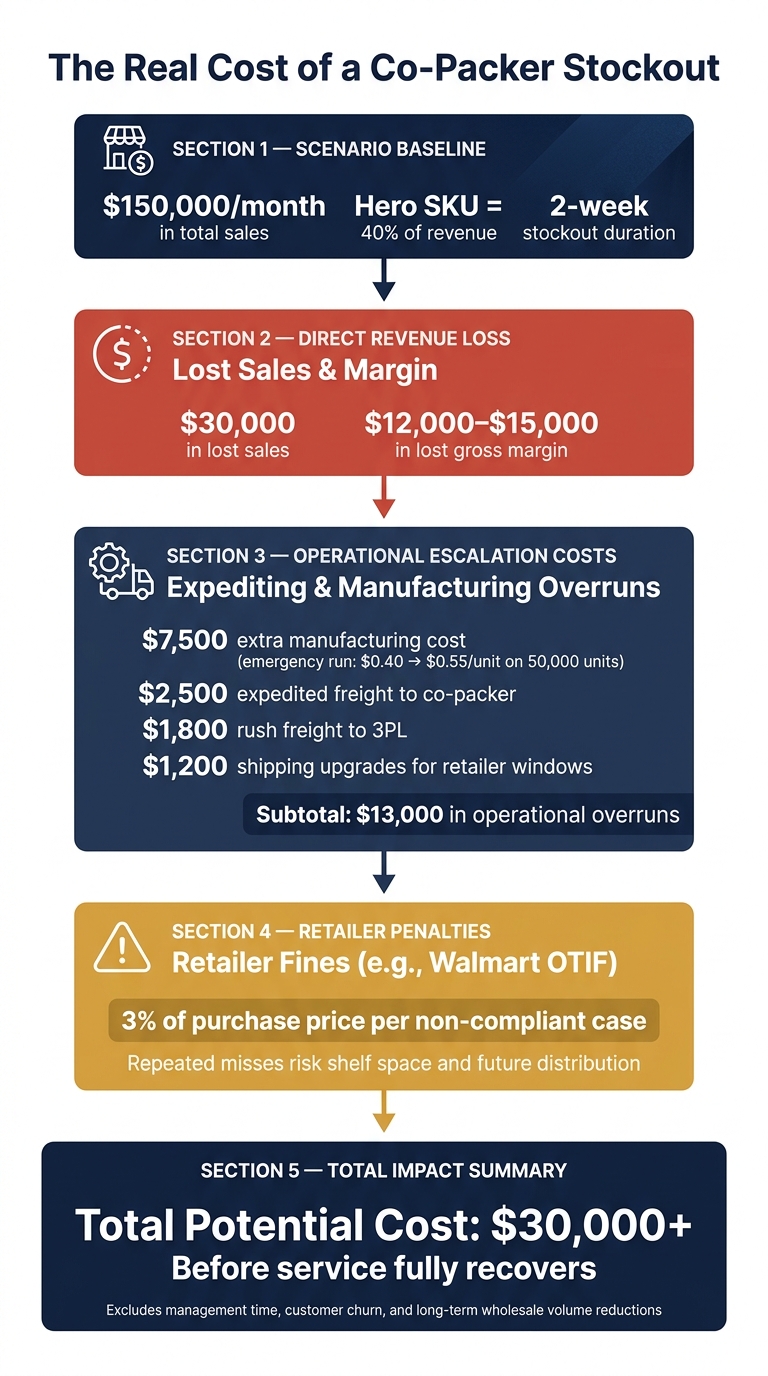
The Real Cost of a Co-Packer Stockout: By the Numbers
Lost sales are only the starting point
The first hit is lost revenue. Once production stops, the damage shows up fast in three places. On Shopify, you see out-of-stock pages, abandoned carts, and lost orders, highlighting the need for effective inventory management. On the wholesale side, retailers and distributors may trim or pause purchase orders until service levels get back on track.
For a brand doing $150,000/month in sales, a two-week stockout on a hero SKU that drives 40% of revenue can mean about $30,000 in lost sales and $12,000–$15,000 in lost gross margin. And that’s just the first layer of the problem.
Getting back in stock doesn’t flip a switch. Some customers move on and never come back. Wholesale buyers often scale down forecasted volumes until fill rates settle down.
The hidden costs: delayed runs, expediting, and channel penalties
When a co-packer misses a production run, the scramble to catch up adds a new set of costs. In many cases, the co-packer squeezes in a smaller make-up run based on whatever space is left in their schedule. That sounds helpful, but it usually costs more. The same setup and changeover time gets spread across fewer units, so your per-unit cost climbs.
Say your standard run costs $0.40/unit in conversion. If emergency overtime pushes that to $0.55/unit on a 50,000-unit catch-up run, that’s an extra $7,500 in manufacturing cost alone. And that’s before freight enters the picture.
Then freight starts piling on. A brand dealing with a three-week stockout might spend:
- $2,500 on expedited freight to get packaging to the co-packer
- $1,800 to rush pallets to its 3PL
- $1,200 in shipping upgrades to hit retailer delivery windows
Retailer penalties can make the situation worse in a hurry. Programs like Walmart's OTIF can fine suppliers 3% of the purchase price on every non-compliant case. For a growing brand, one missed delivery window can lead to hundreds or thousands of dollars in deductions. Miss more than once, and now shelf space and future distribution are on the line.
That’s why a few weeks out of stock can cost more than $30,000 before service fully recovers.
Operational fire drills and management time
A stockout also eats up leadership time. Teams get pulled into emergency calls, manual reconciliations, and rush POs. In a lot of cases, those costs start with visibility gaps, which can be solved by integrating multi-supplier data into your operations.
sbb-itb-f0fc809
How co-packer stockouts happen
Forecast misses, lead-time changes, and packaging shortages
For growing brands, the first co-packer stockout usually starts with a simple planning gap. It begins as a forecast miss, turns into a missed production run, and then shows up as an out-of-stock finished good. Once that first miss happens, the next problem is often a late run.
Here’s what that looks like in practice: a seasonal SKU forecasted at 5,000 units can suddenly climb to 8,000 after a strong email campaign and an early retailer reorder. If the co-packer is already booked and even one carton component shows up late, that run can get pushed to the next open slot.
Lead-time shifts from suppliers make this worse. True finished-goods lead time depends on the slowest component in the chain, not just the co-packer’s stated turnaround. That includes imported ingredients, custom packaging, transit to the co-packer, and scheduling notice. So when a supplier slips by two weeks, the buffer can vanish before the team even sees the problem. And once one component slips, the whole run can stall.
Things get messier when demand, production, and PO data live in separate files.
Disconnected inventory records across Shopify, co-packers, and POs

For most growing brands, demand data sits in Shopify, component counts sit in a spreadsheet, and open purchase orders live in another file. Those records usually don’t sync on their own.
That’s where teams get a false sense of security. On paper, inventory may look fine. But one missing part, like a closure, label variant, or carton, can stop the entire run. The co-packer needs every item in the bill of materials before the line can start.
A common mistake is tracking inventory by broad category instead of SKU-level production needs. A brand may confirm it has enough labels in total, but fail to check whether the exact label for a specific SKU variant is in stock at the co-packer. By the time someone spots the mismatch, the run is already delayed, and a finished-goods shortage is usually right behind it.
That’s why stockout risk can’t be managed through separate records. Teams need one shared view instead.
How to prevent the next co-packer stockout
Once demand, production, and POs sit in one view, the next step is simple: set SKU-level thresholds before inventory gets tight.
Set reorder points, safety stock, and lead-time rules by SKU
Set reorder points for every SKU. A simple formula is (Average Daily Usage × Lead Time) + Safety Stock. If a SKU moves 10 units per day and your co-packer needs 14 days to complete a run, your base reorder point is 140 units. Once inventory drops below that level, that SKU is in the danger zone.
Safety stock gives you a buffer when a supplier delivery slips or a production run gets delayed. One simple approach is to add five days of average usage as safety stock to cover that gap. These numbers shouldn’t sit untouched. Demand changes. Lead times change. Your reorder rules need to change with them.
Build one view that links demand, production, and purchase orders
Your planning view should tie together Shopify demand, co-packer schedules, component counts, and inbound POs. In plain terms, you want one place that shows:
- demand
- production capacity
- inbound supply
That same view should also show confirmed component coverage and any open POs that need to move up. If no one owns the handoff between components and finished goods, things slip through the cracks fast. Assign one person to handle that reconciliation.
Use Forstock to catch stockout risk before it becomes a problem
Once the rules are in place, the system should surface exceptions on its own.
Manual tracking tends to fail as catalogs grow and lead times shift. Forstock pulls Shopify demand, production schedules, component availability, and purchase orders into one place, so teams can spot stockout risk before it turns into a fire drill.
It can flag:
- when a stockout is likely to happen
- where component shortages are forming
- when carrying extra safety stock costs less than a missed run
That helps teams avoid the missed sales, expediting fees, retailer penalties, and emergency management time already described.
The main risks here are supplier delays, packaging shortages, demand spikes, and disconnected records.
Conclusion: A simple framework to monitor co-packer stockout risk
The cost goes well beyond lost units. When a brand finally sees inventory hit zero, the damage is already in motion: delayed production runs, rushed shipments, and higher freight costs.
The good news is that the fix is pretty simple. But it only works when the data stays connected. Use the SKU-level reorder rules you set earlier. Keep raw materials, production status, and open purchase orders in view so you know what can actually ship. Track component coverage at the SKU level. And keep demand, production, and purchasing in one system instead of splitting them across disconnected tools.
A weekly check can make problems easier to spot before they turn into fire drills:
| What to monitor | Why it matters |
|---|---|
| Reorder points vs. inventory on hand | Catches items entering the danger zone early |
| Supplier lead times | Lead times shift; safety stock should too |
| Component coverage vs. production schedule | A packaging shortage can stall a finished-goods run |
| Open purchase orders vs. confirmed delivery dates | Unconfirmed POs are not supply until they arrive |
| Demand vs. forecast | Demand spikes should trigger replenishment, not panic |
FAQs
How do I calculate stockout risk by SKU?
Calculate your reorder point with this formula:
(Average Daily Sales × Lead Time) + Safety Stock
For safety stock, use:
(Maximum Daily Sales × Maximum Lead Time) − (Average Daily Sales × Average Lead Time)
That gives you a practical buffer. It helps cover demand spikes or supplier delays without turning your shelves into a storage locker.
For high-priority items, you can get more precise. One common method is to use standard deviation and a Z-score. For example, a Z-score of 1.65 lines up with a 95% service level.
Track all of this by SKU and location. That part matters more than it seems. A product may move fast in one warehouse and sit still in another, so one blanket number usually falls apart in practice.
It also helps to keep an eye on a few core metrics:
- Stockout rate
- ABC analysis to stay focused on top-revenue products
- Actual lead times from PO placement to inventory availability
That last one is easy to miss. Many teams use supplier estimates, but the numbers that matter are the ones from what happened in your own operation. If a vendor says 10 days but the item keeps showing up in 14, your reorder point should reflect 14, not wishful thinking.
What should I review in a weekly stockout check?
Review four areas:
- Inventory performance: stockout rate, fill rate, and inventory turnover
- Supplier reliability: on-time delivery and actual vs. promised lead times
- Reorder points and safety stock against recent sales velocity and demand trends
- Outstanding purchase orders: delays, and synced inventory statuses
How much safety stock should I keep?
Balance the risk of missed sales against inventory carrying costs, which usually run 20% to 30% of average inventory value per year.
A simple way to calculate safety stock is:
(Maximum Daily Sales × Maximum Lead Time) – (Average Daily Sales × Average Lead Time)
For high-volume or critical items, use:
Z × standard deviation of daily demand × square root of lead time
That gives you a tighter way to handle demand swings and lead-time variation. It also helps to adjust targets by SKU and location, since one-size-fits-all rarely works in inventory planning. Review and update your numbers on a regular basis based on current trends.
Keep reading
Try Forstock free for 14 days.
AI-powered demand forecasting and reorder automation for Shopify brands. No credit card required.