
Quick Summary
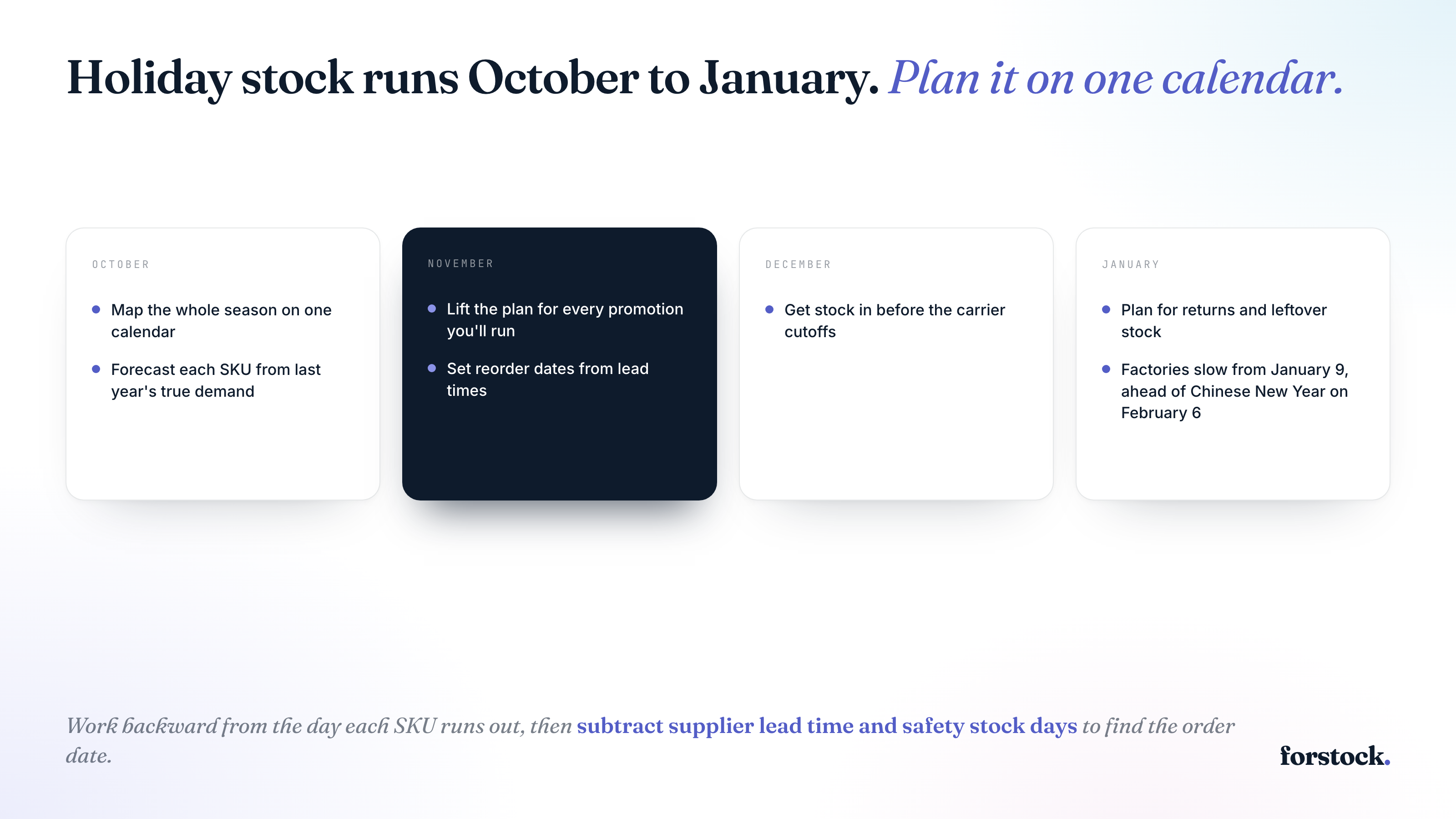
Holiday inventory management is seasonal inventory planning that works backward from the day each SKU runs out. Find that day with a forecast built from last year’s sales, adjusted for sold-out days. Add your planned promotions. Subtract supplier lead time and safety stock days from that day to get your purchase order date. Check every order date against supplier and carrier cutoffs. Factories close weeks before Chinese New Year, which falls on February 6, 2027. In January, put returned items back in stock and clear leftovers before reordering.
What Is Holiday Inventory Management?
Holiday inventory management is planning the stock you need for the season. It also covers returns and unsold leftovers in January.
Your holiday inventory is the extra stock you bring in to cover the peak. It falls into two groups. Evergreen products sell all year, so extra units become normal January stock. Seasonal and giftable products sell now or never, so extra units become markdowns.
NRF’s October 2026 survey found 43% of holiday shoppers plan to begin browsing and buying before November.
Deadlines stack up from there. In the US, ground carriers set their last recommended Christmas ship dates between December 15 and 17. Chinese New Year falls on February 6, 2027, and factories close weeks before it. Orders for China-made stock fall due in the same weeks as your holiday orders. Your order dates have to clear all of them.
How to Manage Holiday Inventory
1. Map the Whole Season on One Calendar
Before you touch a forecast, write down every date that limits what you can sell or order. These are the dates that matter for Shopify brands selling in the US this year:
- October and November: Gift shopping is already underway, so check stock on your gift products first.
- November 27 to 30: Black Friday through Cyber Monday.
- December 17 to 19: USPS’s last recommended ship dates for Christmas delivery in the lower 48 states. Ground Advantage is the 17th and Priority Mail Express is the 19th.
- January 9 to 16, 2027: Chinese factories start slowing down ahead of Chinese New Year on February 6, 2027.
- January 31, 2027: Amazon’s extended holiday return window closes for items bought from November 1 to December 31.
Then ask each supplier for their holiday dates in writing, including any late-December closures. You need two dates from each one, the last day they’ll accept an order and the day they reopen. If you ship outside the US, swap in your own carriers’ cutoffs. If you want the Black Friday plan with every task dated, Forstock’s Black Friday checklist lays it out in order.
2. Forecast Each SKU From Last Year’s True Demand
Your starting point is what each product sold last holiday season, week by week. Look at October as closely as December, because early gift buyers start well before Black Friday. The raw numbers in your Shopify report will mislead you in two ways.
First, a product that sold out on December 10 shows zero sales for the rest of the month. Shoppers still wanted it, but you had nothing left to sell, so the report undercounts your demand. To fix that, add back the sales you missed for each day it was out of stock. Base it on how fast it was selling the week before it ran out.
Second, find out what drove last year’s Black Friday spike. If it came from a discount, copying it into this year’s baseline overstocks every week without a sale. So strip the promo weeks out of the baseline and plan them separately in the next step.
Do this per variant and per location, because a hoodie in size M rarely sells like the same hoodie in XL. Then check each product’s trend since last year. If one is selling 30% faster than last October, scale its holiday weeks up by the same amount. Forstock’s guide to inventory demand planning covers the data you need and which method fits each product.
3. Lift the Plan for Every Promotion You’ll Run
Your sales history can’t predict a sale you haven’t run yet, so you have to tell your forecast about it. Start by listing every sale you’re planning through January. Then work out how much each one will lift demand. The best guide is what the same discount did to the same product last time.
Forstock, an AI inventory planning platform for Shopify brands, builds its demand planning around this step. It reads your discount history and rebuilds every promotion you’ve run. For products with a promotion history, it lifts the forecast by what past promotions did to them. Once the sale is over, Forstock treats that spike as a promotion, so it stays out of your baseline demand.
To add a sale, you enter its dates, discount, channel and products. You can fill in a short form or tell Alfred, Forstock’s AI assistant, in a sentence. A Black Friday entry would look like this:
- “Black Friday week” as the name
- November 24 to 30 as the dates
- 20% off as the discount
- Shopify as the channel
- The 38 SKUs in the sale as the products
Forstock then raises the forecast for those SKUs, and the reorder dates in the next step update with it.
The plan is a recommendation you control. You can open any number to see what went into it and type your own if you know better. Nothing becomes a purchase order until you create it.
4. Set Reorder Dates From Lead Times
Every holiday reorder date comes from the same count.
Order-by date = run-out day − safety stock days − lead time
Lead time is the full gap between placing a purchase order and having the stock arrive at your warehouse.
For example, your best-selling hoodie might have 900 units on November 1. With your Black Friday promo added, the forecast averages 20 units a day through December. That’s 45 days of stock, so you’d run out around December 15.
Your supplier needs 21 days to make and ship a reorder, and you want 10 days of safety stock as a buffer. Go back 31 days from December 15 and you get November 14, which is your order-by date.
Run the Same Math for Chinese New Year
Factories start slowing down around January 9 to 16, according to SEKO Logistics. They don’t reach full capacity until March 6 to 20. Ask your supplier for its last order date and its cargo-ready date. Both can fall well before the holiday on February 6.
Take a supplier that quotes 30 days of production, with 40 days of ocean freight. SEKO advises adding one to two weeks for pre-holiday port congestion, so add 10 days. That’s an 80-day lead time. Suppose you need the stock at your warehouse by February 1 to cover February and March. Go back 80 days and your order-by date is November 13. That gets cargo out of the factory around December 13, well before the slowdown starts.
Doing this by hand means recalculating every order-by date each time the forecast changes. Forstock’s reorder list runs this math for every SKU at every location. It simulates your stock day by day. Each SKU gets an order-by date, with the days left before it or the days it’s overdue.
5. Get Stock In Before the Cutoffs
Step 4’s lead time ends when stock reaches your warehouse door. Your 3PL or warehouse still has to receive and count it before you can sell it. That time comes on top of the lead time.
Ask your 3PL in writing for its last day to receive inbound stock and its last day for same-day dispatch. Use the last receiving day as your arrival date, then count back from it as in step 4.
Orders that ship on standard service after the carrier cutoffs from step 1 may arrive after Christmas. Faster outbound shipping costs more. If a late reorder won’t arrive before those cutoffs, cut it down to what you can sell in January. That way you skip the supplier’s rush fee.
6. Plan for January Returns and Leftover Stock
The season isn’t over until the returns stop. Look up your own return window and add its last day to your calendar from step 1. That date tells you how long stock keeps coming back.
Returns peak in the first half of January. Check returned items as they arrive and put the sellable ones back into available stock before you place your next reorder. Until then, a return sitting in a box doesn’t count toward available stock, so it can trigger a reorder you don’t need.
Next, look at what’s left once returns slow down. Sort your SKUs by how many days of stock each one has left at its normal January sales rate. If a product has months more stock than it needs, that’s cash you’d rather spend on spring. Forstock’s excess inventory guide covers how to clear it without wrecking your margins.
Finally, don’t plan January from December’s numbers. Before you place spring orders, reset each SKU to its normal sales rate, or you’ll buy holiday quantities for a quiet month.
What Do You Need to Order, and When?
Each SKU has its own answer, and it starts with your season calendar. Add your planned promotions to each SKU’s forecast, then count back to its order-by date. That shows you which reorders are already late and which can still wait.
At Forstock, we run the order-by math for every SKU and location. When you add a sale, we raise the forecast. Start your 14-day free trial. No credit card up front. Or book a demo, and we’ll connect your store on the call.
FAQs
When Should I Order Holiday Inventory?
Each SKU has its own order-by date. Take the day it runs out, then subtract its safety stock days and its supplier’s lead time. Take a hoodie that runs out on December 15. With 10 safety stock days and a 21-day lead time, it needs its order by November 14. For China-made stock, ask the supplier for its last order date. It can fall well before Chinese New Year on February 6, 2027.
What Do I Do With Leftover Holiday Inventory?
Sort your SKUs by days of cover at their normal January sales rate. Products that sell all year can sit, so cut your next reorder to match. Seasonal and giftable products lose their buyers after the holidays, so mark them down.
What Does “Inventory Days” Mean?
Inventory days usually means days inventory outstanding, the average number of days it takes to sell your stock. You get it by dividing average inventory by cost of goods sold, then multiplying by 365. For holiday planning, you want days of cover instead. It counts how many days a SKU’s stock will last at your expected sales rate. With 600 units and 20 sales a day, you have 30 days of cover. The SKU runs out 30 days from today.
What Is the 80/20 Rule in Inventory?
The 80/20 rule is a rough guide that about 20% of your SKUs bring in 80% of your revenue. ABC analysis puts it to work by grading each SKU A, B or C. Before the holidays, check your A items’ order-by dates first, because a stockout there costs the most. Forstock’s ABC analysis calculator does the grading. It ranks SKUs by annual usage value, which is units sold times unit cost.