
Quick Summary
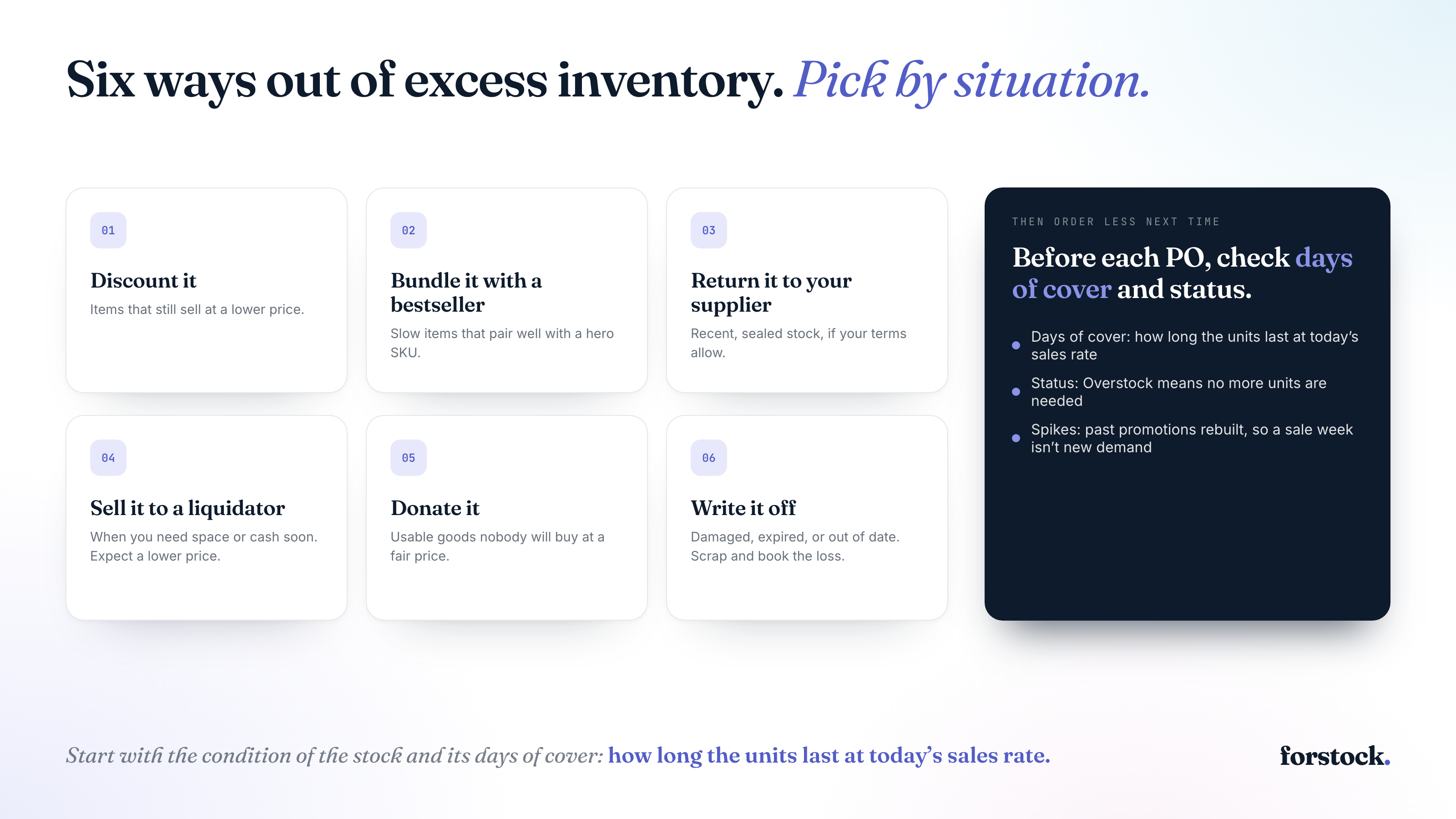
What to do with excess inventory starts with the condition of the stock and its days of cover. Days of cover shows how long your units last at today’s sales rate. If they outlast the time you can wait, discount items that still sell at a lower price. Bundle slow items with a bestseller when the two pair well.
If your supplier terms allow returns, send back recent, sealed stock of items they still sell. If discounting and bundling won’t clear the rest in time, or you need space or cash soon, sell to a liquidator or another retailer. Expect a lower price. Donate usable goods when nobody will buy them at a fair price. Scrap and write off damaged or expired goods, and anything that costs more to ship than it sells for.
What Is Excess Inventory?
Excess inventory is stock beyond what covers your lead time plus safety stock. Excess inventory, also called overstock, hurts cash flow because the money sits in stock that sells too slowly. Holding it costs about 20 to 30 percent of its value each year, according to Eightx. The cash tied up in it can’t fund ads or new products.
Find your excess with days of cover. That’s how many days your units last at your sales rate. Add units on hand and open purchase orders (POs), then divide by average daily sales over the last 90 days. Say you hold 600 units and sell three a day, with nothing on order. That’s 200 days of cover.
Compare the result with your lead time plus safety stock, both in days. Any days of cover beyond that are excess stock.
Two cases break the formula. A 90-day average misreads seasonal demand, so use forecast demand for SKUs with peaks or promotions. A SKU with no sales in the window leaves you nothing to divide by. Flag it and check when it last sold.
Run the check for every variant and location too. One fast-selling variant can hide slow ones in the same product. Forstock calculates days of cover at the variant and location level and flags products at risk of overstock. For beauty brands, batches and expiry dates shorten the time you have to sell.
How to Get Rid of Excess Inventory
Match each batch of units to an option based on its condition and how soon you need the cash. A slow-selling color and a box of damaged returns call for different options, and one SKU can use more than one.
1. Discount it
A discount makes sense when people still want the product at a lower price. Check days of cover first to see how long the stock lasts at today’s sales rate. If that’s longer than you can wait, a discount can speed it up.
Next, check the margin. Let’s say a candle costs you $12 and sells for $30. Even at 40% off, it sells for $18, so you’re still $6 above cost on every unit. That’s cash you can spend this month. Every sale also cuts the carrying costs that eat into your margin.
Discounts can teach shoppers to wait, so offer the sale to your email list or a hidden collection first. For seven ways to run the sale, from flash sales to free-gift thresholds, read our post on discounting ideas to move unsold inventory.
2. Bundle it with a bestseller
A bundle works when the slow item goes naturally with something that already sells well. A slow moisturizer paired with a popular cleanser makes sense to a shopper.
Price the bundle a little below the two items bought separately. The slow item then moves without a deep markdown on its own price.
Watch for two catches. The bundle discount comes out of the bestseller’s margin too, and a popular bundle can sell through your bestseller faster than you planned.
On Shopify, the free Shopify Bundles app builds fixed bundles and multipacks from products you already stock. It updates inventory in real time, so a bundle sale counts against the items inside it. Forstock then counts a bundle’s sales as demand for each component item, so a fast-selling bundle shows up in those items’ reorder dates.
3. Return it to your supplier
Return stock when your supplier terms allow it and it’s recent and sealed. Your best shot is stock your supplier also sells to other shops, like a branded product you resell. Custom or private-label goods with your logo rarely go back, because the supplier can’t sell them to anyone else.
Email your supplier the original PO number and the SKUs and units you want to send back. Describe the condition of the goods.
Ask for a credit against your next order first. It’s an easier ask than a refund, because they keep your business. Expect to pay for return shipping, and possibly a restocking fee.
Next time, agree on return or exchange terms before you buy, especially for a new product you’re still testing.
4. Sell it to a liquidator or another retailer
Sell to a liquidator when you need the space or the cash this month. Liquidators buy the whole lot fast, but they only pay a fraction of what it’s worth. Sellers can recover 15 to 50 percent of a product’s value on the secondary market, depending on the buyer, according to Inbound Logistics.
Another retailer will usually pay more. On a marketplace like Faire, you can list the stock wholesale to independent shops once you’re approved.
You don’t want your product turning up cheap on a marketplace next to your own full-price listing. So ask every buyer where they plan to sell it. Stick with buyers who sell in markets or channels you don’t, and get that agreement in writing.
5. Donate it
Donate goods that are still usable when nobody will pay a fair price for them.
The tax side is narrow. In the US, only C corporations can deduct more than cost for non-food goods. The charity must also use the goods to care for the ill, the needy or infants. Ask your accountant whether your stock qualifies before you send anything.
6. Write it off
Writing it off is the last resort for stock that’s damaged or expired. It also makes sense when selling a product would cost more than it brings in.
Count the units and note why each one can’t be sold. Your accountant then takes their cost out of inventory and records it as an expense. That way, your balance sheet stops showing value you’ll never get back.
In Shopify, mark the units unavailable with a reason such as Damaged, so nobody can order them. Then send the stock for recycling or scrap, or have it destroyed, and keep photos and disposal receipts.
Once the units are gone, remove them from Shopify inventory. The adjustment history gives your accountant a record.
Why Did Your Excess Inventory Build Up?
Before your next order, work out what drove this excess. Start with the SKUs holding the most cash (excess units times unit cost), then check a sample of the rest.
For each SKU you picked, pull the PO and compare the units you ordered with the units that sold since the order arrived. If you plan orders in a spreadsheet and have no PO, use the supplier invoice or your receiving record instead.
The excess comes from one or more of six common causes.
- A spike read as demand: A promo or a one-time bulk order lifted sales for a few weeks, and the next order assumed it would last.
- A flat growth percentage: A flat growth percentage on last year’s sales ignored seasonality and shifts in demand.
- A minimum order quantity (MOQ) or a price break: The supplier’s minimum, or a lower price at a higher quantity, pushed the order past what you needed.
- Padding for a slow supplier: Long or unpredictable lead times led you to add a blanket buffer, like two extra weeks on every order. Slow sellers ended up overstocked.
- An unproven new product: With no sales history, the launch quantity was a guess, usually an optimistic one.
- Forgetting what was already on the way: Someone reordered while an earlier PO was still open, so both orders arrived.
Tag each SKU with its cause in your inventory sheet. If two causes apply, tag both. Each cause needs its own fix next time you order.
How to Order Less Next Time
Forstock is an AI inventory planning platform for Shopify brands. Before you create each PO, open Forstock’s reorder list and check the Days of Cover and Status columns.
The first check is days of cover. Dividing units on hand and open POs by average daily sales is a quick version. But it counts every open PO as arriving today and uses one average sales rate. Forstock projects each SKU forward day by day through the forecast and counts every sent PO on the day it lands. That catches a forgotten order before you send a second PO.
The second check is the status. Each SKU at each location is marked Out of stock, Running low, Healthy or Overstock. Overstock means no more units are needed and projected stock sits above your target. When you see it, hold off and leave that SKU out of your next PO. If a promotion or launch is coming, declare it first or override the quantity.
Both checks run on Forstock’s forecast, which needs six months of orders for the AI model. Until then, it uses a simple average over a window you choose.
The other five causes each have their own fix:
- Spikes: Forstock’s demand planning rebuilds every past promotion from your order history, so the forecast knows a sale week was a promo.
- A flat growth percentage: Forstock builds each variant’s forecast from its own orders, with seasonality, and you can type your own number for any month.
- MOQs: Forstock rounds each order up to your MOQ and pack size, and shows the system quantity next to the effective quantity. You see what the MOQ added before you accept it.
- Padding: One buffer for every product overstocks slow sellers, as this guide to safety stock calculations explains. Forstock lets you set safety stock days per product, so each product carries its own buffer.
- Launches: Forstock builds a launch forecast from one to five comparable products you pick, each with a year of history.
Review reorder quantities monthly, and change one setting at a time. Cutting buffers too far can swap overstock for stockouts.
Where to Start With Your Excess Inventory This Week
Start with the SKUs holding the most cash and check their days of cover. For any SKU with days of cover beyond its lead time plus safety stock, match each batch of units to one of the six options above. Then tag each SKU with its cause before your next order.
If you’d rather not run that check by hand every month, Forstock runs it for you. It shows days of cover and a status for every SKU, every morning, and flags the ones in Overstock. Start a 14-day free trial with no credit card. Or book a demo, and Forstock will connect your store on the call. Pricing starts at $79 a month and scales with your annual revenue. See the pricing page for your revenue band.