
Forstock vs Stocky: Feature-by-Feature Comparison for Shopify Merchants
By Forstock Team · Last updated June 10, 2026
Compare Forstock and Stocky features—AI forecasting, automated POs, supplier management, pricing, and migration steps for Shopify merchants.
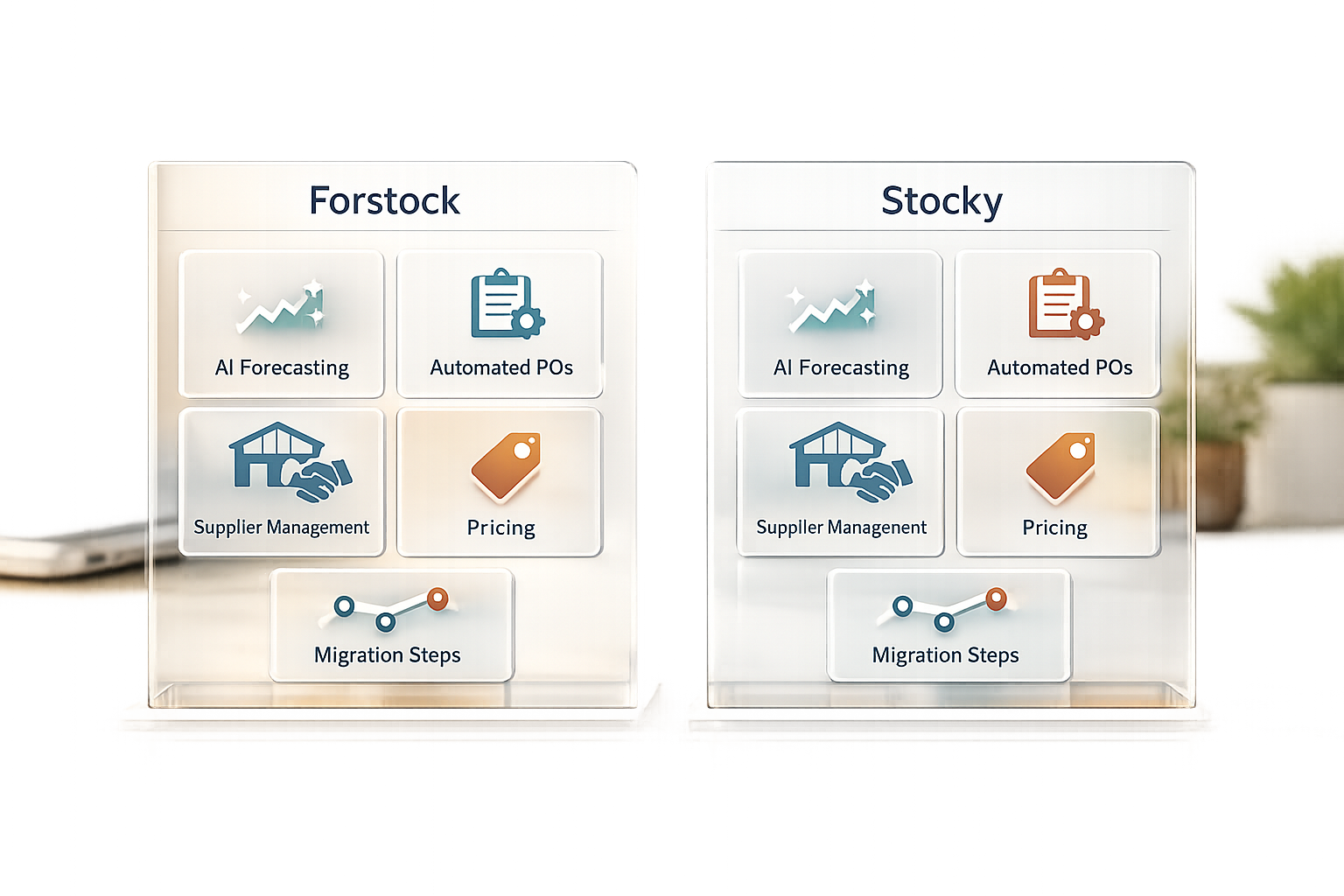
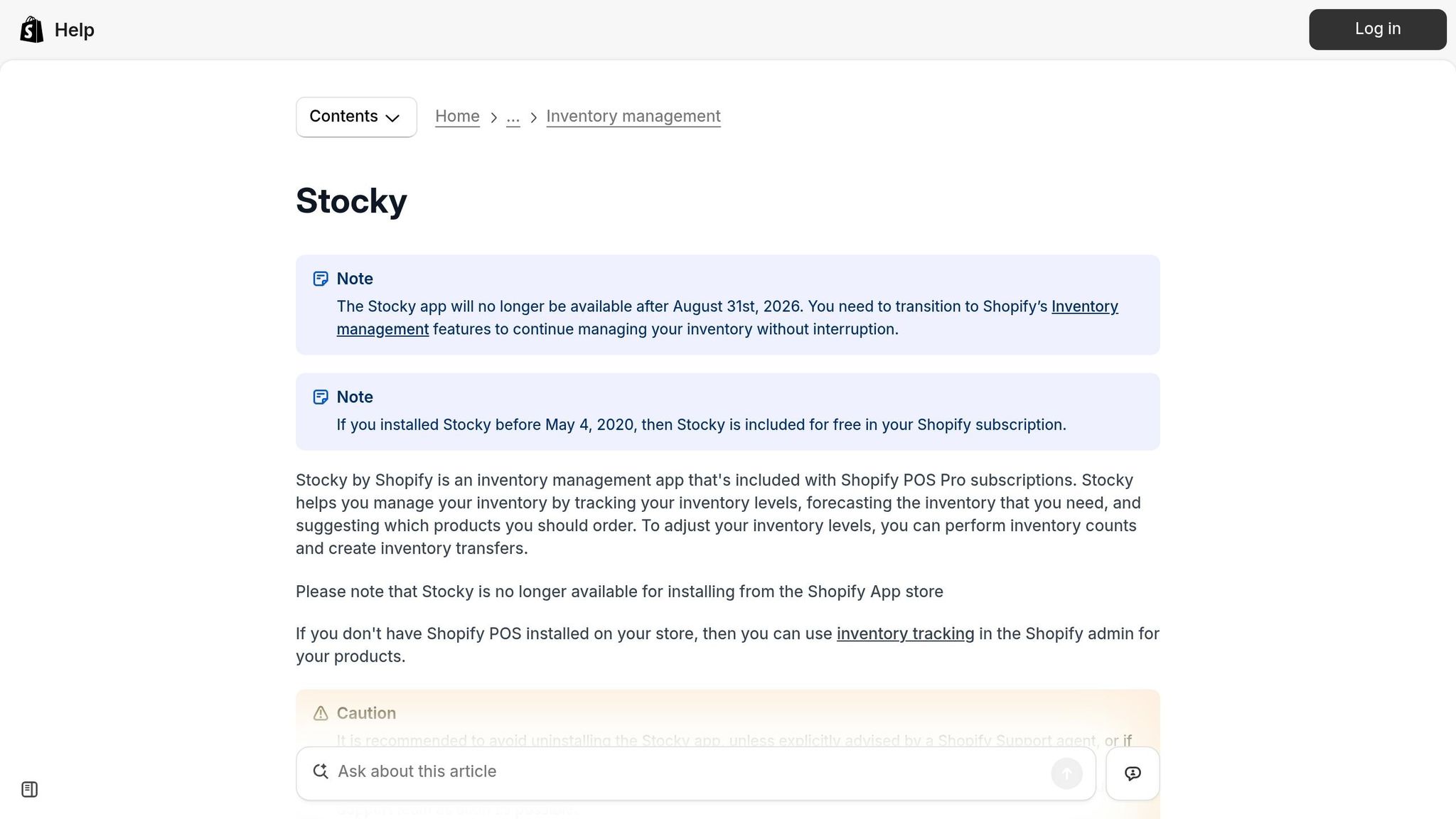
Stocky is shutting down on August 31, 2026. If you're a Shopify merchant relying on Stocky for inventory management, it's time to explore alternatives. Forstock, a Shopify-native app launched in late 2025, offers advanced inventory tools and automation to fill the gap left by Stocky.
Key Takeaways:
- Stocky Shutdown Timeline: Removed from the App Store on February 2, 2026; fully non-functional by August 31, 2026.
- Forstock Overview: AI-powered demand forecasting, automated purchase orders, and centralized supplier management for $79/month.
- Migration Needs: Export Stocky data (supplier details, purchase orders, etc.) manually before the shutdown.
Quick Comparison:
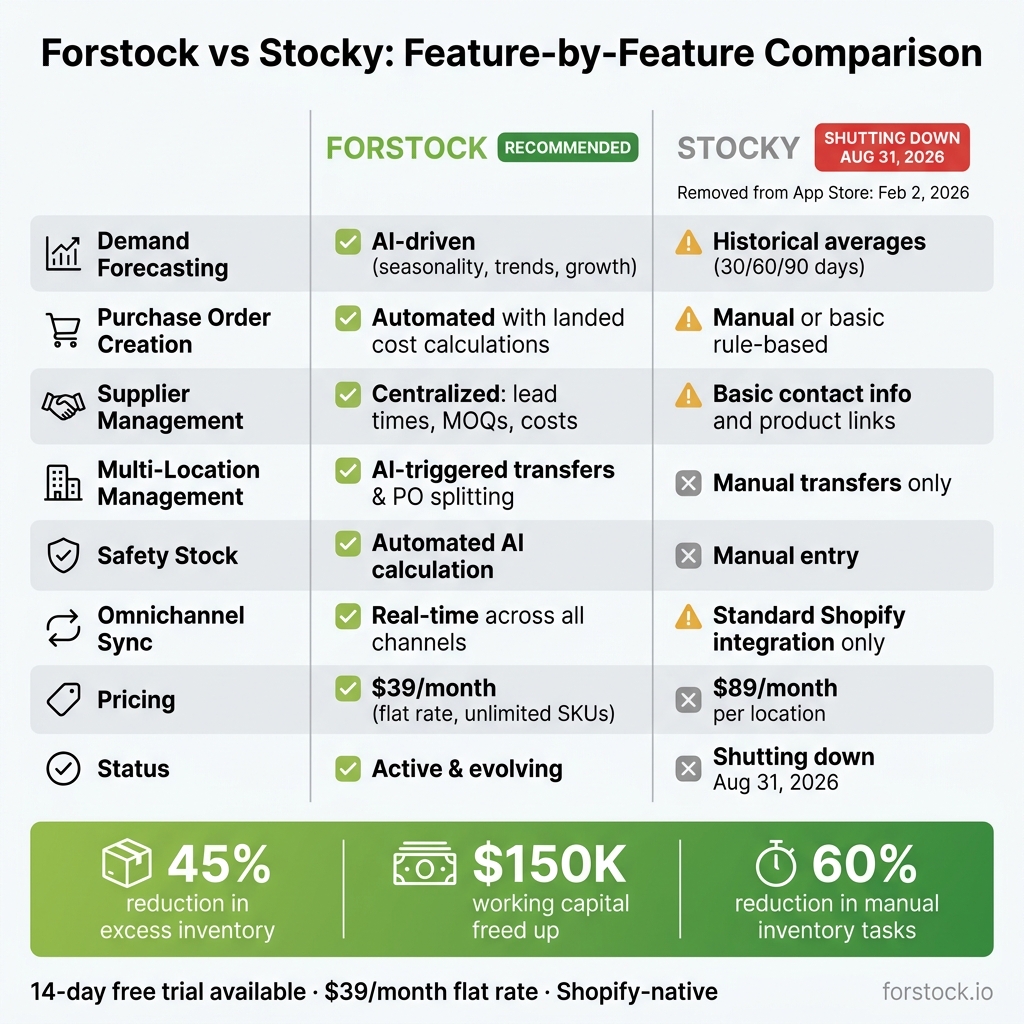
| Feature | Forstock | Stocky |
|---|---|---|
| Demand Forecasting | AI-driven (seasonality, trends, growth) | Historical averages (30/60/90 days) |
| Purchase Order Creation | Automated with landed cost calculations | Manual or basic rule-based |
| Supplier Management | Centralized with lead times and MOQs | Basic contact info and product links |
| Multi-Location Management | AI-triggered transfers and PO splitting | Manual transfers only |
| Pricing | $79/month (revenue-based) | $89/month per location |
Forstock simplifies workflows with automation and real-time insights, making it an effective solution for Shopify merchants transitioning from Stocky. Start evaluating now to ensure a smooth migration before Stocky goes offline.
Forstock vs Stocky: Feature-by-Feature Comparison for Shopify Merchants
Stocky Alternatives for Shopify: What to Choose Next
Stocky for Shopify Merchants: A Quick Overview
Stocky is Shopify's inventory management app tailored for Shopify POS Pro merchants. Its primary goal is to simplify inventory tasks like creating purchase orders, conducting stocktakes, and recommending restocks. The app directly integrates with Shopify's product catalog and sales data, making it a convenient tool for managing inventory.
What Stocky Does: Key Features and Workflows
Stocky was built with Shopify POS Pro in mind and offers several essential workflows:
- Purchase Orders and Stocktakes: Merchants can create purchase orders linked to suppliers and perform both full and partial stocktakes. Bulk stock adjustments are also supported, with a detailed history for tracking changes.
- Demand Forecasting: Stocky includes three forecasting modes - fill shelves, target stock levels, and sales-based predictions. These rely on historical sell-through rates to calculate reorder quantities. Automated reorder points notify merchants when inventory drops below a set threshold.
- Supplier Management: Basic supplier records, such as contact details and lead times, are included.
- Stock Transfers: For businesses with multiple locations, Stocky facilitates inventory transfers between sites and tracks shipments in transit.
For Shopify POS Pro merchants, Stocky was included in the $89/month per location subscription. For example, a merchant operating four locations would pay about $356/month before the app's eventual shutdown.
While Stocky offers these useful features, it also comes with some notable drawbacks.
Where Stocky Falls Short
Stocky shows its limitations, especially for larger or more complex operations:
- Simplistic Forecasting: Its forecasting relies on simple moving averages, which don’t account for factors like seasonality, promotions, or sudden spikes in demand. This can be a major issue for merchants managing seasonal inventory or running frequent marketing campaigns.
- Limited Automation: Stocky can generate a PDF purchase order and email it to a supplier, but it doesn’t track supplier responses. Updates like ETAs, price changes, or product substitutions must be managed manually. Additionally, it can’t create new product listings from supplier invoices, leaving merchants to handle this time-intensive task themselves.
- Feature Reductions and Shutdown: By July 2025, Shopify began removing features like inventory transfers and min/max forecasting, signaling the app’s eventual shutdown. Merchants must manually document supplier data, as Stocky doesn’t allow exporting vendor information. This means every vendor relationship must be recorded before the app is fully discontinued on August 31, 2026.
"Historical purchase orders and stocktakes will not automatically move into Shopify." - Shopify Help Center
The inability to transfer historical data or supplier details is a significant pain point for merchants, highlighting the need for a modern alternative that prioritizes data portability and automation.
Forstock: A Shopify-Native Inventory Management Tool
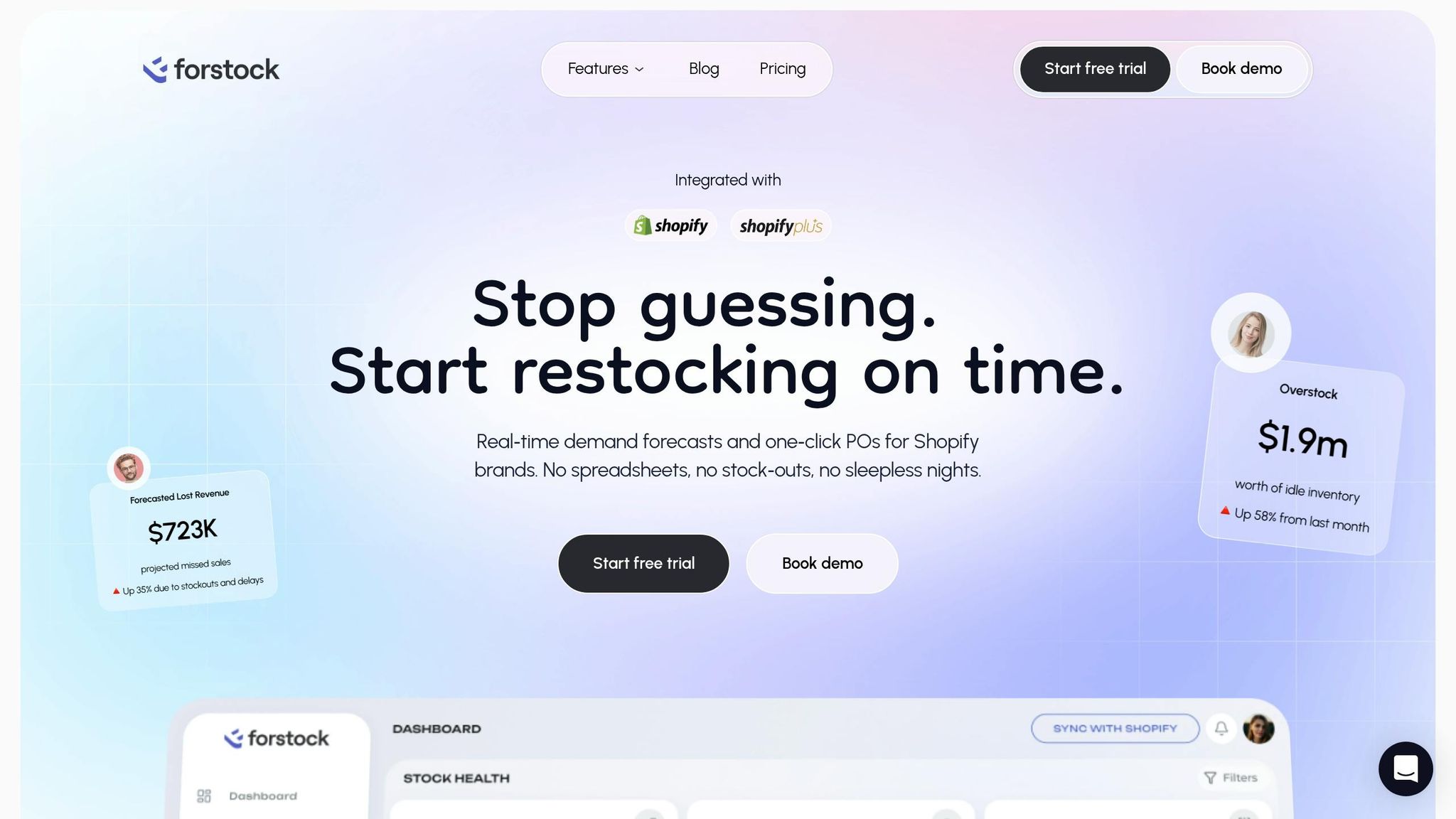
Forstock is an inventory management platform designed specifically for Shopify merchants. Launched on September 26, 2025, it integrates directly with Shopify to simplify inventory workflows. Let’s take a closer look at what makes Forstock a valuable tool for Shopify store owners.
What Forstock Does: Core Features
Forstock is built to tackle common inventory challenges with features that make a real difference:
- AI-powered demand forecasting: This tool predicts inventory needs by analyzing sales velocity, lead times, and seasonal trends.
-
Automated purchase order creation: Forstock generates supplier-ready purchase orders, accounting for supplier-specific rules like minimum order quantities (MOQs) and landed costs (freight and duties included). Alexander, a Supply Chain Manager at FashionCo, shared his experience:
"The automated PO creation saves us 10+ hours weekly. Setup was seamless - just 2 minutes!"
- Real-time inventory dashboard: Merchants gain instant insights into stock levels, with alerts for low inventory and stock gaps, plus daily sales velocity and depletion forecasts.
- Centralized supplier management: It consolidates supplier data, including lead times, reorder rules, and cost details, in one location. Since it’s Shopify-native, inventory levels are automatically updated in Shopify when goods are received, though merchants can opt for manual syncing if preferred.
These features come at a competitive price, making them accessible to a wide range of Shopify merchants.
Pricing and Scalability
Forstock offers a straightforward pricing model: $79/month, regardless of revenue tier. This includes AI demand planning, safety stock management, unlimited SKUs, and supplier tracking. Merchants can save with annual billing, which comes with a 15% discount - bringing the cost of the Starter plan to $396/year. A 14-day free trial allows users to test all features before committing.
What Merchants Gain by Using Forstock
With Stocky’s shutdown approaching, Forstock provides a reliable alternative to keep operations running smoothly. Merchants have reported impressive results. Jason, Co-founder at HomeGoods, shared:
"We reduced excess inventory by 45% and freed up $150K in working capital."
He added:
"Forstock has been great. We're preventing stockouts that were costing us $50K monthly. The AI predictions are incredibly accurate."
Operations teams have also seen a 60% reduction in manual inventory tasks. By automating tedious processes, Forstock helps merchants move away from spreadsheets and focus on scaling their businesses.
As of May 2026, Forstock holds a 5.0-star rating on the Shopify App Store, with users frequently praising its precise forecasting, user-friendly interface, and intuitive inventory dashboard.
sbb-itb-f0fc809
Forstock vs Stocky: Feature-by-Feature Breakdown
Now that we've covered what Forstock offers, let's see how it measures up against Stocky in the areas that matter most to Shopify merchants.
Purchase Orders and Receiving
The way purchase orders (POs) are created is a key difference between these tools. Stocky relies on manual input and simple rule-based triggers. You set a reorder point, and when stock drops below it, you manually create a PO. Forstock, on the other hand, takes automation to the next level. Its AI processes real-time sales data, supplier lead times, and minimum order quantities (MOQs) to suggest reorders. From there, it generates supplier-ready POs in moments.
Forstock also stands out by including forecast inventory costs including landed cost calculations, giving merchants a full picture of expenses like freight, duties, and customs. Stocky, in contrast, only tracks basic unit costs. When it comes to receiving, Forstock supports partial shipments and allows merchants to choose between automatic or manual syncing with Shopify inventory.
"Forstock is the first tool that actually bridges inventory management and purchasing instead of forcing us to hack things together." - Daniel, Supply Chain Manager
| Feature | Forstock | Stocky |
|---|---|---|
| PO Creation | AI-powered, based on real-time demand | Manual or basic rule-based |
| Landed Costs | Includes freight, duties, and customs | Basic unit cost only |
| Partial Shipment Receiving | Supported, with auto or manual Shopify sync | Standard receiving tied to Shopify POS |
| Supplier Rules | MOQs, lead times, reorder rules factored in | Basic supplier contact and product links |
| Bulk Order Building | CSV imports, templates, product filters | Limited bulk tools |
Next, let's dive into demand forecasting and replenishment planning.
Demand Forecasting and Replenishment Planning
Stocky's forecasting relies on historical sales averages, typically calculated over 30-, 60-, or 90-day periods. This approach works for stable product catalogs but can fall short when demand fluctuates.
Forstock leverages AI and machine learning to account for seasonality, growth patterns, and sales trends across your entire inventory. Each SKU includes a projected depletion date and a count of days remaining. Safety stock levels are calculated automatically, eliminating the guesswork. According to Matt, Operations Lead at TechGear:
"The AI predictions are incredibly accurate... we're preventing stockouts that were costing us $50K monthly."
| Feature | Forstock | Stocky |
|---|---|---|
| Forecasting Method | AI/ML (seasonality, trends, growth) | Historical averages (30/60/90-day windows) |
| Safety Stock | Automated AI calculation | Manual entry |
| Replenishment Trigger | Automated, lead-time aware | Manual reorder points |
| Stockout Alerts | Real-time depletion date per SKU | Basic low-stock notifications |
| Forecast-to-PO Workflow | One-click from Reorder Table | Manual process |
Supplier Management and Cost Control
Stocky offers basic supplier management. You can associate suppliers with products and store contact details, but more advanced supplier data must be handled elsewhere. Forstock centralizes supplier information, integrating lead times, MOQs, and landed costs directly into its workflows.
This is especially helpful for merchants juggling multiple suppliers with varying rules. Instead of managing separate spreadsheets to track shipping timelines or minimum quantities, Forstock ties everything together within its platform.
| Feature | Forstock | Stocky |
|---|---|---|
| Lead-Time Modeling | Built into reorder recommendations | Not integrated |
| MOQ Enforcement | Automatic during PO generation | Manual |
| Landed Cost Tracking | Included in PO workflow | Not available |
| Supplier Data Centralization | Full: lead times, costs, reorder rules | Basic: contact info and product links |
This streamlined approach makes managing supplier relationships far more efficient.
Stock Tracking and Adjustments
Both tools sync with Shopify inventory, but Forstock goes further by offering actionable insights. Its Inventory Table (Stock Intelligence) highlights SKUs at risk of stockouts, overstocked items, and daily sales velocity - all in one view.
"Forstock gave us clarity. I open the dashboard in the morning and instantly know what needs reordering, what is overstocked, and what to focus on." - Emily, Inventory Manager
Forstock also allows manual syncing for stock adjustments, giving teams control over when updates are pushed to Shopify. This flexibility is ideal for merchants who prefer verifying counts before making changes live.
Multi-Location and Omnichannel Workflows
Stocky offers basic multi-location inventory management. You can view stock by location and manually create transfers. While this works for smaller operations, it can become a bottleneck as businesses scale.
Forstock takes a more proactive approach. Its AI identifies inventory imbalances across locations before they lead to stockouts. During PO creation, inventory can be split by location to ensure products are routed correctly from the start. The platform also syncs inventory in real time across all Shopify channels, providing a unified view.
| Feature | Forstock | Stocky |
|---|---|---|
| Multi-Location Transfers | AI-triggered based on demand | Manual entry and tracking |
| PO Splitting by Location | Supported during PO creation | Not available |
| Omnichannel Sync | Real-time across all channels | Standard Shopify integration |
| Demand Planning Basis | AI-driven (predictive) | Historical lookback (reactive) |
| Centralized Visibility | Single dashboard across all locations | Location-by-location view |
Moving from Stocky to Forstock: What to Know
Getting Ready Before Stocky Shuts Down
With Stocky's API set to shut down, it's crucial to secure all your data in advance. Make sure to export everything - supplier contact details, historical purchase orders, reorder points, and product-cost data. Start the transition as soon as possible to avoid interruptions. While Forstock automatically syncs your product catalog and inventory levels from Shopify, key supplier-specific settings like lead times, minimum order quantities (MOQs), and cost data remain in Stocky and need to be manually recorded.
Once you've backed up your data, rebuilding supplier records in Forstock is straightforward and efficient.
How Forstock Supports the Switch
After securing your Stocky data, Forstock simplifies the migration process by syncing essential store information automatically. Using Shopify's official APIs, Forstock pulls in your product listings, order history, and fulfillment data, so you don’t have to manually re-import your catalog. This seamless integration works hand-in-hand with the preparation steps you’ve already completed.
Once synced, you can easily rebuild your supplier records in Forstock. It provides dedicated fields for lead times, MOQs, landed costs, and reorder rules, giving you full control over your inventory management.
Merchants have highlighted Forstock’s exceptional support during the transition:
"Great for planning and wonderful customer service. They truly are here to help you, as the shop owner succeed." - The Afropolitan Shop
Forstock also supports unlimited SKUs and suppliers across all paid plans, making it a great fit for merchants with large or complex inventories.
Long-Term Benefits After Migrating to Forstock
Post-migration, Forstock’s AI takes over replenishment planning. It considers factors like seasonality, lead times, and sales velocity to automate reorder points, saving you time on routine inventory tasks.
You'll also see improvements in cash flow management. With landed cost tracking built directly into purchase orders and AI-driven safety stock calculations, Forstock helps you avoid over-ordering while keeping inventory levels just right.
"Forstock is the first tool that actually feels close to how we think about re-ordering! It gives us a clear view of what to order and when." - Ezz Studios
Conclusion: Making the Case for Forstock After Stocky
After breaking down the features, it's clear why Forstock is a strong contender to replace Stocky. While Stocky served its purpose as a basic tool, its limitations and eventual phase-out leave merchants searching for a more capable solution.
Forstock covers all the critical bases - purchase orders, forecasting, supplier management, stock tracking, and multi-location workflows - and takes it a step further by automating these processes. This automation can save significant time on data handling. For instance, HomeGoods reported a noticeable drop in excess inventory, which unlocked a considerable amount of working capital.
The numbers speak for themselves. Stockouts and overstocking can cost retailers up to 10% of their annual revenue. Forstock’s AI-powered forecasting and automated reorder suggestions are designed to tackle these issues head-on, ensuring merchants safeguard revenue during busy seasons while avoiding cash being tied up in slow-moving inventory by optimizing inventory turnover.
What sets Forstock apart as a lasting solution is that it’s built specifically for Shopify. As a Shopify-native platform, it evolves alongside Shopify’s updates, new sales channels, and the growing demands of omnichannel retail. At just $79/month, the pricing is simple and transparent, with no hidden fees for core features.
The timing to act is now. By evaluating Forstock before Stocky’s shutdown, you can test workflows, validate forecasts with actual data, and transition at your own pace - rather than rushing to meet a deadline. Forstock stands out as the logical, long-term choice for Shopify merchants looking to streamline their inventory management. It is frequently cited among the top cloud inventory tools for Shopify due to its deep integration and automation capabilities.
FAQs
What data should I export from Stocky before it shuts down?
Before Stocky closes its doors on August 31, 2026, make sure to manually export your data - there won’t be an automatic transfer. Save essential files like purchase order history, stocktake records, and inventory reports as CSV files. For details such as supplier contact information, lead times, minimum order quantities, and demand forecasting settings, consider manually recording the information or taking screenshots. Don’t forget to double-check your cost data against invoices to ensure you don’t lose any critical details.
How long does it take to set up Forstock after connecting Shopify?
Setting up Forstock is quick and straightforward - it only takes two minutes once you connect it to your Shopify store. To get started, just head to the Forstock website or the Shopify App Store, then enter your email and store URL. After connecting, Forstock will automatically sync your stock levels and sales history, allowing you to dive right into its features without any extra steps.
Will Forstock work for multi-location inventory and transfers?
Forstock makes managing multi-location inventory a breeze. It handles everything from syncing data across locations to splitting purchase orders by location. Plus, it calculates location-specific reorder points and quantities, ensuring you're always stocked appropriately. With real-time tracking of inbound units and inventory movements, Forstock keeps your stock levels accurate. It also simplifies internal transfers, so you can ditch those clunky manual spreadsheets for good.
Keep reading
Try Forstock free for 14 days.
AI-powered demand forecasting and reorder automation for Shopify brands. No credit card required.