
Forstock vs Inventory Planner: Which Shopify Forecasting Tool Is Right for Your Store?
By Forstock Team · Last updated June 15, 2026
Compare Forstock and Inventory Planner for Shopify: AI-first simplicity vs deeper multi-channel forecasting, setup, and pricing.
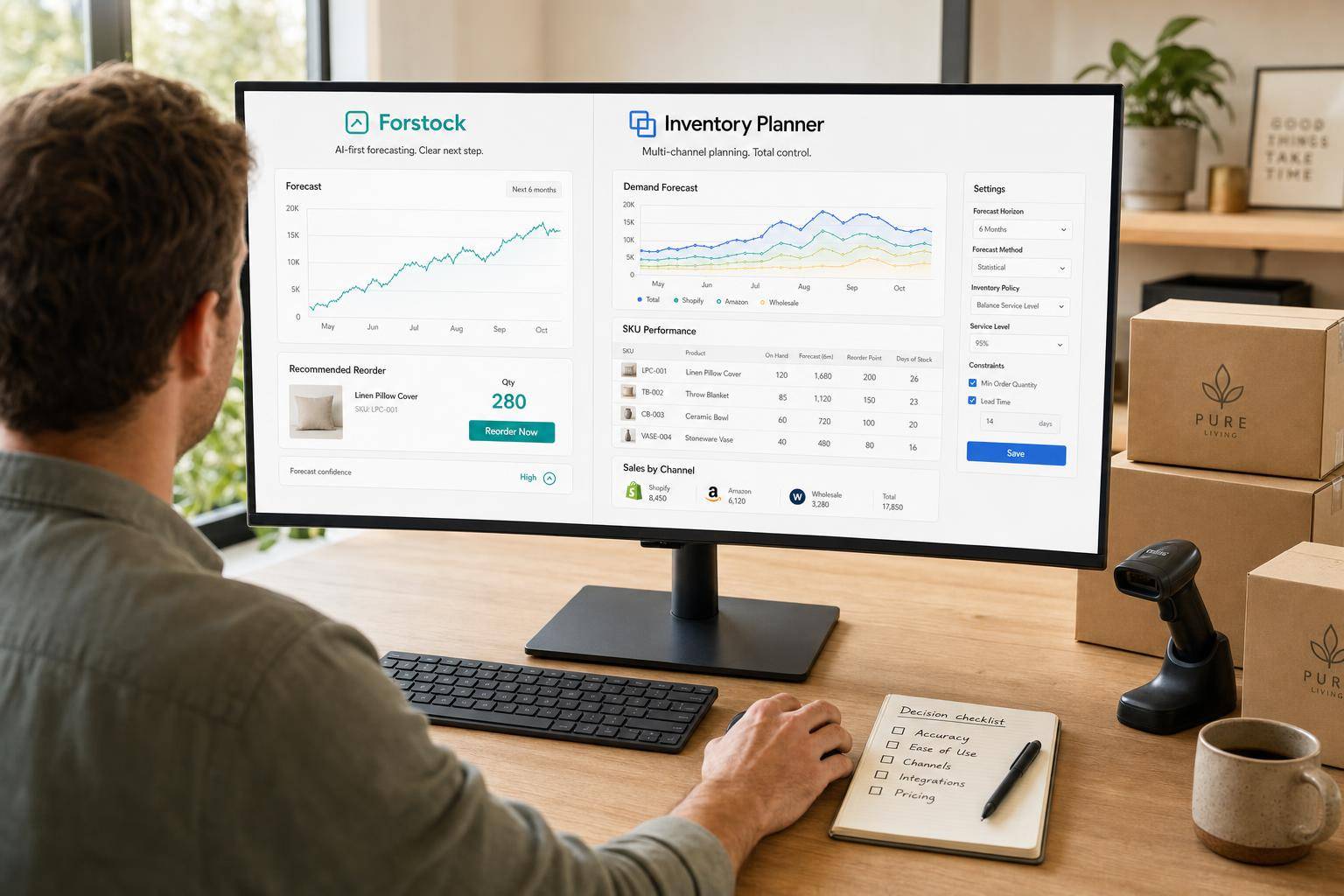
If you run a Shopify-first store and want fast reorder decisions, I’d put Forstock first. If you need deeper multi-channel planning, transfers between locations, and open-to-buy reporting, I’d lean toward Inventory Planner.
Here’s the short version:
- Forstock fits lean Shopify teams that want SKU-level forecasting, AI-based reorder suggestions, supplier lead times, and purchase orders in one place
- Inventory Planner fits stores with more planning depth, like multi-channel sales, transfer planning, and finance-focused reporting
- Price is a big split: Forstock starts at $79/month, while Inventory Planner starts around $244.99/month
- Timing matters in 2026: Shopify will retire Stocky on August 31, 2026, so stores that still rely on it need a replacement soon
- The core choice is simple: easy Shopify-first planning vs. deeper planning control
If I were choosing, I’d look at five things first:
- forecast method
- reorder logic
- safety stock
- multi-location planning
- purchase order workflow
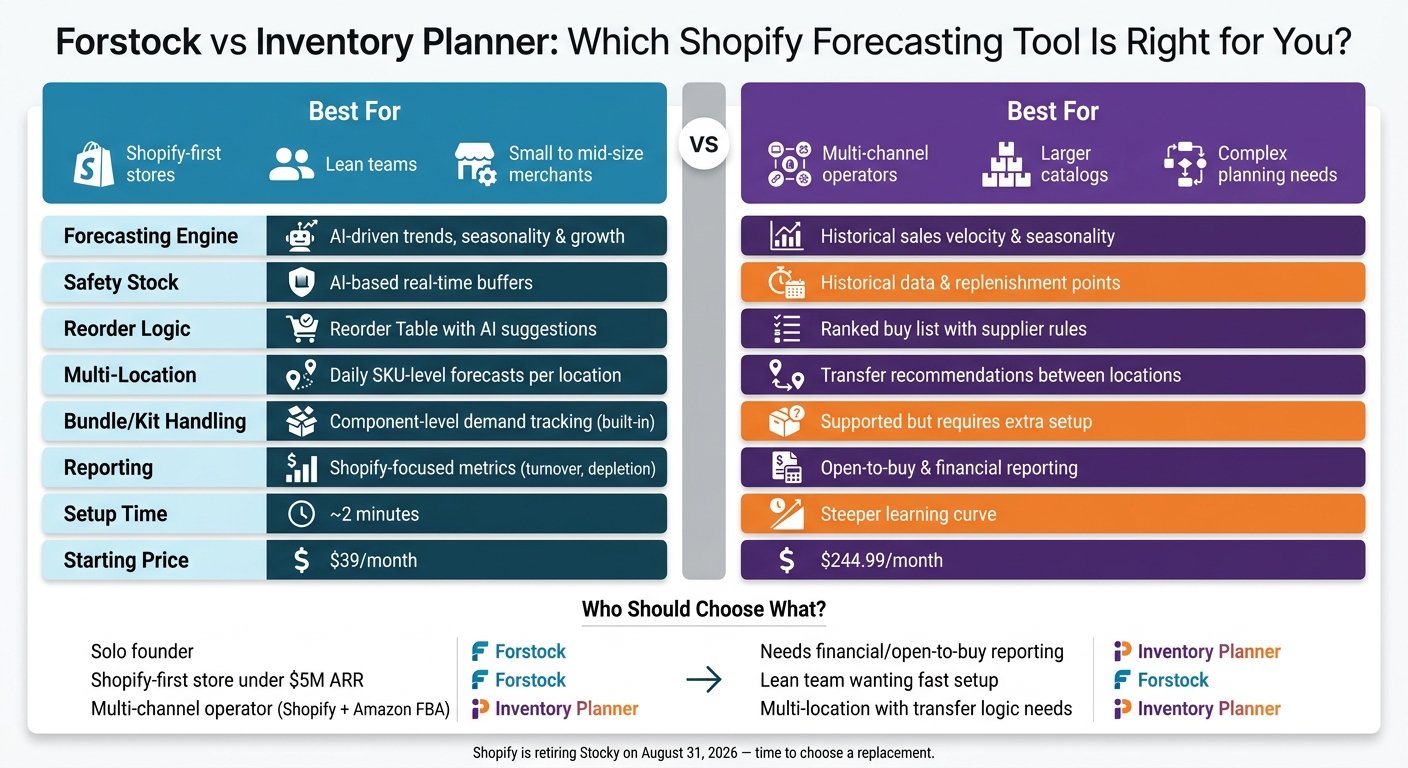
Forstock vs Inventory Planner: Shopify Forecasting Tool Comparison
Inventory Planner Review | Best Forecasting Tool for E-commerce in 2026
sbb-itb-f0fc809
Quick Comparison
| Criteria | Forstock | Inventory Planner |
|---|---|---|
| Best for | Shopify-first stores | Multi-channel and larger planning setups |
| Forecasting | AI-driven trends, seasonality, and growth | Historical sales velocity and seasonality |
| Reordering | Reorder Table with suggested buys | Ranked buy list with supplier rules |
| Safety stock | AI-based buffers | Past-sales-based replenishment points |
| Multi-location | Daily forecasts across locations | Transfer suggestions between locations |
| Bundles/kits | Component demand tracking | Works, but may need extra setup |
| Reporting | Focused Shopify inventory metrics | Deeper finance and open-to-buy reporting |
| Starting price | $79/month | $244.99/month |
| Setup | About 2 minutes | More setup and a steeper learning curve |
So if you want the shortest answer: Forstock is the simpler pick for most small to mid-size Shopify stores, and Inventory Planner is the better fit when your planning work is more complex.
What Shopify merchants need from a forecasting tool

A forecasting tool should do one simple thing well: turn sales data into clear reorder decisions.
That sounds basic, but a lot rides on it. Forecast accuracy affects when you reorder, how much you buy, and how much stock you keep on hand. If those inputs are off, the whole plan starts to wobble. With that baseline in place, the next section looks at how the two tools handle forecasting, replenishment, and planning workflows.
Core forecasting and replenishment requirements
The tool needs to forecast at the SKU level, not just at the parent product level. If you sell a hoodie in six sizes and three colors, you don't need a vague signal that "hoodies" are selling. You need to know which exact SKUs to reorder.
And the forecast alone isn't enough. Before a tool tells you what to buy, it should also account for:
- supplier lead times
- minimum order quantities (MOQs)
- current on-hand inventory
A useful tool should calculate the reorder date based on current sales velocity and warn you when you're getting close to the reorder point.
It should also build in safety stock based on changes in sales and lead time. Just as important, it should explain why it's making each recommendation. When actual dollars are on the line, black-box reorder logic is hard to trust.
Catalog and workflow factors that affect tool fit
The right tool also depends on how your store runs day to day. A single-location store has very different planning needs than a brand working across multiple warehouses or a 3PL.
Multi-location merchants need forecasts that look at demand by node, not just in total. The same SKU can move at one pace in one location and a very different pace somewhere else. If a tool only plans at the aggregate level, it can miss those shifts. That often leads to extra transfers or purchase orders in the wrong sizes.
Bundle and kit handling matters too. If you sell items on their own and inside bundles, the tool needs to track demand at the component level across both paths. Not every tool gets this right, so it's worth checking before you sign up.
Team bandwidth also matters more than people expect. A lean team usually needs fast setup and plain-language recommendations, not a system that takes heavy manual setup before it starts helping. That's often where day-to-day fit becomes obvious.
Forstock vs Inventory Planner: forecasting, planning, and workflow comparison
Demand forecasting, reorder logic, and safety stock
The biggest gap between these tools shows up in how they forecast demand. Forstock uses AI to spot trends, seasonality, and growth patterns, and it shows why it made each recommendation. Inventory Planner leans more on historical sales data and sales velocity. That works well in many cases, but it can be slower to react when demand shifts all of a sudden or when a new product launch has little sales history behind it.
Safety stock follows the same pattern. Forstock uses AI-based buffers that change with live demand signals. Inventory Planner uses past data to set replenishment points, which gives planners more hands-on control over the process.
Purchase planning, suppliers, and Shopify workflow fit
Forecasting only helps if you can turn it into a purchase order without a lot of back-and-forth. Forstock handles day-to-day planning inside one Reorder Table. You can review AI suggestions, tweak quantities, and create purchase orders in minutes. It also includes landed cost inputs like shipping and customs. From install to first recommendation, setup takes about 2 minutes.
Inventory Planner takes a different route. It builds purchase orders from a ranked buy list based on revenue impact and budget. It also supports supplier rules like MOQs, case packs, and price breaks, along with PO receiving workflows. Forstock, meanwhile, keeps supplier performance, lead times, and costs together in one place.
Multi-location, bundles, reporting, and catalog complexity
Once inventory is split across more than one location, workflow matters even more. Forstock gives you daily SKU-level forecasts across all locations, paired with live inventory sync and one dashboard. Inventory Planner fits better when your team needs transfer recommendations that shift stock between locations instead of creating a new purchase order.
Here’s the side-by-side view:
| Feature | Forstock | Inventory Planner |
|---|---|---|
| Forecasting engine | AI-driven trends, seasonality, and growth | Historical sales velocity and seasonality |
| Safety stock | AI-driven, real-time buffers | Historical data and replenishment points |
| PO creation | Reorder Table and landed cost calculations | Ranked buy list, supplier rules, and PO receiving |
| Multi-location | Daily forecasts across locations | Transfer recommendations between locations |
| Setup time | About 2 minutes | Steeper learning curve |
If your catalog includes bundles or kits, the difference gets more practical. Forstock tracks demand at the component level across both standalone sales and bundled sales. Inventory Planner can do this too, but it needs extra setup to get component-level replenishment right. On reporting, Inventory Planner goes deeper with outputs like open-to-buy budget planning. Forstock stays focused on the numbers many Shopify operators check most often: turnover rate, stock value, and projected depletion dates.
Which tool fits your store type
Use the feature comparison above to line up each tool with your store size, sales channels, and how much planning work your team handles.
When Forstock is the better choice
Forstock is a good fit for Shopify-first stores that want simple replenishment without a long setup. It works well for lean teams that need one place to forecast, reorder, and buy. It also simplifies integrating multi-supplier data directly within Shopify. Teams say it cuts a lot of manual inventory work by optimizing inventory turnover metrics. Pricing scales with revenue and starts at $79/month.
When Inventory Planner is the better choice
The split is pretty simple: Forstock leans toward speed and simplicity, while Inventory Planner leans toward more depth.
Inventory Planner fits teams with more complex, multi-channel planning needs. It's a stronger match for larger catalogs, merchants selling across Shopify and Amazon FBA, teams that need financial reporting, and stores handling multi-location replenishment. That added depth can make sense if you need it, but it comes with a higher starting price of about $244.99/month.
| Store Profile | Better Fit |
|---|---|
| Shopify-first, under $5M ARR, lean team | Forstock |
| Solo founder | Forstock |
| Multi-channel operator | Inventory Planner |
| Larger catalogs or multi-location replenishment | Inventory Planner |
| Needs financial reporting integration | Inventory Planner |
| Needs revenue-based pricing | Forstock |
The choice comes down to what matters more for your team: faster Shopify-first planning or deeper multi-channel control. That's a big deal right now for stores moving away from legacy planning workflows.
Conclusion: How to choose between Forstock and Inventory Planner
After looking at forecasting, replenishment, and day-to-day workflow, the choice comes down to how your team actually runs inventory.
Forstock is built for Shopify-first teams that want to reorder faster. It connects straight to your store, keeps setup light, and uses AI to handle reorder decisions without a steep learning curve. Inventory Planner makes more sense when you need multi-location planning, bundles, and financial planning in the same workflow.
If forecast accuracy, safety stock buffers, and supplier lead time tracking are the main signals you use to plan inventory, and your store mainly runs on Shopify, Forstock gives you that with less overhead. If your replenishment process covers multiple sales channels, needs transfer logic between locations, or relies on open-to-buy financial reporting, Inventory Planner is the stronger match.
The deciding factors are the same ones covered throughout this article: forecast quality, reorder logic, safety stock, supplier lead times, and workflow complexity. Shopify-first stores and lean teams will usually get value from Forstock faster. Stores with more complex replenishment needs are more likely to find that Inventory Planner’s deeper toolset fits the way they plan.
FAQs
How accurate are AI reorder suggestions for newer SKUs?
AI reorder suggestions for newer SKUs can be highly accurate, especially when the system learns from sales data, seasonality, and market trends.
It can also support new product launches through smart bootstrapping, which helps cut stockouts and excess inventory.
Can I switch from Stocky before August 31, 2026?
Yes. You can switch from Stocky before August 31, 2026, because Shopify is deprecating it on that date.
Options like Forstock and Inventory Planner support demand forecasting, purchase orders, and supplier management.
Which tool is easier for a small Shopify team to manage?
Forstock is usually the easier pick for a small Shopify team.
Its simpler interface and built-in automation cut down on manual work. With AI-based forecasting and automatic purchase orders, it makes inventory planning and supplier management much easier to handle day to day.
Inventory Planner often takes more setup, more configuration, and more hands-on management, especially if you're dealing with multiple locations or selling across several channels.
Keep reading
Try Forstock free for 14 days.
AI-powered demand forecasting and reorder automation for Shopify brands. No credit card required.