
If you need the short answer: I’d pick Forstock for lower cost and more automated reordering, and Fabrikatör for tighter planning control.
Shopify delisted Stocky on February 2, 2026, and it stops working on August 31, 2026. So if you’re replacing Stocky now, this choice comes down to a few plain questions:
- Do you want revenue-based pricing from $79/month or revenue-based pricing that starts at $99/month?
- Do you want more automation for forecasts and purchase orders?
- Or do you need backorders, bundle tracking, and more hands-on planning?
Here’s the article in one view:
- Forstock fits stores that want simple reordering, AI-based forecasts, and a fixed monthly price.
- Fabrikatör fits stores that want more control over short-term replenishment, long-range planning, backorders, and kits.
- Both apps connect to Shopify, read product and inventory data, support multi-location stock, and help build purchase orders.
- Fabrikatör imports up to 12 months of sales history on setup, and first sync can take 15 minutes to a few hours.
- The biggest split is this: Forstock automates more, while Fabrikatör gives you more manual control.
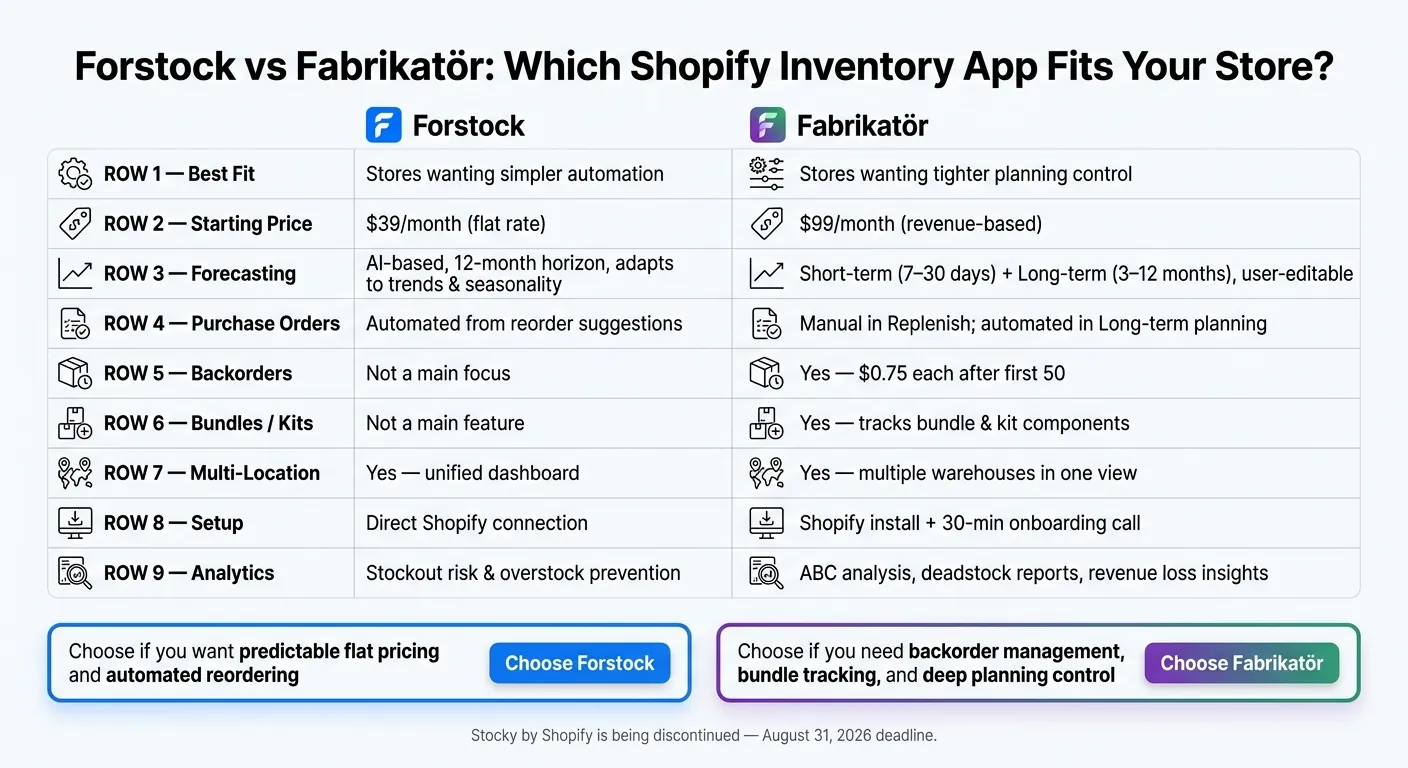
Forstock vs Fabrikatör: Shopify Inventory App Comparison
Quick Comparison
| Criteria | Forstock | Fabrikatör |
|---|---|---|
| Best fit | Stores that want simpler automation | Stores that want tighter planning control |
| Starting price | $79/month | $99/month |
| Forecasting | AI-based, 12-month view | Short-term replenishment plus 3–12 month planning |
| Purchase orders | Built from reorder suggestions | Manual in Replenish, automated in long-range planning |
| Seasonality | Yes | In long-range planning |
| Backorders | Not the main focus | Yes, with extra fees after first 50 |
| Bundles/kits | Not a main point in this comparison | Yes |
| Multi-location | Yes | Yes |
| Setup | Direct Shopify connection | Shopify install plus 30-minute onboarding call |
My takeaway: if you want lower cost and less manual work, Forstock is the simpler pick. If your store depends on backorders, bundle parts, and forecast edits, Fabrikatör may fit better.
That’s the full decision in plain English. The rest of the article breaks down how each app handles forecasts, POs, suppliers, and stock across locations. This comparison highlights the top features of Shopify purchase order apps that drive efficiency.
sbb-itb-f0fc809
How Forstock and Fabrikatör Connect to Shopify
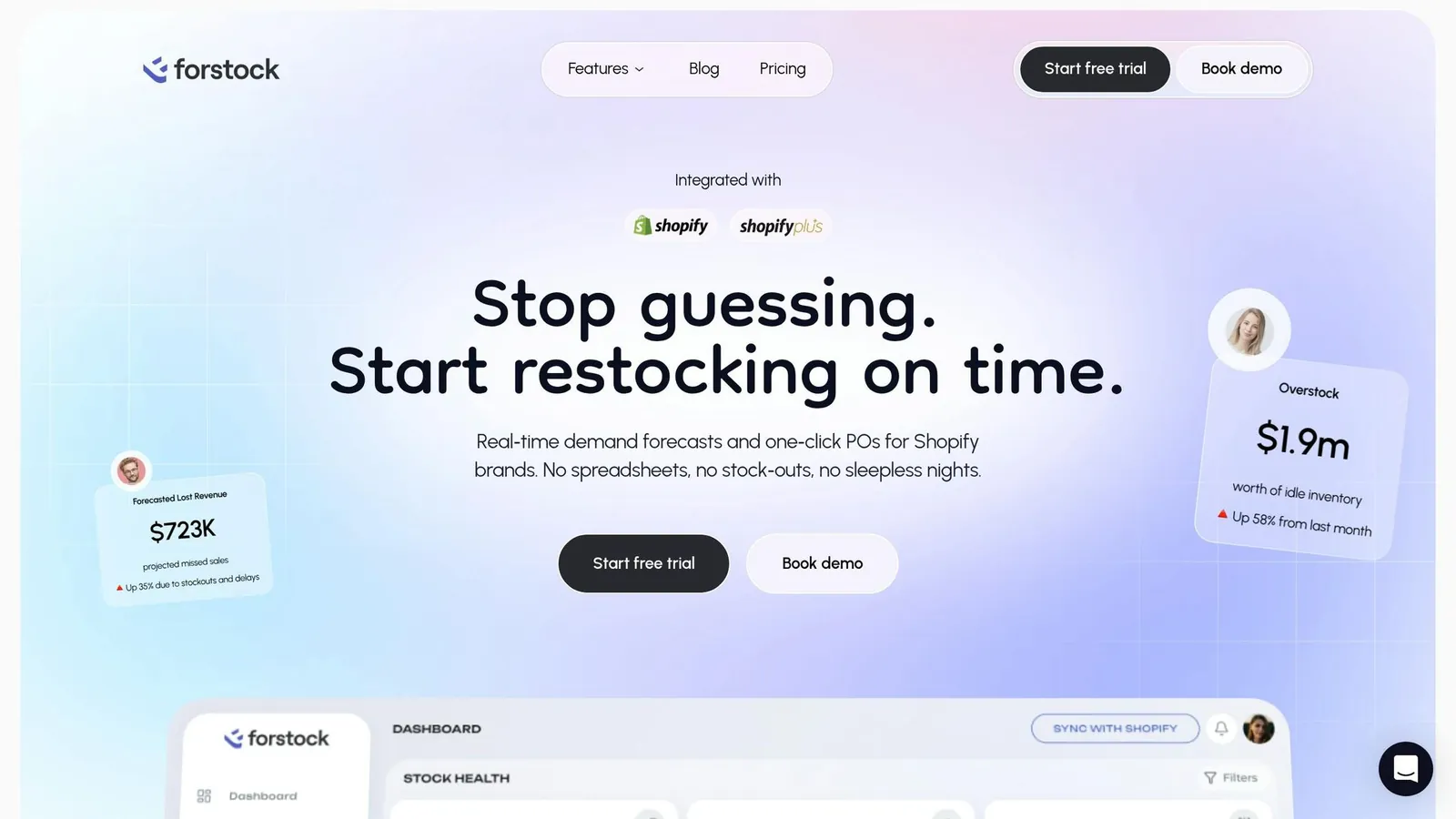
Forstock connects to Shopify for inventory visibility and reporting. Fabrikatör installs through the Shopify App Store and syncs store data when you first open it.
On the first install, Fabrikatör pulls in up to 12 months of sales history. That history becomes the starting point for its forecast models. The first import can take 15 minutes to a few hours, depending on your SKU count and order volume. In both cases, clean Shopify data matters. If the store data is messy, the output will be too.
Before either app can give you recommendations you can trust, three setup details matter most:
- SKU consistency - Use one SKU per variant across stores.
- Accurate inventory counts - Keep Shopify stock levels up to date.
- Supplier lead times - Add supplier lead times by hand.
What Data Each App Reads and Writes
Fabrikatör reads orders, product details, variants, SKUs, current inventory levels, and multi-warehouse locations from Shopify. It also writes data back into Shopify, including purchase orders, replenishment recommendations, and estimated arrival dates linked to open POs.
Forstock reads the same core Shopify data and then turns it into inventory dashboards, forecasts, and automated purchase orders.
| Data Direction | What Gets Synced |
|---|---|
| Core Shopify inputs | Products, variants, SKUs, inventory levels, and locations |
| Outputs | Purchase orders, replenishment recommendations, and estimated arrival dates |
| Requires manual input | Supplier lead times, days of stock targets, locations |
Once the Shopify data is in place, the next piece is how each app uses it to build forecasts, purchase orders, and replenishment plans.
Forstock vs Fabrikatör: Core Inventory Workflow Comparison
Now that Shopify data is synced, the gap starts to show in how each app turns that data into reorder calls. This is where forecasting, purchasing, and day-to-day stock visibility matter most.
Demand Forecasting and Replenishment Planning
Forstock leans into automation. It uses AI forecasting to produce reorder suggestions and safety stock levels on its own, with a 12-month forecast window and built-in support for seasonality.
Fabrikatör takes a split-path approach. It separates planning into short-term Replenish for the next 7–30 days and Long-term Demand & Supply Planning for the next 3–12 months. Replenish relies on sales history and stock thresholds. The Long-term module handles seasonality, uses 3–6 months of historical data, and lets you edit forecasts before turning them into purchase orders.
That’s the clearest difference for Shopify merchants: Forstock runs the full reorder loop with more automation, while Fabrikatör gives you separate controls for near-term reordering and longer-range planning.
| Criteria | Forstock | Fabrikatör |
|---|---|---|
| Forecast horizon | 12 months | Short-term (7–30 days) or 3–12 months |
| Forecasting method | AI forecasting, adapts to trends and seasonality | Algorithm-driven (Replenish) or user-editable (Long-term) |
| Seasonality support | Yes | Long-term module only |
| Safety stock | Automated | Configured via days-of-stock settings |
| PO automation | Automated from reorder suggestions | Manual in Replenish; automated in Long-term |
Purchase Orders, Suppliers, and Incoming Inventory
Forstock lets you create purchase orders straight from reorder suggestions. It also keeps supplier records and lead times tied to those POs. Open purchase orders and incoming inventory sit in the same view, so your reorder calls reflect what’s already on the way. In plain English, you’re not buying blind.
Fabrikatör also supports purchase order creation in both Replenish and Long-term Planning. It stores supplier records and can write estimated arrival dates back into Shopify. That can be especially handy for backorders and pre-orders.
| Criteria | Forstock | Fabrikatör |
|---|---|---|
| PO creation | Automated from reorder suggestions | Manual in Replenish; automated in Long-term |
| Supplier records | Stored alongside POs | Stored with lead times |
| Incoming inventory tracking | Visible with open POs | Yes, with Shopify-synced arrival dates |
Multi-Location Visibility, Analytics, and Daily Usability
Forstock gives you one dashboard across Shopify locations, with real-time SKU-level stock visibility and stockout risk. It also includes inventory analytics to help track stock performance in one place.
Fabrikatör supports multiple warehouses and Shopify locations in a single view as well. Its reports go deeper into analysis, including ABC analysis, deadstock reports, and revenue loss insights.
| Criteria | Forstock | Fabrikatör |
|---|---|---|
| Multi-location support | Yes, unified dashboard | Yes, multiple warehouses managed together |
| Stock visibility | Real-time, SKU-level | Real-time, SKU-level with incoming PO visibility |
| Inventory analytics | Helps prevent stockouts and reduce overstock | ABC analysis, deadstock, and revenue loss reports |
| Setup effort | Connects directly to Shopify | 30-minute onboarding call |
The next question is how much automation your store needs, and that’s where store size and budget start to shape the choice.
Which App Fits Your Store Size, Complexity, and Budget
When Forstock Is the Better Choice
For teams that want fixed pricing and fewer manual calls, Forstock is the cleaner fit.
Forstock is built for U.S. DTC brands that want AI-driven replenishment without paying more as they grow. Its flat $79/month price stays the same for stores under $250,000 in annual revenue all the way through $40 million+.
It works best for fast-moving catalogs, multi-variant apparel, and small teams tired of handling reorders by hand. Many stores choose to automate safety stock to prevent these manual errors. If you want fixed pricing and faster reordering without extra process drag, Forstock makes more sense.
When Fabrikatör Is the Better Choice
For stores that need more control over backorders, bundles, and planning tiers, Fabrikatör fits better.
Fabrikatör makes more sense for merchants replacing older internal processes. It also suits stores that rely on backorders or pre-orders to keep sales moving when items are out of stock. Pricing starts at $99/month up to $500,000 in annual revenue, goes to $149/month up to $1.5 million, then $199/month up to $2.5 million, and after that shifts to custom enterprise pricing. Backorders cost $0.75 each after the first 50. It also tracks bundle and kit components at the inventory level.
At that point, the decision is pretty simple: do you want fixed-cost automation, or do you need deeper backorder control for the way your store runs?
Conclusion: Which Shopify Inventory App Should You Use
After looking at forecasting, purchase orders, and multi-location visibility, the decision comes down to how much automation you want and how much you want to spend.
Forstock is a good fit for stores that want automated inventory management at a fixed monthly cost. Fabrikatör makes more sense for stores that need tighter planning control, including backorder management, bundle and kit tracking, and seasonal demand planning.
Here’s the shortest way to make the call based on the workflows above.
| Decision Factor | Choose Forstock | Choose Fabrikatör |
|---|---|---|
| Pricing | Flat $79/month across revenue tiers | Starts at $99/month, with higher revenue-based tiers |
| Best for | Faster replenishment at a predictable cost | Tighter planning control across backorders, bundles, and seasonal demand |
Choose Forstock if you want predictable pricing and simpler automation. Choose Fabrikatör if you need deeper planning workflows and tighter control.
FAQs
Which app is easier to set up?
Both are built for quick setup.
Forstock is made to get you up and running fast, with users reporting setup in as little as two minutes.
Fabrikatör is also plug-and-play and ready within minutes. It also offers a 30-minute onboarding call if you want extra help getting your team started.
How much manual planning will I still need?
With Forstock, you can step away from manual spreadsheets and planning mistakes that tend to creep in. After you set your supply metrics, like lead times, stock coverage, and supplier details, the system takes care of much of the replenishment work for you.
It looks at sales history, seasonality, and marketing activity to suggest restocks and create purchase orders. That means less time spent on manual planning and more time for strategy and growth.
Which app fits a growing Shopify store?
For a growing Shopify store, Forstock makes a lot of sense if you're moving away from manual, spreadsheet-heavy work and want a simpler pricing option.
At $79/month, you get unlimited SKU management, supplier tracking, automated purchase orders with landed cost calculations, AI-powered demand forecasting, and real-time inventory health alerts.