
Shopify Multi-Location Inventory: SaaS vs. Built-In Tools
Compare Shopify's native multi-location stock tracking with SaaS tools for forecasting, PO automation, and supplier planning.

Shopify Multi-Location Inventory: SaaS vs. Built-In Tools
If you run more than one Shopify location, the split is simple: Shopify is fine for tracking stock, but a SaaS tool is often the better pick for planning reorders, supplier timing, and purchase orders.
I’d sum it up like this:
- Shopify built-in tools fit stores with 1–2 locations and under 200 SKUs
- SaaS tools start to make sense at 3+ locations, 500+ SKUs, or when you use a 3PL, FBA, or long supplier lead times
- Shopify can track inventory across up to 1,000 locations
- Shopify does not natively handle:
- demand forecasting
- reorder planning
- supplier lead times
- MOQ and pack size rules
- 12-month inventory planning
- Stocky shuts down on August 31, 2026, which leaves Shopify without native purchase order tools
- For U.S. brands, long lead times can stretch to 27 weeks, and even a 1%–3% mispick rate can turn into wasted cash and stock trouble
So if you’re still building POs in spreadsheets, guessing reorder timing, or moving stock between warehouses by hand, that’s usually the point where Shopify alone starts to fall short.
Quick Comparison
| Criteria | Shopify Built-In | SaaS Platform |
|---|---|---|
| Stock by location | Yes | Yes |
| Max locations | Up to 1,000 | Depends on tool |
| Forecasting | No | Yes |
| Reorder suggestions | No | Yes |
| Purchase orders | No native option after 08/31/2026 | Yes |
| Supplier data | Vendor name only | Lead times, MOQ, pack sizes, costs |
| Best fit | Simple setups | Multi-location growth |
| Added software cost | $0 | Monthly subscription |
My take: if your setup is still simple, Shopify may be enough. If stockouts, overbuying, or manual PO work keep showing up, a SaaS platform can help you plan what to buy, where to send it, and when to reorder.
That’s the core choice this article breaks down.
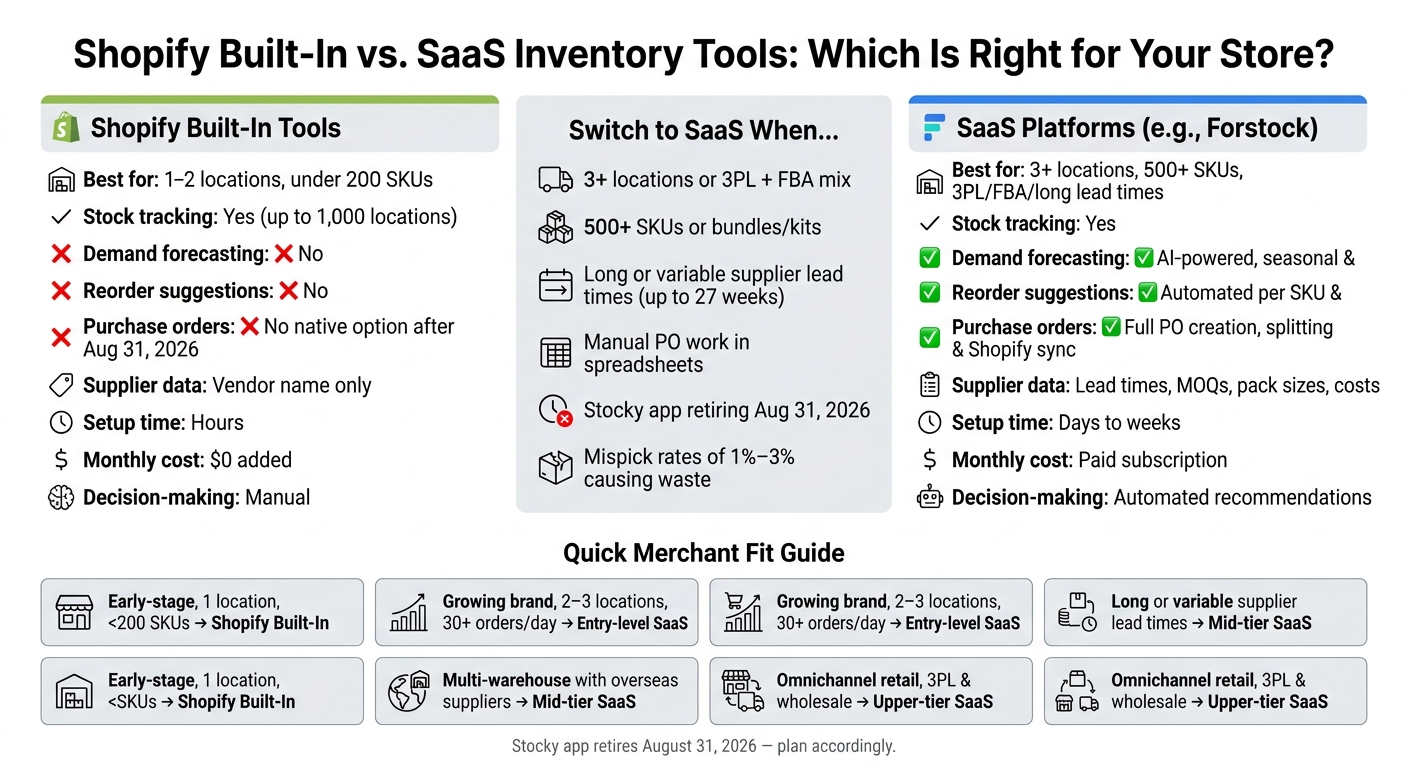
Shopify Built-In vs. SaaS Inventory Tools: Multi-Location Decision Guide
Shopify's Built-In Multi-Location Inventory: What It Does and Where It Falls Short

Core Features in Shopify Admin
Shopify lets you track multi-location stock with Shopify Analytics. For each variant, you can see separate on-hand and sellable quantities across as many as 1,000 locations, including warehouses, retail stores, and 3PLs. In the Available column, Shopify shows a dash if that location isn't enabled for fulfillment.
Updating stock is pretty simple. You can adjust quantities by hand and tag the change with reason codes like damaged, received, or correction. You can also make bulk changes in the bulk editor or use CSV import/export for larger catalogs. Transfers follow a draft-to-complete process, and fulfillment routing runs on a drag-and-drop priority list. Shopify sends orders to the first location that qualifies based on that order of priority.
That works well for counting inventory. It does not do much for planning ahead.
Gaps in Forecasting, Reordering, and Supplier Work
The weak spot here is planning, not tracking. Shopify does not include SKU-level forecasting, automated reorder amounts, or a 12-month planning view.
That creates a common problem: a top seller goes out of stock before anyone spots the trend.
Stocky, Shopify's former PO app, was removed from the App Store in February 2026 and shuts down on August 31, 2026. After that date, Shopify no longer has a native purchase order tool. In practice, many teams end up pushing this work into spreadsheets.
Supplier data is also thin. Shopify keeps the vendor name as a text field, while lead times, price lists, and contact info usually sit somewhere else.
Comparison Table: Shopify Built-In Capabilities vs. Advanced Needs
| Feature | Shopify Built-In Tools | Advanced Capability Needed |
|---|---|---|
| Location-Based Stock Tracking | Yes (up to 1,000 locations) | Continuous sync across warehouses, stores, and 3PLs |
| Demand Forecasting | No (historical data only) | AI-driven seasonal and trend-based forecasting |
| Automated Purchase Orders | No (Stocky retiring Aug. 31, 2026) | Automated PO generation based on lead times |
| Supplier Management | Basic (vendor text field only) | Lead times, price lists, and contact tracking |
| Long-Range Planning | No | 12-month demand and supply planning, weeks cover metrics |
| Inventory Transfers | Manual draft-to-complete only | Automated rebalancing suggestions with in-transit tracking |
That's where SaaS platforms step in. They fill the gaps around forecasting, purchasing, and supplier control.
sbb-itb-f0fc809
Shopify tutorial: How to manage inventory with multiple warehouses across the globe [with Markets]
SaaS Inventory Platforms for Shopify: Forecasting, Purchasing, and Multi-Location Control
Shopify is good at tracking inventory. SaaS inventory platforms go a step further and help you plan what happens next.
These tools connect to your Shopify store, pull in sales and stock data, and layer forecasting, purchasing, and reporting on top. The big win is simple: you can stop relying on spreadsheets for day-to-day inventory planning.
What SaaS Tools Add Beyond Shopify Admin
SaaS tools turn Shopify sales data into forecast and reorder decisions. The biggest gap they fill is forecasting and reorder planning - figuring out what you’ll need at each warehouse or store, and when to place the order.
They also automate reorder calculations. Instead of using static rules, they recalculate reorder points each day by SKU and location based on sales velocity, lead time, and safety stock. That matters a lot when you’re juggling hundreds of SKUs across more than one warehouse.
Purchase orders are another big area. These platforms manage PO workflows from start to finish: creating purchase orders, sending them to the right supplier, tracking receipts, and syncing received inventory back into Shopify. They also store supplier-level details like lead times, minimum order quantities (MOQs), and pack sizes.
On top of that, SaaS platforms give teams reporting they don’t get in Shopify Admin alone. That includes metrics like weeks of cover - how long current stock should last at the current sales rate - and alerts for slow-moving SKUs. In practice, that gives ops teams an early heads-up instead of forcing them to explain problems after the fact.
Here’s how that plays out in a Shopify-focused setup.
Forstock as a Multi-Location Shopify Example
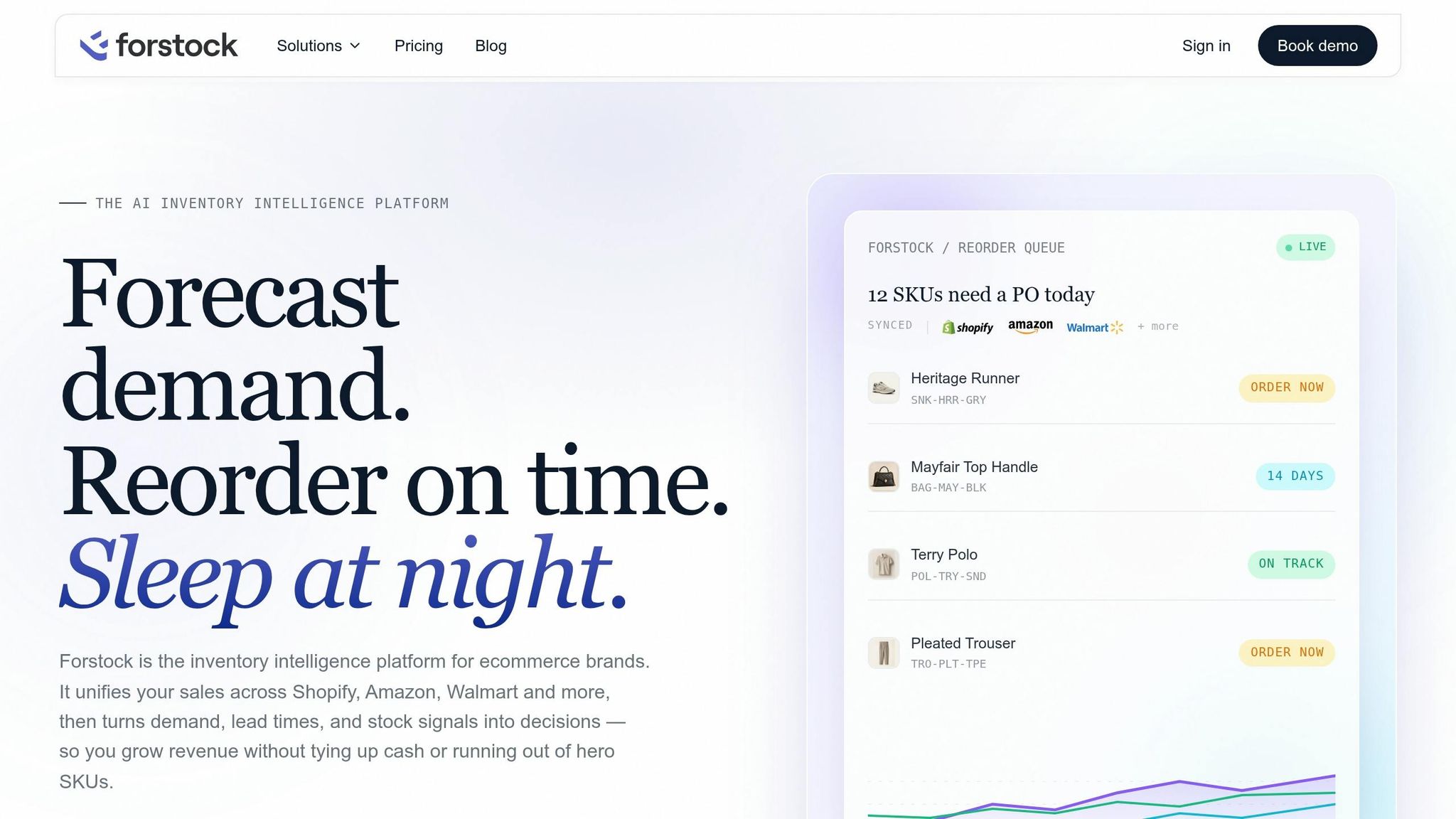
Forstock connects with Shopify and brings live sales and stock data into one dashboard.
Its main forecasting feature uses stockout-adjusted forecasting. In plain English, it adjusts for periods when items were out of stock, so the forecast reflects lost demand instead of only recorded sales.
From there, Forstock creates smart reorder recommendations using lead time, safety stock, MOQ, and pack size for each SKU. It also shows the math behind each suggestion, which is helpful when a planner wants to know why this number and not that one.
The platform groups POs by supplier, supports splits, syncs receipts back to Shopify, and gives users editable 12-month plans in units or U.S. dollars.
Feature Comparison Table: Shopify Built-In vs. SaaS Platforms
| Feature | Shopify Built-In | SaaS Platforms (Forstock example) |
|---|---|---|
| Demand Forecasting | No - historical data only | AI-powered, accounts for seasonality and trends |
| Stockout-Adjusted Planning | No | Yes - recovers lost sales during OOS periods |
| PO Automation | No native PO automation | Full PO creation, splitting, receiving, and Shopify sync |
| Supplier Management | No native lead time or MOQ tracking | Lead times, MOQs, pack sizes, and costs per supplier |
| Per-Location Reorder Logic | Manual and static | AI-driven suggestions per specific location |
| 12-Month Demand Plans | Not available | Yes - viewable in units or USD, editable |
Shopify Built-In Tools vs. SaaS: A Direct Comparison for Multi-Location Operations
Operational Fit, Forecasting Depth, and Reporting
Shopify’s built-in tools work well for simple setups, especially if you want to avoid extra software costs. That matters even more when inventory has to be split across warehouses, retail stores, and 3PLs.
As soon as you add more locations, simple stock counts stop telling the whole story. Shopify can show how much inventory sits at each location, but it can’t account for supplier lead times or flag when inventory is getting close to trouble. As fulfillment spreads across more places, that gap gets harder to ignore. Put simply: Shopify tracks what you have now; SaaS helps you figure out what to buy next.
That’s where SaaS tools come in. They add forward-looking metrics that help teams act earlier. A good example is weeks of cover - the number of weeks your current inventory will last based on your current sales pace. It gives operations teams a heads-up before a stock issue turns into a fire drill, and many SaaS tools show it down to the variant level. Shopify Admin doesn’t offer that view.
Cost, Setup Effort, and Data Reliability
Shopify comes with no added software fee, and that’s a big plus for early-stage merchants. Setup is also fast. In many cases, it takes hours, not weeks.
SaaS platforms ask for more work upfront. Teams usually need to load supplier lead times, safety stock rules, MOQ, and pack size data before the system can produce useful recommendations. For a mid-market brand, setup can take up to 12 weeks. It’s also common to run both systems side by side for 30 days before making the full switch.
There’s also a hidden cost to sticking with native tools for too long. Without tight inventory control, average mispick rates run from 1% to 3% across fulfillment workflows. That’s a direct cost, and it’s avoidable. A platform with tighter reorder logic and location-level visibility can help cut down on those errors.
Pros, Cons, and Best-Fit Use Cases: Two Comparison Tables
The table below turns those tradeoffs into a simple decision rule.
| Shopify Built-In | SaaS Platform | |
|---|---|---|
| Speed to set up | Hours | Days to weeks, depending on complexity |
| Automation | Minimal - manual transfers and static low-stock alerts | Reorder suggestions, PO creation, and sync |
| Forecasting depth | Historical data only | Forward-looking demand forecasting |
| Reporting | Stock snapshots and sell-through rates | Weeks of cover, demand plans, and supplier metrics |
| Decision-making | Manual | Automated recommendations |
| Monthly cost | $0 added | Paid subscription |
| Merchant Profile | Best Fit | Why |
|---|---|---|
| Early-stage, single location, under 200 SKUs | Shopify Built-In | Low complexity and no added software cost |
| Growing brand, 2–3 locations, 30+ orders/day | Entry-level SaaS | Needs PO tracking and basic forecasting |
| Multi-warehouse with overseas suppliers | Mid-tier SaaS | Requires lead time modeling and weeks of cover |
| Omnichannel retail, 3PL, and wholesale | Upper-tier SaaS | Needs more complex routing and stock allocation |
Use the matrix below to match your current operation to the right tool.
How to Choose the Right Inventory Setup for Your Shopify Brand
Decision Criteria for U.S. Merchants
Now that the tradeoffs are clear, the goal is simple: pick the lightest setup that still holds up under your day-to-day workload.
The right tool comes down to where your operation starts to crack. Four signals make the decision much easier: locations, SKU complexity, supplier lead times, and how much inventory work your team still does by hand.
Shopify’s built-in tools usually work well for stores with 1–2 simple locations. Once you get to 3+ locations, that setup starts to strain - especially if you’re splitting stock across a 3PL, warehouse, and FBA. The same pattern shows up with catalog size. Native Shopify tools fit simpler catalogs with fewer than 200 SKUs, but 500+ SKUs, plus kits and bundles, tend to push past what those tools handle well.
Lead times matter too. Shopify does not model supplier lead times, so if your replenishment cycle is long or unpredictable, that planning usually stays stuck in spreadsheets or someone’s head. And if your team is making stock edits all the time or building purchase orders manually, that’s a strong sign you’ve outgrown the native setup.
One date matters here: Shopify’s Stocky app is scheduled to be removed on August 31, 2026.
The matrix below turns those signals into a simple choice.
Decision Matrix: Built-In Tools vs. SaaS Platform
| Factor | Better Suited to Shopify Built-In | Better Suited to SaaS Platform |
|---|---|---|
| Number of Locations | 1–2 locations | 3+ locations or a 3PL + FBA mix |
| SKU Complexity | <200 SKUs, no bundles | 500+ SKUs, kits, or bundles |
| Planning Depth | Reactive ordering | Demand planning with automated reorder points |
| Manual Inventory Work | High tolerance | Low tolerance (need automated reorder points) |
| Supplier Lead Times | Short, domestic | Long or variable |
Key Takeaways
Once you cross these thresholds, the decision usually gets pretty clear.
Shopify’s built-in tools give you a strong starting point. They’re included with Shopify, quick to set up, and a good fit for merchants with simple catalogs and one or two locations. But there’s a catch: Shopify tracks what you have. It does not tell you what you should buy next.
As operations get more layered, that gap starts to cost money. Stockouts hurt sales. Extra inventory ties up cash. A dedicated inventory system can help cut both problems. Forstock fills that gap with forecasting, reorder suggestions, lead-time tracking, and PO workflows tied to Shopify. At that point, the question isn’t whether another tool sounds nice. It’s whether the manual work is already costing more than the move.
FAQs
When do Shopify tools stop being enough?
Shopify’s built-in tools are often enough for single-channel stores with fewer than 200 SKUs.
That tends to change when more scale or complexity starts creating fulfillment mistakes, extra manual work, or gaps in your inventory data.
Common signs you’ve outgrown those tools include:
- Managing 3 or more locations
- Carrying over 1,500 SKUs
- Selling across multiple channels
- Relying on spreadsheets to see what’s in stock
- Dealing with repeat stockouts and overselling because real-time sync is limited
At that point, the issue usually isn’t Shopify itself. It’s that your operation has gotten bigger, and the built-in setup can’t keep up as easily as it once did.
What inventory tasks still need spreadsheets in Shopify?
Shopify covers basic stock tracking. But once you get into day-to-day inventory work, teams often end up back in spreadsheets.
That usually happens when they need to handle things like:
- calculating bundle availability
- tracking component stock
- reconciling data across sales channels
- comparing location performance, transfer suggestions, and reorder points
Teams also export data for cycle counts, bin location management, and spotting dead stock, since Shopify doesn’t come with built-in workflows for those jobs.
How hard is it to switch from Shopify to a SaaS tool?
Usually, this isn’t a full move away from Shopify. A dedicated inventory platform sits on top of your current setup, so there’s no need to move your store or rebuild your catalog.
The harder part tends to be operations, not the tech itself. A smooth transition comes from testing live data with actual SKUs and order history, then setting clear internal workflows for stock transfers and fulfillment priorities.
Keep reading
Try Forstock free for 14 days.
AI-powered demand forecasting and reorder automation for Shopify brands. No credit card required.