
Planning Inventory for a Subscription Plus One-Time Purchase Mix
Separate subscription renewals from one-time sales, combine forecasts at SKU level, reserve stock for renewals, and size reorder points.
Planning Inventory for a Subscription Plus One-Time Purchase Mix
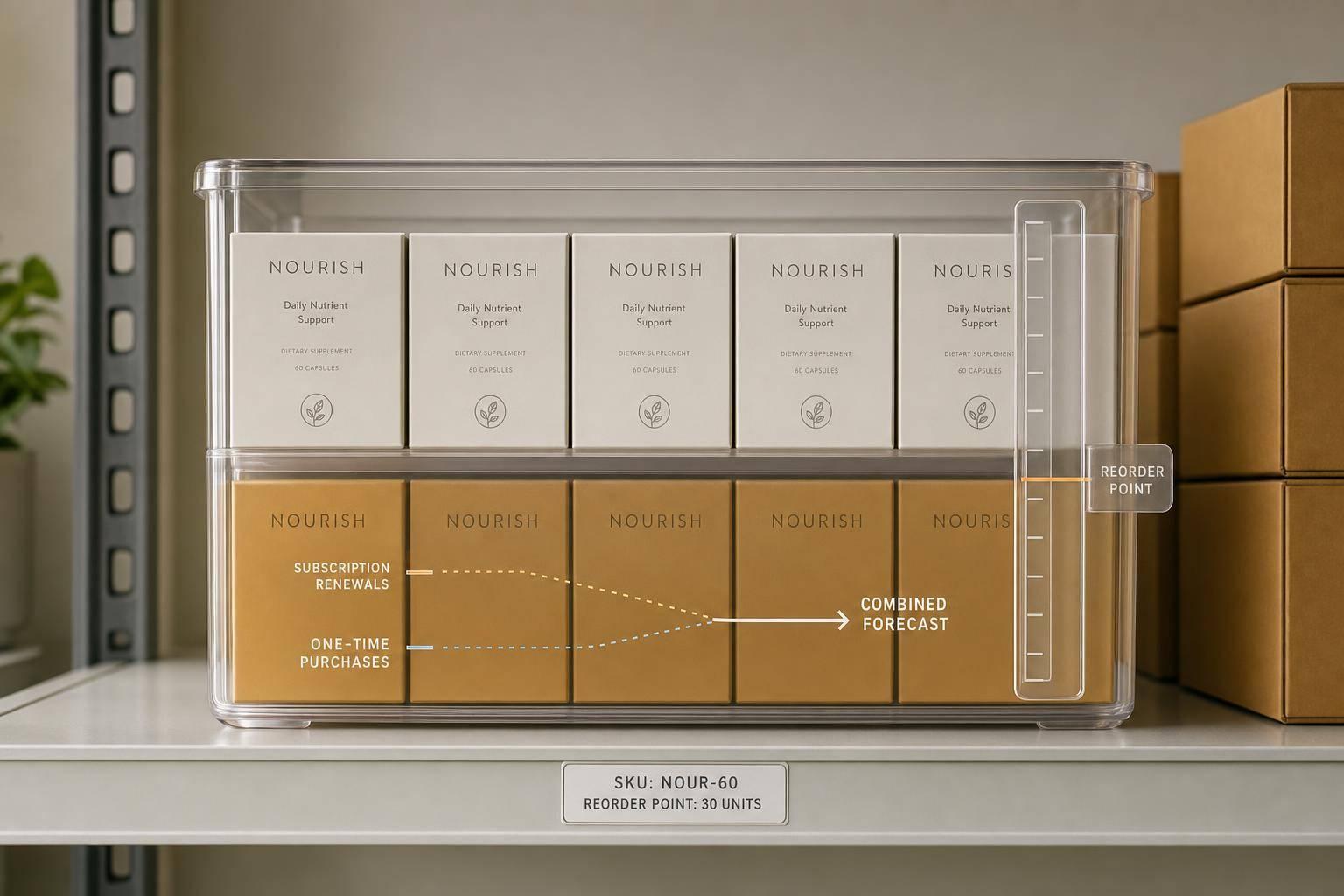
If subscriptions and one-time orders use the same SKU, I should not forecast them as one demand stream. I get a better inventory plan when I split scheduled subscription units from web-store demand, clean both numbers, combine them at the SKU level, and then reserve stock for renewals before I let one-time sales use the rest.
Here’s the full idea in plain English:
- Subscriptions are the base demand. I can map renewal dates, then adjust for churn, pauses, skips, upgrades, and downgrades.
- One-time demand needs cleanup. I should fix sales history for stockout-lost demand and keep promo spikes out of the baseline.
- The SKU plan comes next. For example, 1,200 subscription units + 450 one-time units = 1,650 planned units before safety stock.
- Reorder points should use mixed demand, not blended history. A simple formula still works: average daily demand × lead time + safety stock.
- Reserved subscription units should come first. If Shopify does not hold future subscription stock by default, I need my own rule so web orders do not use units meant for renewals.
- Safety stock should match SKU role. A subscription-heavy SKU may need 98%–99% service coverage, while a one-time-heavy SKU may run leaner.
- Promo and season spikes need short-term buffers. I add extra units only for that time window, then go back to normal.
- Warehouse placement matters. Total inventory can look fine on paper and still miss renewals if units sit in the wrong location.
- The plan needs repeat review. I should check fast movers weekly and review the full plan monthly, with scenario checks for churn, skips, delayed receipts, and promo lifts.
A few numbers make the point clear:
- If a SKU sells 900 units per month and lead time is 20 days, lead-time demand is 600 units.
- Add 200 units of safety stock, and the reorder point becomes 800 units.
- If landed cost is $4.20 per unit and daily demand is 30 units, each extra day of safety stock ties up $126.
The short version: I protect subscription commitments first, keep one-time demand flexible, and run both through one SKU-level reorder plan. That cuts the risk of missed renewals on one side and excess stock on the other.
4-Step Inventory Planning Framework for Subscription + One-Time Purchase Brands
Step 1: Separate committed subscription units from open web demand
Build a subscriber-based unit forecast by SKU
Start with the part of demand you can actually see coming: subscriptions.
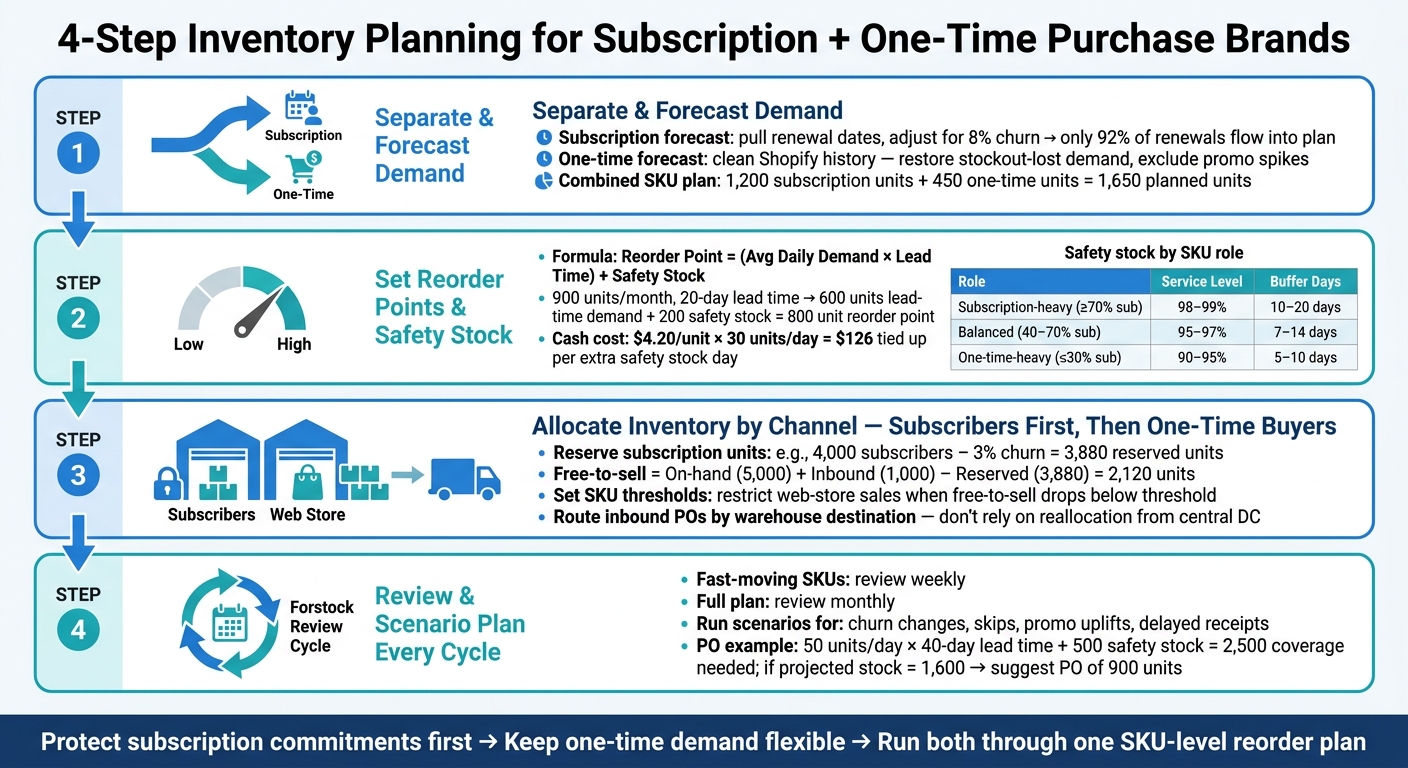
Pull renewal dates, SKU assignments, and fulfillment windows from your subscription app. Then adjust that schedule for the stuff that changes it in real life: churn, pauses, skips, and item-level upgrades or downgrades. If about 8% of subscribers churn before their next cycle, then only 92% of scheduled renewals should flow into your demand plan.
Skipped or paused units shouldn't stay in the original period. Move them into the period when they'll ship. Do the same kind of cleanup for upgrades and downgrades, but at the SKU level. That way, your forecast shows the net unit change, not just subscriber count.
What you want at the end is simple: a weekly or monthly unit forecast by SKU and fulfillment location, adjusted for all of that subscriber behavior.
Use those adjusted subscription units as your committed base. Then handle one-time demand on its own.
Forecast one-time demand from Shopify sales history

One-time demand is messier because there's no built-in schedule. You have to build it from what already happened.
Use recent daily or weekly Shopify sales as your starting point, then clean the history before you forecast. That cleanup matters more than it sounds. If you skip it, your numbers can drift fast.
Clean Shopify sales history by restoring stockout-lost demand and excluding promotion spikes from the baseline. When a SKU goes to zero inventory, recorded demand drops - but that doesn't mean shoppers stopped wanting it. It just means you couldn't sell it. Adjust the baseline upward to reflect what likely would have sold if stock had been available.
Promotion periods need their own treatment too. Tag them separately and use them as uplift factors for future planned campaigns instead of letting those spikes bleed into normal periods.
Once both demand streams are cleaned, you can add them into one SKU-level forecast.
Combine both forecasts into one SKU demand plan
Now bring the two pieces together by SKU and period.
If a SKU has 1,200 subscription units due next month and your cleaned Shopify history points to 450 one-time units, your combined demand plan is 1,650 units before safety stock.
A couple of rules matter here:
- If a big share of on-hand inventory is already spoken for by subscribers, lower your open-web assumption to match what's actually available.
- If a promotion is scheduled, increase the one-time portion for that window only. Don't let that uplift spill into other periods.
Reserve inventory for subscriber commitments before one-time sales can consume it. Shopify does not reserve inventory for future subscription cycles at order creation - inventory is committed only when each fulfillment date is reached. Because of that, you need an internal reservation rule so one-time orders don't eat into stock needed for renewals.
That combined forecast is the input for reorder points and safety stock.
5-minute Shopify inventory plan: Julius AI analysis
Step 2: Turn the mixed forecast into reorder points and inventory buffers
Once you have the combined SKU demand plan from Step 1, the next job is simple in theory but easy to get wrong in practice: decide when to reorder, how much to buy, and how much cushion to keep.
That comes down to three things:
- setting a reorder point
- sizing safety stock
- adding short-term buffers when demand may run above normal
Set reorder points using combined daily demand and supplier lead time
The basic formula is:
Reorder Point = (Average Daily Demand × Supplier Lead Time in days) + Safety Stock
Use stockout-adjusted daily demand in that formula.
Here’s a simple example. If a SKU sells 900 units per month - 600 from subscriptions and 300 from one-time web orders - and the supplier lead time is 20 days, lead-time demand is 600 units. Add 200 units of safety stock, and the reorder point becomes 800 units.
A few details matter here. Use actual supplier lead times, not quoted lead times. Suppliers often say one thing and deliver another. For subscription-critical SKUs, plan to the 90th percentile. That gives you a better read on what happens in the messier, slower cases.
The reorder decision should be based on net available inventory:
on-hand + confirmed inbound − reserved subscription units
That number gives you a more honest picture of what’s still free to sell. If your calculated order quantity comes in below an MOQ or case-pack rule, round up to the supplier minimum.
Set safety stock by SKU role, demand variability, and service level
Safety stock should match the role each SKU plays. A SKU that mainly supports subscriptions needs a bigger cushion than one that mostly moves through promos or gift traffic.
| SKU Type | Typical Demand Mix | Target Service Level | Safety Stock Approach |
|---|---|---|---|
| Subscription-heavy | ≥70% subscription, predictable base | 98–99% | 10–20 days of demand + lead-time swings |
| Balanced | 40–70% subscription, strong one-time sales | 95–97% | 7–14 days of demand, adjusted for seasonality |
| One-time-heavy | ≤30% subscription, promo/gift driven | 90–95% | 5–10 days of demand or promo-specific buffer |
For one-time-heavy SKUs, a leaner buffer often makes sense. In plain English: it can be smarter to accept the occasional stockout than to let cash sit in slow-moving inventory.
There’s a direct cash cost here too. If a SKU has a landed cost of $4.20 per unit and daily demand of 30 units, each extra day of safety stock ties up $126 in working capital. For subscription-critical SKUs, that may be worth it. For lower-priority one-time items, maybe not.
Add temporary buffers for promotions, seasonality, and supplier risk
Base safety stock covers normal demand swings. Temporary buffers are for the stuff you can see coming: an email campaign, an influencer spike, or a seasonal bump.
The key idea is to add only the extra demand for that time window, then go back to normal coverage.
If an event is scheduled before your next replenishment could arrive, pull the purchase order forward so it lands before the spike starts. That sounds obvious, but teams miss this all the time. They spot the promo, but the inventory lands too late.
Keep the extra coverage time-boxed so promo demand doesn’t creep into your long-term safety stock target. When the event ends, reset the buffer to the normal SKU-level plan.
Once buffers are set, reserve stock for subscription renewals before opening the rest to web orders.
sbb-itb-f0fc809
Step 3: Allocate inventory between subscribers and one-time shoppers
Once reorder points and buffers are set, the next move is allocation. A forecast tells you how much to buy. Allocation rules tell you who gets it first.
For subscription brands, that means one thing: reserve subscription-committed units before you make inventory available to one-time buyers. Then only show the leftover stock to web-store and wholesale channels.
Reserve stock internally for upcoming subscription cycles
For each SKU, figure out how many units you need for the next renewal cycle. Start with your active subscriber count, subtract expected churn and skips, and then check that the final number is either on hand or arriving before the renewal date. That becomes your internal reservation.
Here’s a simple example. If SKU A has 4,000 active subscribers on a monthly cycle and average churn is 3%, the subscription-committed volume for the next renewal is about 3,880 units. If you have 5,000 units on hand and 1,000 confirmed inbound before the renewal date, total available stock is 6,000 units. But only 2,120 units are free-to-sell. The rest should be treated as reserved.
Your system doesn’t need to hard-block those units for this to work. What matters is the planning logic. Treat reserved units as committed to subscriptions, keep them separate from free-to-sell inventory, and use only free-to-sell stock for web-store and wholesale decisions.
Once those reserved units are set aside in your planning, cap web-store exposure before one-time sales eat into them.
Limit one-time sales when available units fall below commitment thresholds
After you reserve subscription units, set a threshold for each SKU. This is the line where free-to-sell inventory gets thin enough that one-time demand needs to slow down.
That doesn’t mean you stop selling altogether. It means you dial back exposure. You might hide the SKU from homepage placements, pause paid ads, or cap daily web-store sales until replenishment lands.
Here’s how that can look across three SKUs:
| SKU | Units Reserved for Subscriptions (Next Cycle) | Threshold to Restrict Web-Store Sales | Lead-Time Assumption | Web-Store Rule When Below Threshold |
|---|---|---|---|---|
| SKU A | 3,880 | Free-to-sell < 1,000 | 30 days | Hide from homepage placements; no discount promos; cap daily sales to 50 units |
| SKU B | 1,200 | Free-to-sell < 300 | 21 days | Keep the listing live but remove bundle placements; pause paid ads |
| SKU C | 500 | Free-to-sell < 200 | 14 days | Keep the listing live; alert the internal team and monitor daily |
These thresholds should match the role each SKU plays in the business. Hero subscription SKUs need more buffer and tighter controls. Lower-priority SKUs can live with thinner coverage.
Split inventory by warehouse or channel when fulfillment locations differ
If you ship from more than one location, allocation has to happen by site, not just by SKU.
This is where teams get tripped up. You can have enough total inventory on paper and still miss renewals if the units are sitting in the wrong warehouse. If subscription orders and one-time orders ship from different locations, total stock alone won’t save you.
A better move is to route inbound inventory by destination at the purchase order level. So if 70% of a SKU’s one-time demand comes from subscription fulfillment, send that share of each incoming shipment straight to the subscription fulfillment warehouse. Don’t lean on later reallocation from a central DC if you can avoid it. Transit time cuts into renewal coverage.
It also helps to give the subscription fulfillment warehouse the tighter service target. The DTC or marketplace location can run leaner, because a short stockout there usually hurts less than a missed renewal.
Step 4: Run the plan in Forstock and review it every cycle
Once you've reserved inventory by channel, the job isn't done. Now you need to keep the plan active and update it every cycle.
Use Forstock to reconcile forecasts, plan replenishment, and create purchase orders
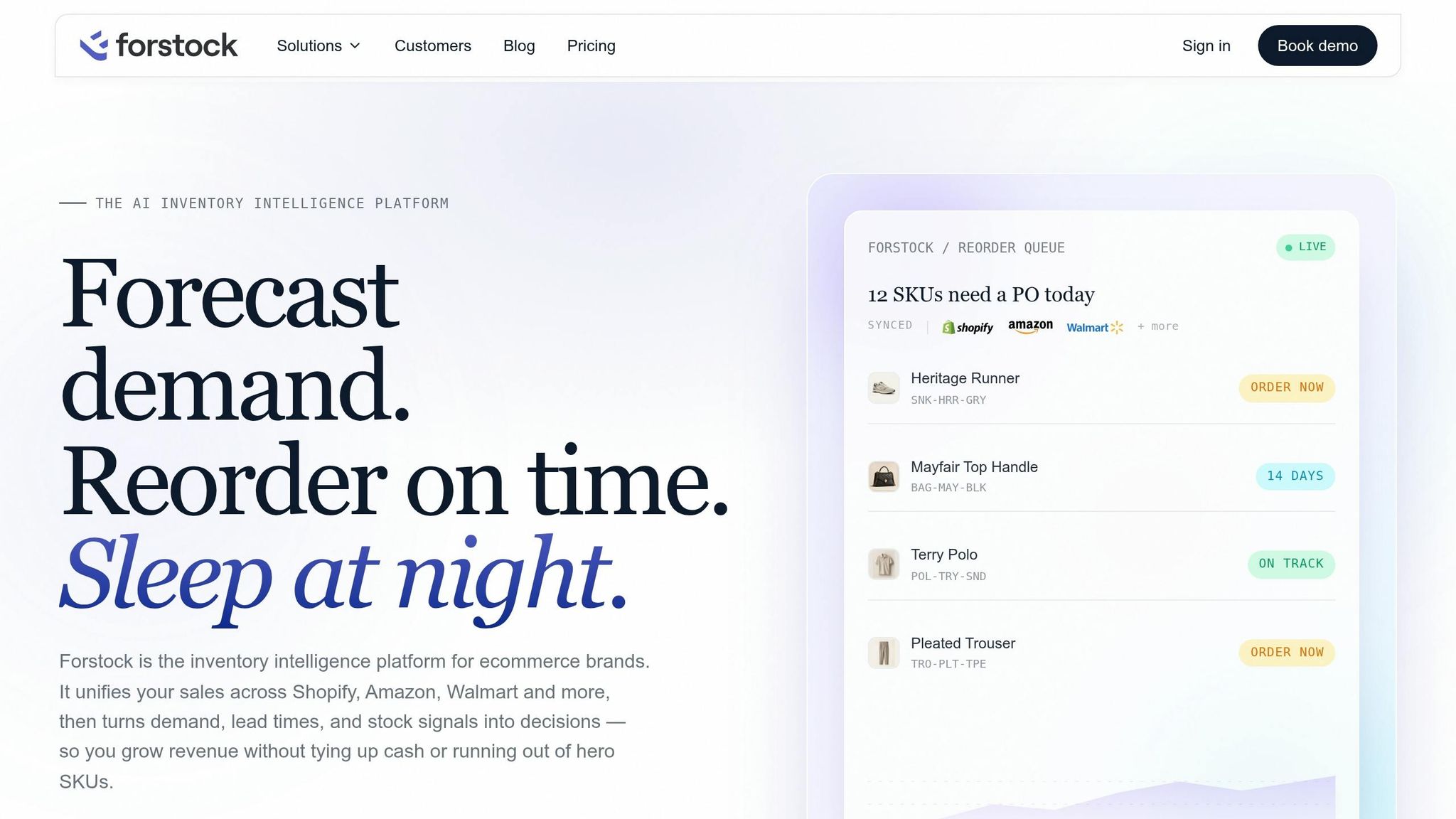
Forstock pulls Shopify orders, inventory levels, shipment receipts, and subscription data into one SKU-level view. That means your team can work from one current plan instead of piecing things together across spreadsheets and separate exports.
As orders come in, receipts land, and assumptions shift, Forstock updates the plan. Use AI Forecast for established SKUs and Simple Average for slow-moving SKUs. From there, Forstock projects on-hand inventory, flags SKUs that may stock out before the next receipt arrives, and suggests reorder quantities based on lead times, safety stock, and MOQs.
That takes a mixed-demand plan and turns it into something your team can actually run every cycle.
Here’s a simple example. If a SKU has combined demand of 50 units per day, a 40-day lead time, and 500 units of safety stock, total coverage comes to 2,500 units. If projected stock only covers 1,600 units, the suggested PO is 900 units, rounded to the nearest case size or MOQ.
If you already know subscription volume for the next cycle, enter those known subscription volumes by SKU, month, or location. That locks subscription demand into the reorder math.
Run scenarios for churn changes, skips, promotions, and stockout risk
After the base plan is in place, pressure-test the assumptions that can change it fastest.
Run scenarios for:
- churn changes
- skips
- promo uplifts
- delayed receipt dates
This helps you spot stockout risk early and decide whether to add more safety stock or place a PO sooner. Review the full plan every month, and check fast-moving SKUs every week.
Conclusion: One inventory plan with protected commitments and flexible buffers
The main idea across all four steps is simple: forecast subscription demand and one-time demand separately, combine them at the SKU level, set reorder points from that mixed view, and reserve inventory for subscriber commitments before you make stock available to one-time buyers.
That gives the team one plan they can update fast as conditions change.
FAQs
How far ahead should I reserve stock for renewals?
Reserve stock based on your reorder point using actual lead times, not rough guesses:
(Average Daily Sales × Actual Lead Time in Days) + Safety Stock
Use subscription renewals as your baseline commitment. Then add safety stock to cover one-time purchases and shifts in supply.
Review these levels at least quarterly. For top-performing SKUs, check them more often.
What should I do if churn or skips change suddenly?
Move fast to recalibrate your forecast and avoid inventory imbalances. Sudden churn or changes in skips usually mean your current demand assumptions are off.
Look at recent data to figure out whether the change is temporary or part of a longer pattern, then update demand projections right away. If the shift is large, manually adjust safety stock or reorder points while your forecast catches up.
How do I handle new SKUs with limited sales history?
Don’t lean on annual averages. They can blur what’s happening right now.
A better move is to use a proxy model based on a similar product’s price point, category, and target audience. Then layer in qualitative inputs like pre-order volume, marketing spend, and feedback from the team.
For safety stock, start conservatively with a buffer of 7–14 days or a fixed 3–5-day supply. After 60–90 days of live sales data, shorten the lookback window to 14 days and adjust reorder points based on how the product is performing.
Keep reading
Try Forstock free for 14 days.
AI-powered demand forecasting and reorder automation for Shopify brands. No credit card required.