
How Cloud Systems Simplify Multi-Warehouse Inventory
Centralized cloud inventory with real-time dashboards and AI forecasting streamlines multi-warehouse stock, cuts stockouts and lowers costs.

How Cloud Systems Simplify Multi-Warehouse Inventory
Cloud-based inventory systems make managing stock across multiple warehouses easier and more efficient. Instead of relying on outdated spreadsheets or manual processes, these systems provide a real-time, centralized dashboard to track inventory, automate reordering, and reduce errors. Here’s how they help:
- Real-Time Updates: Inventory changes (sales, returns, transfers) sync instantly, improving accuracy and preventing stockouts.
- Centralized Management: Monitor stock levels, warehouse transfers, and order fulfillment from one platform.
- Automation: AI-driven forecasting and manual vs. automated purchase orders save time and minimize overstock or stockouts.
- Cost Savings: Reduce shipping costs, manual labor, and inventory holding expenses.
- Scalability: Easily add new warehouses or adjust to seasonal demand.
For example, brands using these systems report 25–50% fewer stockouts, 30% faster order fulfillment, and improved cash flow. By replacing manual processes with automated tools, businesses can focus on growth instead of inventory headaches.
Step 1: Connect All Warehouses to a Central Cloud Platform
Link Physical Warehouses to Your Cloud System
Start by defining each warehouse, store, or third-party logistics provider (3PL) as a "location" within your cloud platform. For instance, in Shopify, this is as simple as entering a unique name and address for each site.
Next, associate your products with their respective locations. You can do this by selecting stocked locations and setting initial quantities through the "Edit locations" section. If you're managing a large catalog, tools like bulk editors or CSV imports can make linking multiple SKUs much faster. On Shopify's advanced plans, you can manage up to 1,000 locations.
When using third-party fulfillment services, these are automatically added as new locations within the platform. As of March 2026, platforms like Shopify have fully transitioned their fulfillment services to support multi-location inventory management. This streamlined setup allows you to oversee inventory from both your own warehouses and external partners in a single dashboard.
Before fully rolling out, audit your SKUs. Remove inactive or duplicate items, standardize barcodes, and temporarily pause ERP syncs to prevent data conflicts. To ensure a smooth transition, start small - test with a limited group of SKUs or a single location before scaling up.
Once all locations are set up and SKUs are verified, your system will be ready for instant updates.
Benefits of Real-Time Inventory Updates
Real-time synchronization eliminates the need for manual adjustments, giving you accurate stock data at all times. Platforms like Forstock integrate with Shopify to sync listings, orders, and inventory across your entire catalog, providing clarity and reducing errors.
"Before Forstock, I was literally living in spreadsheets. I spent hours each week updating stock levels and trying not to miss reorder points. Since switching, I haven't had a single stockout." – Sophie, E-commerce Manager
Cloud-based tools can cut manual tasks by as much as 60%. For example, adding a second warehouse closer to a key customer base can lead to significant savings - over $30,000 per month in shipping costs for businesses processing 500 daily orders. Real-time updates also enable automated alerts based on live inventory levels, helping you avoid costly stockouts.
sbb-itb-f0fc809
Step 2: Set Up Dashboards to Monitor All Locations
Configure Your Multi-Location Dashboard
Once your warehouses are connected, it's time to set up a dashboard that consolidates all the key metrics you need: current stock levels, on-hand quantities, and reserved inventory. Most cloud platforms allow you to customize widgets to display location-specific data, such as stock by SKU for each warehouse. This makes it easier to catch discrepancies quickly.
You can also use filters to track inter-warehouse transfers. Visual tools like flow maps or timelines can help illustrate stock movements and dates in MM/DD/YYYY format. For example, arrows can show the movement of 500 units from Texas to New York on 04/15/2026. Adding color-coded alerts - green for healthy stock levels and red for issues like inventory falling below minimum thresholds - keeps you informed about potential problems.
Here’s a real-world example: Between January and June 2023, Allbirds used cloud dashboards across four warehouses, reducing manual checks by 65% and cutting inter-warehouse transfer errors from 15% to 2.1%. This saved the company $450,000 annually. The project was led by Operations Lead Elena Vasquez, according to a QuickBooks Commerce case study from 2023.
To maximize efficiency, enable real-time syncing so your dashboard updates every few minutes. This centralized system is essential for maintaining dynamic inventory control across multiple locations.
Monitor Inventory with Forstock's Real-Time Dashboards
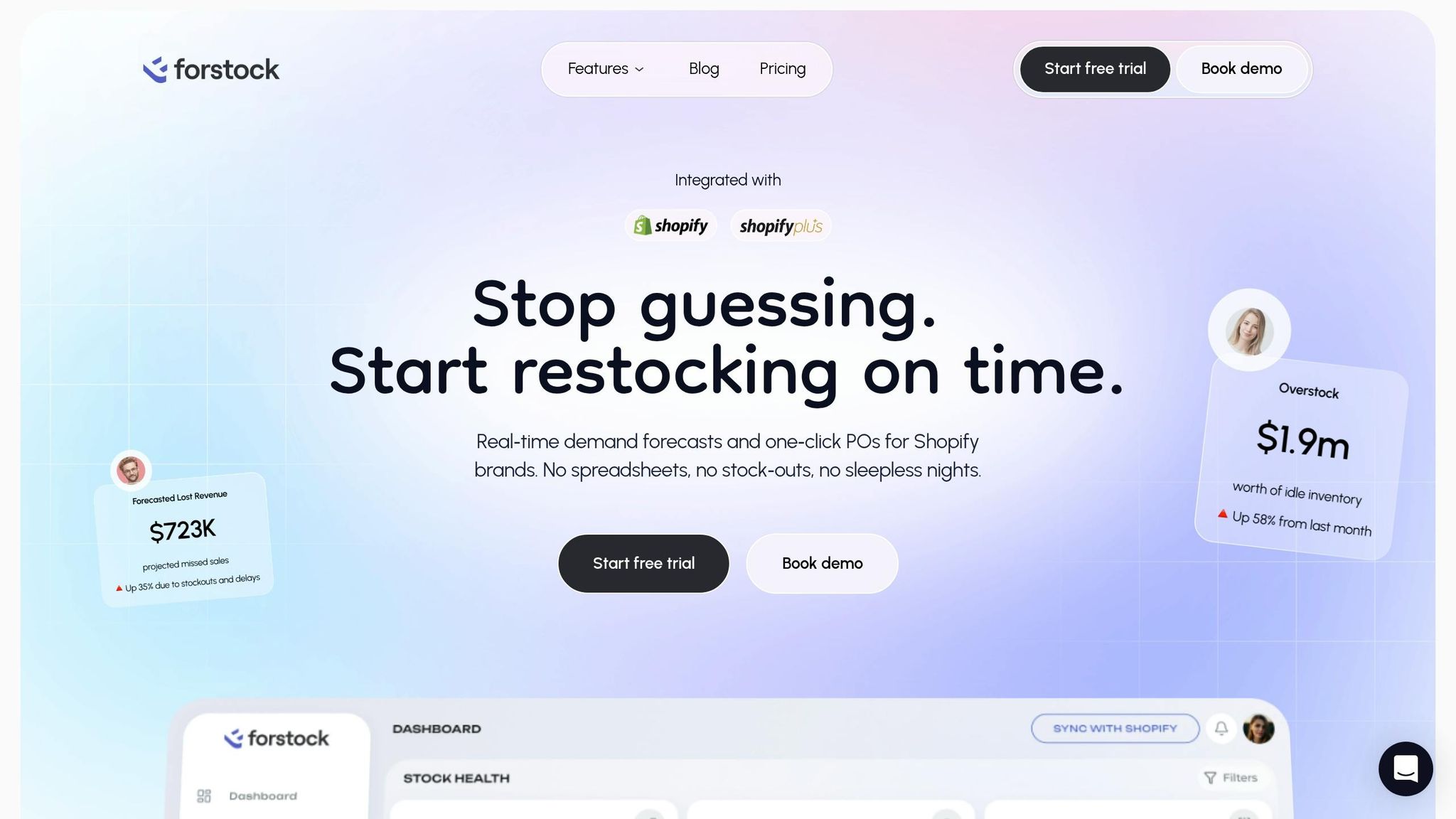
Once your dashboard is customized, start using it to monitor live inventory data across all locations. Forstock's unified dashboard is a great example - it consolidates warehouse data into one interface. You can toggle between locations, track product variants, and even view 12-month demand forecasts. All figures are formatted for US standards (e.g., 1,234.56 units), and overstock alerts are displayed in dollar amounts for clarity.
This shared dashboard ensures that teams across sales, purchasing, finance, and operations have access to the same real-time data. The result? Fewer communication errors and faster collaboration. Key metrics like stock levels, inventory costs, total value, and a leaderboard of your top five products (ranked by units, value, and profit) are all available at a glance.
"I open the dashboard in the morning and instantly know what needs reordering, what is overstocked, and what to focus on." – Emily, Inventory Manager
In Q1 2024, Shopify brand Gymshark implemented Forstock's dashboards across five US and UK warehouses, cutting overstock by 28% (saving $1.2 million) and improving transfer visibility. Inventory accuracy jumped from 87% to 98.5%, thanks to the efforts of Inventory Director Mark Reynolds, as noted in Forstock case studies from April 2024.
You can further tailor your dashboard by adding drag-and-drop widgets for key performance indicators (KPIs) like turnover rate, fill rate, and safety stock levels for each warehouse. Custom alerts can notify you of specific issues, like when stock in the California warehouse drops below 100 units. Additionally, you can export reports in CSV format, using MM/DD/YYYY for dates. According to a 2024 Gartner report on supply chain technology, businesses using centralized cloud dashboards make inventory allocation decisions 35% faster.
Step 3: Automate Forecasting and Reordering
Enable AI-Powered Demand Forecasting
Once your dashboard is set up, the next move is activating AI-driven forecasting to predict inventory needs with precision. Cloud-based systems analyze factors like sales velocity, trends, and seasonality to calculate depletion dates for each SKU, ensuring you order the right quantities at the right time.
Start by connecting your sales channels (like Shopify) to the cloud system. Then, input key variables such as supplier lead times, seasonal trends, and historical sales data. This information helps train your AI forecasting model, which updates daily and adapts to changing trends using machine learning.
Forstock's AI forecasting tool provides 12-month demand forecasts directly within its dashboard, offering a clear view across all your locations. This helps you identify and address discrepancies early. Brands using AI-powered forecasting have reported up to a 30% drop in stockouts and a 25% reduction in overstock. One Shopify brand, for instance, cut overstock by 40%, freeing up $150,000 annually across three U.S. warehouses[13,14,21].
"The AI forecast actually makes sense for my business. It feels like having a supply chain manager on my team." – Sophie, E-commerce Manager
To ensure accuracy, regularly monitor your forecast's performance - aim for a Mean Absolute Percentage Error below 15%. Combine these insights with human judgment to keep purchasing decisions aligned with actual demand. This approach not only improves cash flow but also minimizes waste.
Once your forecasts are running smoothly, the next step is to automate the reordering process.
Set Up Automated Purchase Orders and Safety Stock
Automating reorder rules is straightforward. Use a formula that factors in average daily demand, lead time, and a safety stock buffer. When inventory hits the set threshold, the system generates a purchase order automatically.
In platforms like Forstock, you can define reorder rules for each SKU and warehouse. This includes setting minimum stock levels, or "Critical Levels", and integrating supplier data for accurate lead times and contact details. From there, create purchase order templates based on AI-generated forecasts and enable auto-generation with approval workflows. Testing this setup with a single SKU first helps ensure a smooth rollout to your entire inventory.
Automated reordering not only reduces holding costs by 20–30%, but it also guarantees timely restocking. Forstock users have reported a 15–25% boost in cash flow thanks to precise, data-driven ordering[13,22]. The platform’s centralized dashboard provides full visibility, with statuses like "Stock Gap", "Running Low", or "Critical Levels" making it easy to spot items needing attention.
"We have cut manual inventory tasks by at least 60%." – Liam, Operations Director
To keep these processes optimized, track key performance metrics through your dashboard. Focus on inventory turnover (targeting 4–6 times annually), stockout rates (ideally below 5%), and cash-to-cash cycle time. By automating forecasting and reordering within a unified system, you can ditch outdated spreadsheets and make inventory decisions confidently, backed by real-time data.
Step 4: Manage Order Fulfillment and Inter-Warehouse Transfers
Configure Order Routing Rules
Setting up automated routing rules can streamline how orders are directed to the best warehouse. These cloud-based systems evaluate factors like proximity to the customer, shipping costs, and stock availability in real time.
Start by prioritizing your routing rules. For instance, focus on keeping fulfillment within the destination market first, then aim to avoid split shipments, and finally, choose the nearest warehouse that can meet delivery timelines. Many platforms allow you to configure these rules down to the zip-code level, offering more precision than broader regional zones. This ensures orders are sent to the closest facility that can fulfill them on time.
Automated routing can reduce shipping costs by up to 55% by selecting the most efficient fulfillment locations. On the other hand, splitting a single order between multiple warehouses can lead to extra expenses, including additional packaging, labeling, and higher shipping fees. To avoid these unnecessary costs, configure your system to prioritize fulfilling entire orders from one warehouse, even if it means shipping from a slightly farther location.
"Smart order routing is not just a logistics feature. It is a strategic capability that directly impacts profit, speed, and inventory health." – Supplymint
You can also implement channel-specific routing to meet the unique demands of different sales platforms. For example, reserve inventory for marketplaces with strict shipping deadlines or prioritize older stock to improve turnover and reduce markdowns. Many cloud systems sync inventory updates across platforms like Shopify, Amazon, and eBay in less than 5 seconds, providing a unified view of your stock and reducing the risk of overselling.
Once your routing rules are in place, the next step is to focus on managing stock movement across your warehouses.
Track Stock Movement Between Warehouses
With order routing set up, it's essential to track inter-warehouse transfers to maintain accurate stock levels. Cloud systems typically monitor inventory through four key stages: Created (Draft), Pending (Sent), In Transit (Shipped), and Received (Complete). This tracking ensures that stock remains accounted for during transfers.
Virtual rebalancing can be a game-changer here. By directing orders to warehouses with excess or aging stock, you can avoid the costs and delays of physically moving inventory. Additionally, setting location-specific reorder points can automate transfer triggers, while reconciling received quantities with transfer records helps flag any discrepancies. Keeping an eye on transfer lead times helps refine delivery estimates and prevents stockouts during transit.
Inventory carrying costs generally range from 20–30% of the inventory's annual value. To keep these costs in check, use minimum transfer quantities to ensure that moving stock is financially worthwhile. By combining precise tracking with automation, you can maintain accurate inventory across your network, while also cutting shipping expenses and improving delivery efficiency.
Step 5: Use Analytics to Improve Inventory Performance
Set Up Inventory Alerts and Track Key Metrics
Cloud platforms transform inventory data into actionable insights by monitoring essential metrics across warehouses. These tools work alongside live dashboards and automated reordering systems to help you stay ahead of potential issues. Start by configuring alerts for critical thresholds. For example, set notifications for when stock levels drop below a 7-day supply or exceed 150% of your forecast. This way, you can address problems like stockouts or overstocking before they spiral into bigger financial losses.
Pay attention to metrics that directly affect profitability. Key indicators include:
- Inventory turnover rate: Aim for 6–12 turns annually if you're in retail.
- Stockout rate: Keep this under 5% to ensure product availability.
- Fill rate: Strive for 98% or higher to meet customer demand.
- Carrying costs: These typically range between 20–30% of your inventory value.
According to Gartner's 2023 research, businesses using cloud-based analytics saw stockouts drop by 50% on average. Meanwhile, McKinsey's 2024 Supply Chain Report highlighted a 20–35% reduction in carrying costs through real-time analytics.
To set up your alerts dashboard, use historical data to define specific triggers. For instance, many Shopify brands configure alerts for inventory sitting idle for over 90 days or when stock levels hit a 10-day supply. These triggers can automatically prompt actions like inter-warehouse transfers or supplier reorders. One apparel company successfully avoided $15,000 in lost sales by using such a system. An alert from their East Coast warehouse initiated a transfer from their West Coast location, helping them maintain a 98% fill rate during a sudden sales surge.
"The inventory table helped us identify over $70,000 in slow-moving stock within the first week." – Matt, Operations Lead at TechGear
Reviewing these metrics weekly helps you catch trends early, such as regional overstocking or supplier delays. Cloud-based systems can cut analysis time by 50% by automating data collection and visualization. This lets your team shift focus from manual spreadsheet updates to making strategic decisions.
With these insights, Forstock's analytics can take your inventory management to the next level.
Make Data-Driven Decisions with Forstock's Analytics
Using the insights from your alerts and key metrics, Forstock's analytics platform delivers deeper, data-driven recommendations for managing inventory. Its unified dashboard offers Shopify brands a real-time view of inventory health across all locations, complete with 12-month demand forecasts. By analyzing factors like sales velocity, seasonality, and supplier lead times, the platform calculates optimal safety stock levels and reorder points for each warehouse. This eliminates the guesswork and replaces manual processes with precise, data-backed decisions.
Forstock's analytics module comes with customizable filters, allowing you to segment data by SKU, location, or supplier performance. This helps you identify areas of overstock or understock. For example, if Warehouse A has 25% excess stock while Warehouse B is running low, the system can recommend transferring specific quantities to balance inventory without unnecessary costs. Between June and December 2023, Gymshark used similar analytics across three warehouses. They reduced excess inventory by 35% (saving $750,000) and improved turnover from 6.2 to 9.1 times annually by leveraging ABC categorization and low-stock alerts.
The platform also tracks supplier performance, monitoring on-time delivery rates and flagging delays that might lead to stockouts. Additionally, it generates "what-if" scenarios to model the effects of demand changes before you adjust purchase orders. Merchants using these features report saving 30% of their operational hours and improving cash flow by 20%. Automating routine decisions allows teams to focus on exceptions that require human input.
Forstock goes beyond just identifying problems - it enables immediate action. If the system flags slow-moving stock, you can quickly launch promotions or adjust pricing. When demand forecasts indicate a spike, the platform auto-generates purchase orders with precise quantities and timing. This closed-loop system helps brands achieve fill rates above 97% while keeping inventory costs under control.
Guide to Multi-Location Inventory Management in Warehouses
Traditional Systems vs. Cloud Systems
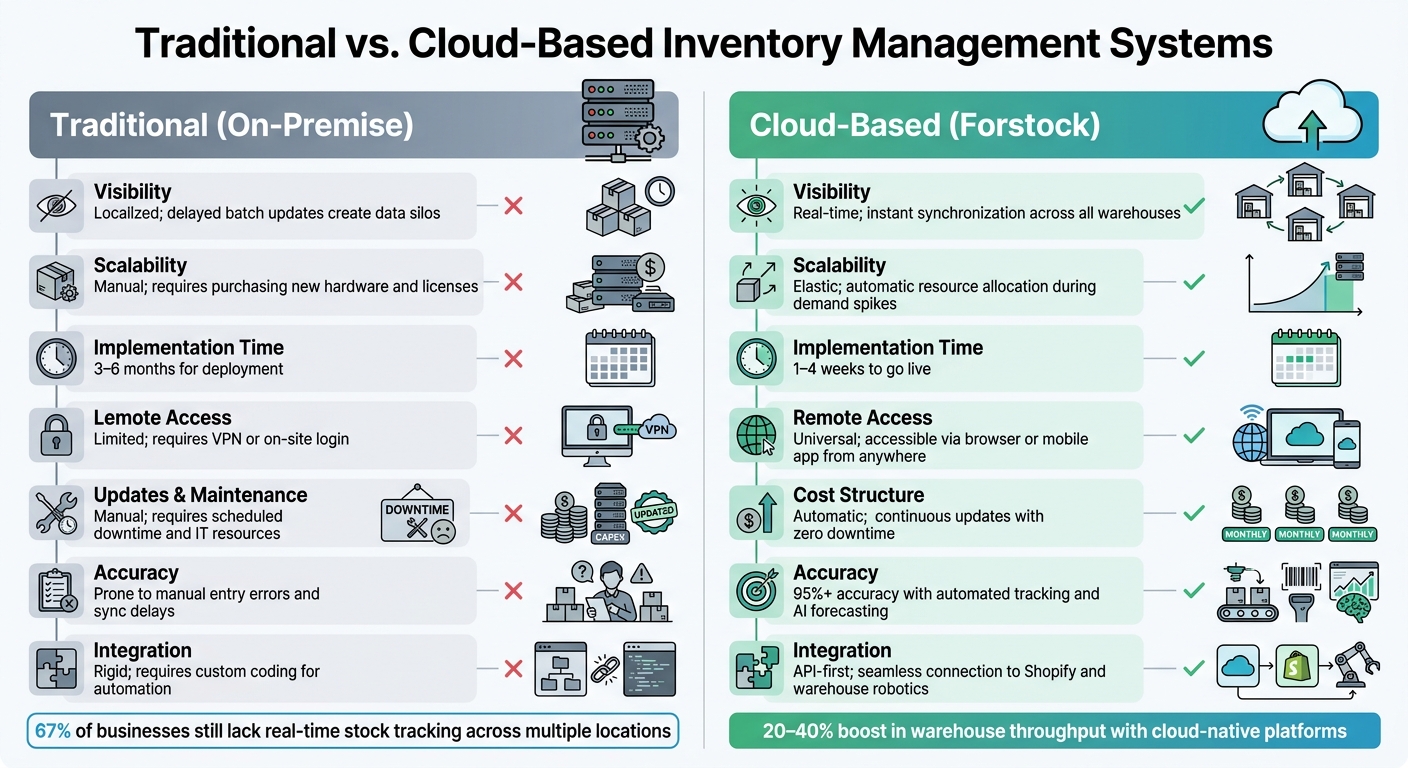
Traditional vs Cloud-Based Inventory Management Systems Comparison
When you compare traditional systems with cloud-based management platforms, the differences are striking - particularly in how they handle efficiency and adaptability. Traditional methods often create bottlenecks, but platforms like Forstock eliminate these issues, offering faster responses to customer demand and reducing manual work.
For example, traditional systems rely on daily batch updates for inventory, which can lead to outdated stock data. This lag increases the risk of overselling and costly emergency transfers. Cloud systems, on the other hand, sync data instantly, ensuring up-to-the-minute accuracy and avoiding these delays.
Another challenge with traditional setups is cost. They require significant upfront capital expenses (CapEx) for hardware and ongoing IT labor for maintenance and updates. In contrast, cloud platforms like Forstock operate on a subscription model (OpEx), where the vendor manages all updates, security patches, and maintenance automatically. This lets your IT team focus on strategic growth rather than server upkeep.
Scalability is another area where cloud systems shine. Adding a new warehouse in a traditional system can take weeks, but with cloud platforms, it’s as simple as a few clicks in a web interface. This flexibility is especially critical during high-demand periods. For instance, during Black Friday 2024, Shopify merchants processed $4.6 million per minute - a scale that traditional systems would struggle to handle.
"Real-time visibility eliminates 'data lag,' providing a single source of truth for everyone from warehouse pickers to executives." - Cem Ceyhun Susal, Logiwa
Comparison Table: Traditional vs. Cloud Systems
| Feature | Traditional (On-Premise) | Cloud-Based (Forstock) |
|---|---|---|
| Visibility | Localized; delayed batch updates create data silos | Real-time; instant synchronization across all warehouses |
| Scalability | Manual; requires purchasing new hardware and licenses | Elastic; automatic resource allocation during demand spikes |
| Implementation Time | 3–6 months for deployment | 1–4 weeks to go live |
| Remote Access | Limited; requires VPN or on-site login | Universal; accessible via browser or mobile app from anywhere |
| Updates & Maintenance | Manual; requires scheduled downtime and IT resources | Automatic; continuous updates with zero downtime |
| Cost Structure | High upfront CapEx plus ongoing IT labor costs | Predictable monthly OpEx subscription |
| Accuracy | Prone to manual entry errors and sync delays | 95%+ accuracy with automated tracking and AI forecasting |
| Integration | Rigid; requires custom coding for automation | API-first; seamless connection to Shopify and warehouse robotics |
Cloud-native platforms also excel in improving warehouse efficiency. By integrating seamlessly with robotics, they can boost throughput by 20–40%. Yet, a surprising 67% of businesses still lack the ability to track stock in real time across multiple locations, which hampers their ability to meet customer demand without overstocking.
Conclusion
Cloud-based systems take the headaches out of managing inventory across multiple warehouses. By linking locations, offering real-time dashboards, automating forecasting and reordering, and streamlining fulfillment, these tools let you focus less on putting out fires and more on scaling your business. This connected approach can lead to measurable financial improvements.
For example, Shopify brands using cloud platforms like Forstock often experience 25–50% fewer stockouts and overstock issues, 30% faster order fulfillment, and 15–35% improved cash flow by cutting down on excess inventory costs. Automating routine tasks through a single dashboard saves hours every week - time that can be redirected toward growing your business instead of reconciling data manually.
Whether you’re running two warehouses now or planning to manage five in the future, cloud-based solutions grow alongside your business. Forstock’s AI-driven forecasting adjusts to sales patterns and seasonal trends, while 12-month demand planning ensures you can meet customer needs without costly errors. From simple SKUs to complex multi-variant catalogs, this system supports efficiency at every stage.
Take a close look at your current inventory challenges and see how these cloud strategies align with your goals. Adopting cloud-based inventory management isn’t just about upgrading technology - it’s about gaining a competitive edge in today’s fast-paced e-commerce world.
FAQs
How do I migrate from spreadsheets to a cloud inventory system without breaking my data?
To ensure a smooth migration, begin by carefully auditing your spreadsheet to confirm that all data is clean and complete. Focus on key columns such as item name, SKU, and location, and map them to the corresponding fields in the cloud system. Export your data as a CSV file, then use the platform’s import tool to upload it. Start with a test import to check for any errors or discrepancies. Once everything checks out, proceed with the full transition. After migration, conduct regular audits to keep your data accurate and reliable.
What KPIs should I track to keep multi-warehouse inventory accurate and profitable?
Keeping multi-warehouse inventory accurate and profitable depends on tracking a few essential metrics. Here are the ones to focus on:
- Inventory Turnover Rate: This tells you how many times your stock is sold and replenished over the course of a year. A higher turnover rate usually means better inventory efficiency.
- Stockout Rate: Measures how often items are out of stock. Frequent stockouts can lead to lost sales and unhappy customers.
- Inventory Accuracy Percentage: Compares the actual physical inventory to what’s recorded in your system. High accuracy ensures smoother operations and fewer surprises.
- Order Fill Rate: Reflects the percentage of customer orders that are fulfilled immediately from available stock. A higher rate means better service levels.
- Stock Health per Location: Looks at inventory levels across different warehouses, helping you spot overstocked or understocked items at specific locations.
Using cloud-based tools like Forstock can simplify this process. They provide real-time data and use AI-driven forecasting to help you stay on top of these KPIs effectively.
How do I set reorder points and safety stock for each warehouse with different lead times?
To figure out safety stock, use this formula: (Max Daily Sales × Max Lead Time) − (Avg Daily Sales × Avg Lead Time). Once that's done, calculate the reorder point with: (Avg Daily Sales × Avg Lead Time) + Safety Stock. Make sure to revisit and adjust these numbers often to account for shifts in sales patterns and lead times. This helps ensure that every warehouse keeps the right inventory levels based on its unique requirements.
Keep reading
Try Forstock free for 14 days.
AI-powered demand forecasting and reorder automation for Shopify brands. No credit card required.