
Quick Summary
The best inventory management software for small businesses on Shopify is Forstock. It forecasts demand, then drafts purchase orders from your reorder list. Zoho Inventory suits multichannel sellers, and its free plan covers up to 50 orders a month. Sortly fits small teams that track supplies and equipment.
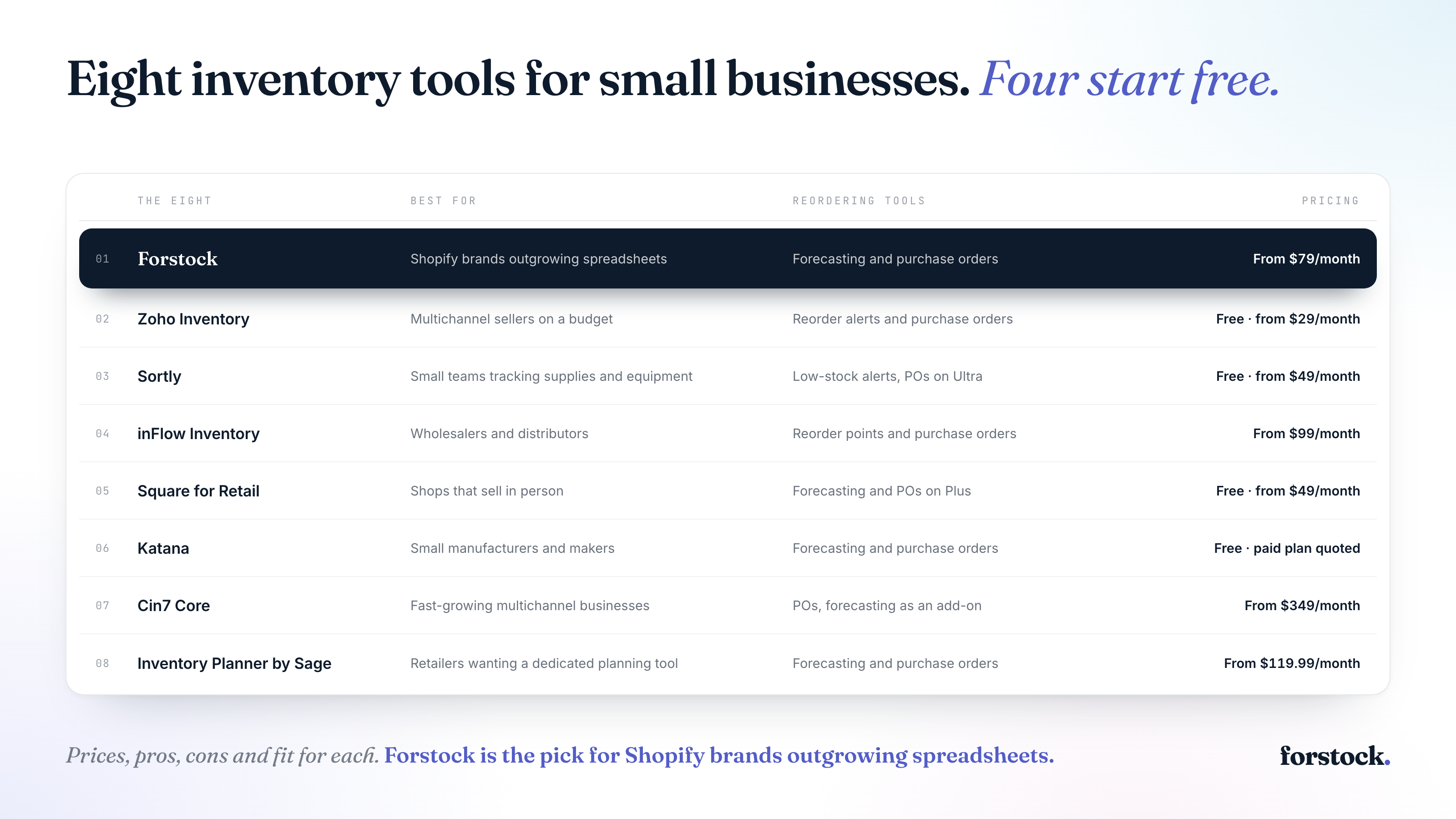
This table shows how the three picks compare:
| Tool | Best For | Pricing |
|---|---|---|
| Forstock | Shopify brands outgrowing spreadsheets | From $79/month, set by annual revenue |
| Zoho Inventory | Multichannel sellers on a budget | Free (50 orders/month); from $29/month billed annually |
| Sortly | Small teams tracking supplies and equipment | Free (100 items); from $49/month billed monthly |
8 Best Inventory Management Software for Small Businesses
These eight tools range from simple stock tracking to full purchase planning. Only some forecast demand. The Reordering tools column shows which ones.
| Tool | Best For | Reordering tools | Pricing |
|---|---|---|---|
| Forstock | Shopify brands outgrowing spreadsheets | Forecasting and purchase orders | From $79/month, set by annual revenue |
| Zoho Inventory | Multichannel sellers on a budget | Reorder alerts and purchase orders | Free (50 orders/month); from $29/month billed annually |
| Sortly | Small teams tracking supplies and equipment | Low-stock alerts, with purchase orders on Ultra | Free (100 items); from $49/month billed monthly |
| inFlow Inventory | Wholesalers and distributors | Reorder points and purchase orders | From $99/month billed annually |
| Square for Retail | Shops that sell in person | Forecasting and purchase orders on Plus | Free; from $49/month per location |
| Katana | Small manufacturers and makers | Forecasting and purchase orders | Free (30 SKUs); paid plan quoted |
| Cin7 Core | Fast-growing multichannel businesses | Purchase orders, with forecasting as an add-on | From $349/month |
| Inventory Planner by Sage | Retailers that want a dedicated planning tool | Forecasting and purchase orders | From $119.99/month; higher tiers quoted |
1. Forstock
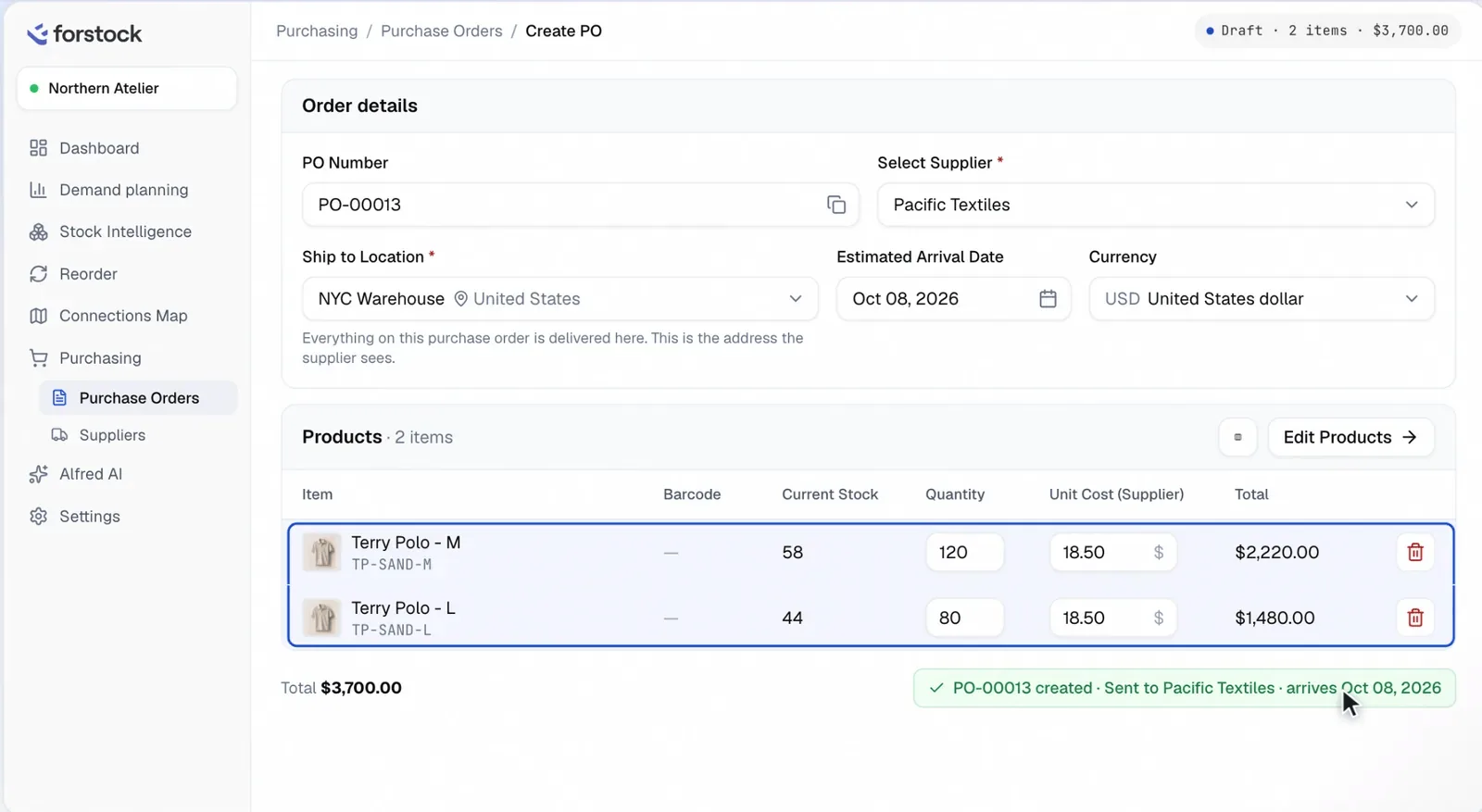
Forstock tells you what to order and when, then drafts the purchase order. It’s an AI inventory planning platform for Shopify brands. Forstock reads your Shopify orders and your stock at your warehouse or third-party logistics (3PL) provider. Amazon and Walmart sales feed into the same plan.
The forecast comes from your own orders. New stores start on a simple average, and the AI forecast takes over later. The AI forecast also reads the days a product sat out of stock. It estimates what the product would have sold. If you know something the data doesn’t, you can type over any number.
Every morning, Forstock runs each SKU at each location through that forecast. It finds the day the SKU sells out, then works back through your supplier’s lead time and safety stock. That gives you a Should Order By date on the reorder list. Your minimum order quantity (MOQ) and pack size round the quantity up. When you’re ready, select the rows and Forstock drafts one purchase order per supplier.
Key features
- Promotions and launches: Declare an upcoming sale, or model a new product on one to five similar products.
- Stock statuses: Every SKU at every location shows as out of stock, running low, healthy or overstock.
- Purchase order stages: Follow each order from draft to sent, in production, in delivery and received.
- Landed cost: Add shipping and import costs to a purchase order, in any of 15 currencies, and see the landed cost per unit.
- Shopify sync on your terms: Push received stock back to Shopify one order at a time, only when you switch it on.
- Alfred AI: Ask what’s running low or which purchase orders are late, and get answers from your own data.
Pricing
Plans start at $79/month and scale with your annual revenue, so check your band on the pricing page.
Pros
- Easy to use, with a clean, clear interface.
- Responsive, founder-led support for questions and feature requests.
- Fits how you already think about reordering.
- Saves time on planning and order tracking.
Cons
- It has no stocktake or barcode counting tool.
- The AI forecast starts after six months of orders. A new store runs on a simple average until then.
Best for:
Shopify brands that have outgrown their reorder spreadsheet and don’t need an ERP. For more Shopify options, see the best inventory management software for Shopify.
2. Zoho Inventory
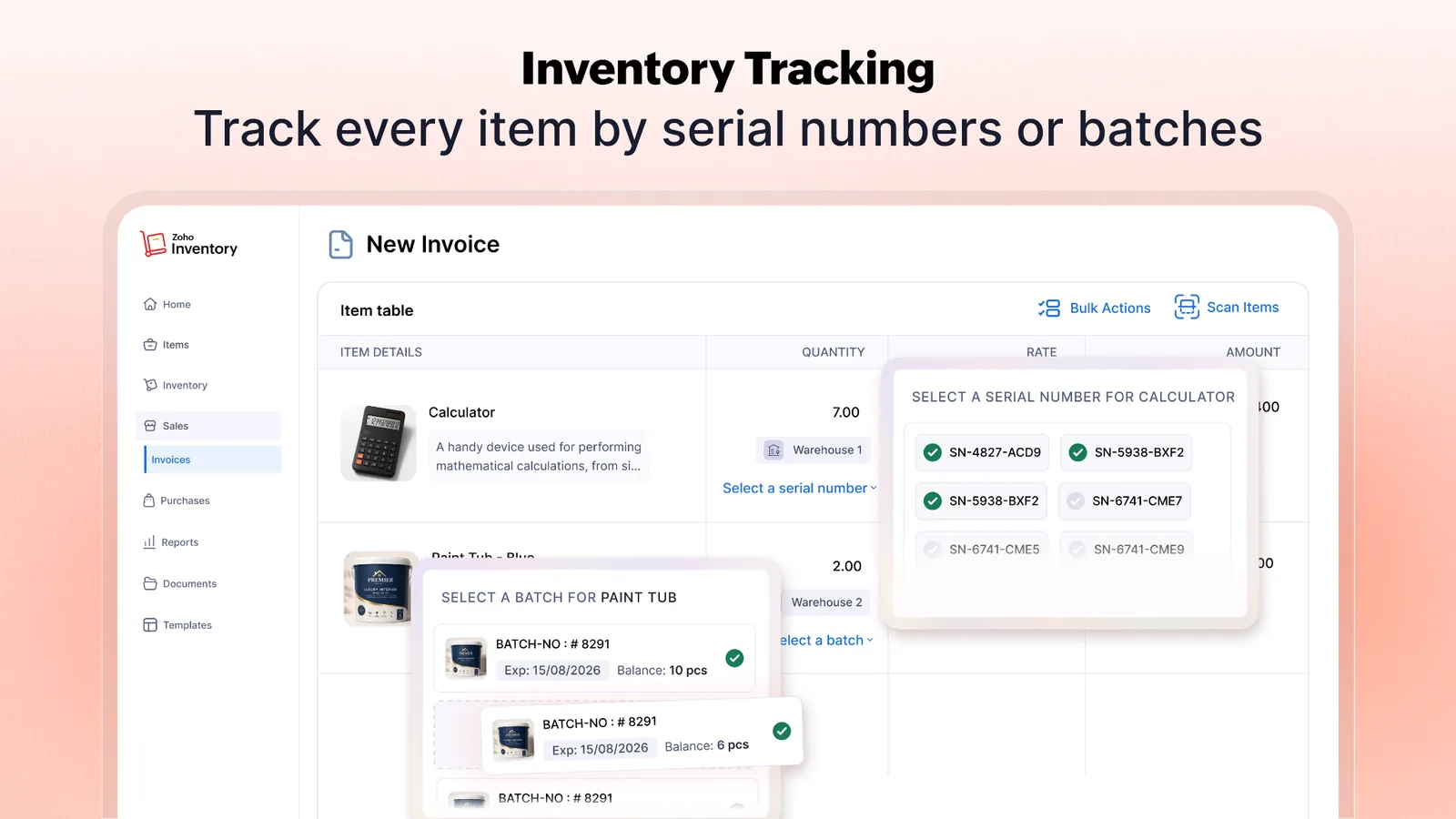
Zoho Inventory is online inventory and order management software from Zoho. It has a forever-free plan and syncs orders and stock with marketplaces such as Amazon and eBay. It connects to accounting tools such as Zoho Books and QuickBooks Online. You set reorder points and get low-stock alerts. How much to order is still up to you.
Key features
- Order sync: Pull in channel orders and send stock levels back automatically.
- Multi-warehouse: Track stock across locations and move it between warehouses.
- Composite items: Group items into kits and assemblies you sell as one product.
- Serial and batch tracking: Track serial and batch numbers from the Premium plan up.
Pricing
The free plan covers 50 orders a month, 1 user and 1 location. Standard is $29/month billed annually, or $39 billed monthly. Premium is $79 billed annually, or $99 monthly.
Pros
- Purchase orders on the free plan, up to 20 a month.
- Barcode scanning in the mobile app for orders and picking.
- Zoho CRM leads flow into Zoho Inventory automatically.
Cons
- The Shopify connector failed to connect for several merchants in 2025.
- Standard allows 500 orders a month, so a fast-growing store can outgrow it.
- Some users find the interface cluttered.
Best for:
Multichannel sellers on a budget, especially if your books are in Zoho Books.
3. Sortly
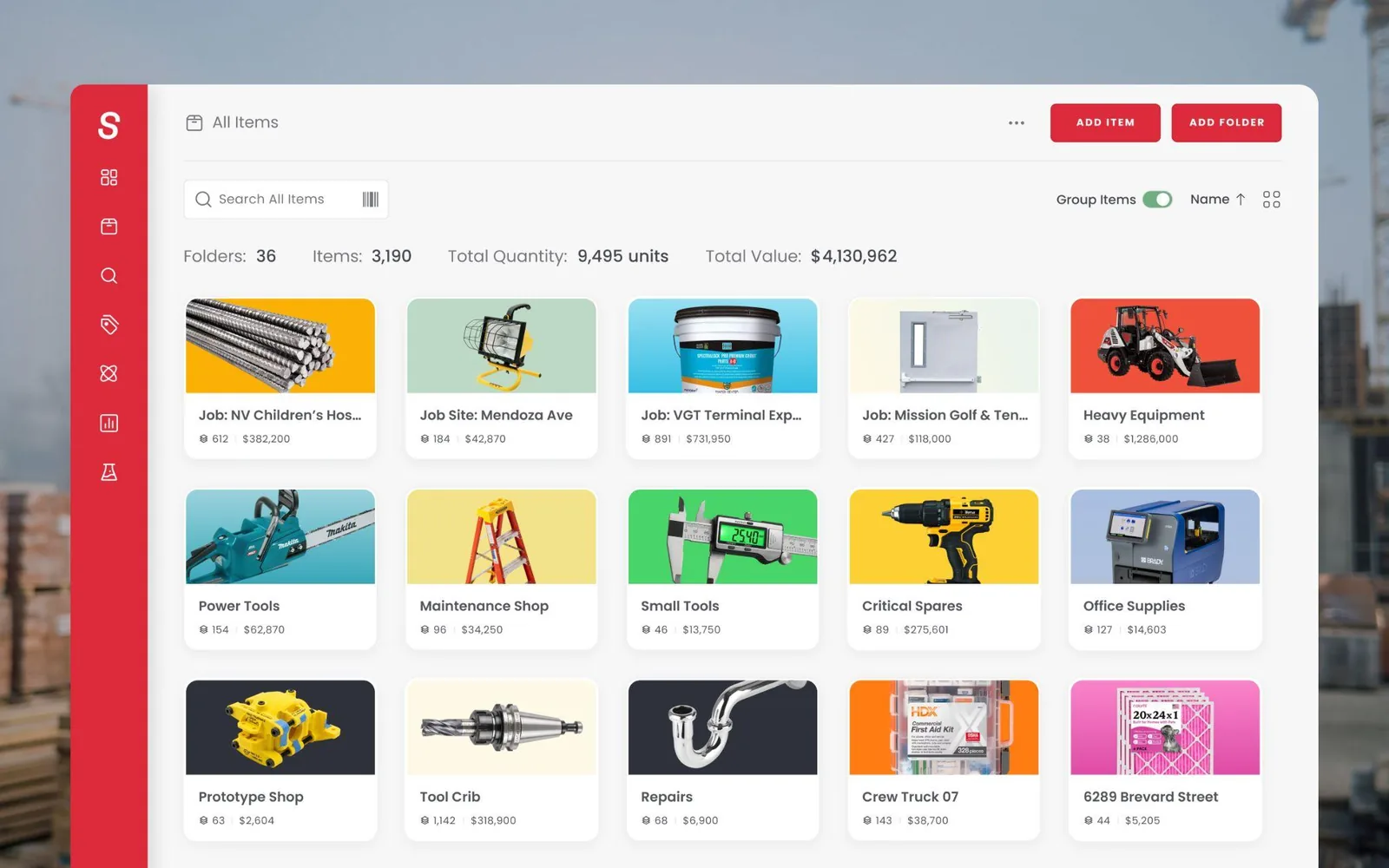
Sortly is inventory software built around your phone. You count and move stock from the app, and every change syncs across your team’s devices. Items can be tied to jobs and work orders, so you see what each job used. Contractors use it for gear across job sites, and clinics use it for supplies. Premium adds a QuickBooks Online integration for bookkeeping.
Key features
- QR and barcode labels: Create and scan QR labels from your phone, with barcode labels on Ultra and up.
- Low stock alerts: Get an in-app or email alert when an item runs low.
- Check-in/check-out: Record who took each item and when it came back.
- Purchase orders: Build purchase orders on Ultra and up.
Pricing
Free covers 100 items and 1 user. Advanced is $49/month, and Ultra, which adds purchase orders, is $149/month. Yearly plans are half price in year one, and the 14-day trial needs a card.
Pros
- Fast search across folders and custom fields.
- Item photos and pick lists that show your team what to grab.
- Easy seat additions as your team grows.
Cons
- Renewal prices can jump sharply, with one customer’s annual bill rising from $468 to $1,467 in 2025.
- Auto-renewal charges have caught some customers off guard.
- It has no Shopify or other sales channel integration, so online orders won’t update your stock.
Best for:
Small teams tracking supplies and equipment.
4. inFlow Inventory
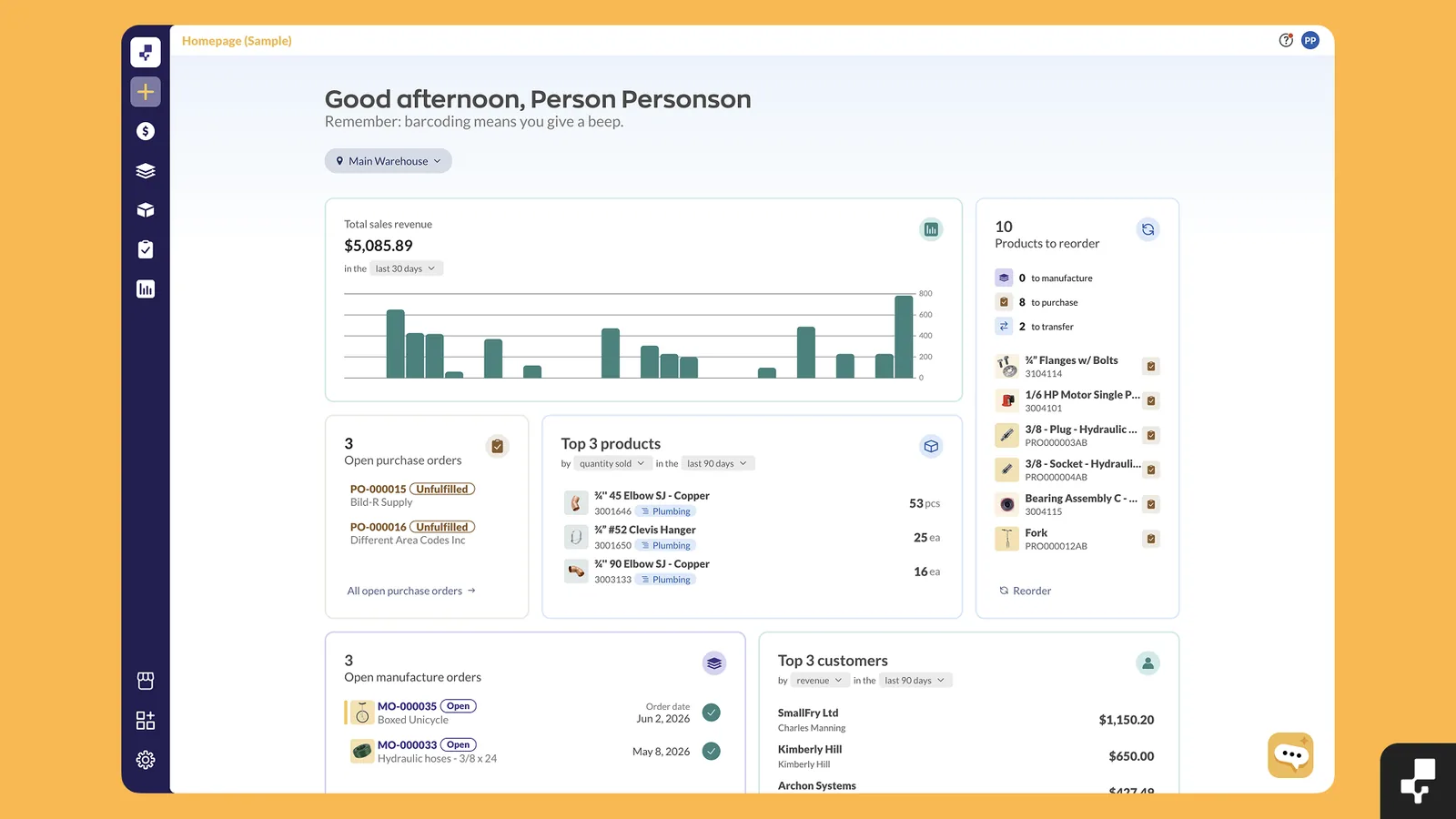
inFlow Inventory is stock control software for product businesses. Set your own reorder points or accept the ones inFlow recommends from past sales. Low stock then becomes a purchase order in one click. It connects to channels such as Amazon and WooCommerce. It also connects to QuickBooks Online and Xero. It has no demand forecasting.
Key features
- Reorder by location: Get recommended reorder points and low-stock alerts for each location.
- Phone scanning: Use your phone’s camera to scan stock in and out.
- B2B Showroom: Give wholesale customers an ordering portal.
- AI Report Assistant: Get help building reports from a built-in AI assistant.
Pricing
Lite is $99/month billed annually, or $129 month to month. Core is $299 billed annually, or $379 monthly. Core and up add a $499 onboarding fee, and there’s no free plan.
Pros
- User access rights that limit what each employee can change.
- Unlimited products and integrations on every plan.
- A dedicated customer success manager during onboarding.
Cons
- The Shopify connector has drawn sync complaints, and one went unanswered for months.
- Lite caps you at 2 users and 1 location, so a growing team moves up to Core.
- Add-ons such as the Stockroom scanning app, at $39 a month, raise the price.
Best for:
Wholesalers and distributors that want purchasing and barcode scanning in one tool.
5. Square for Retail
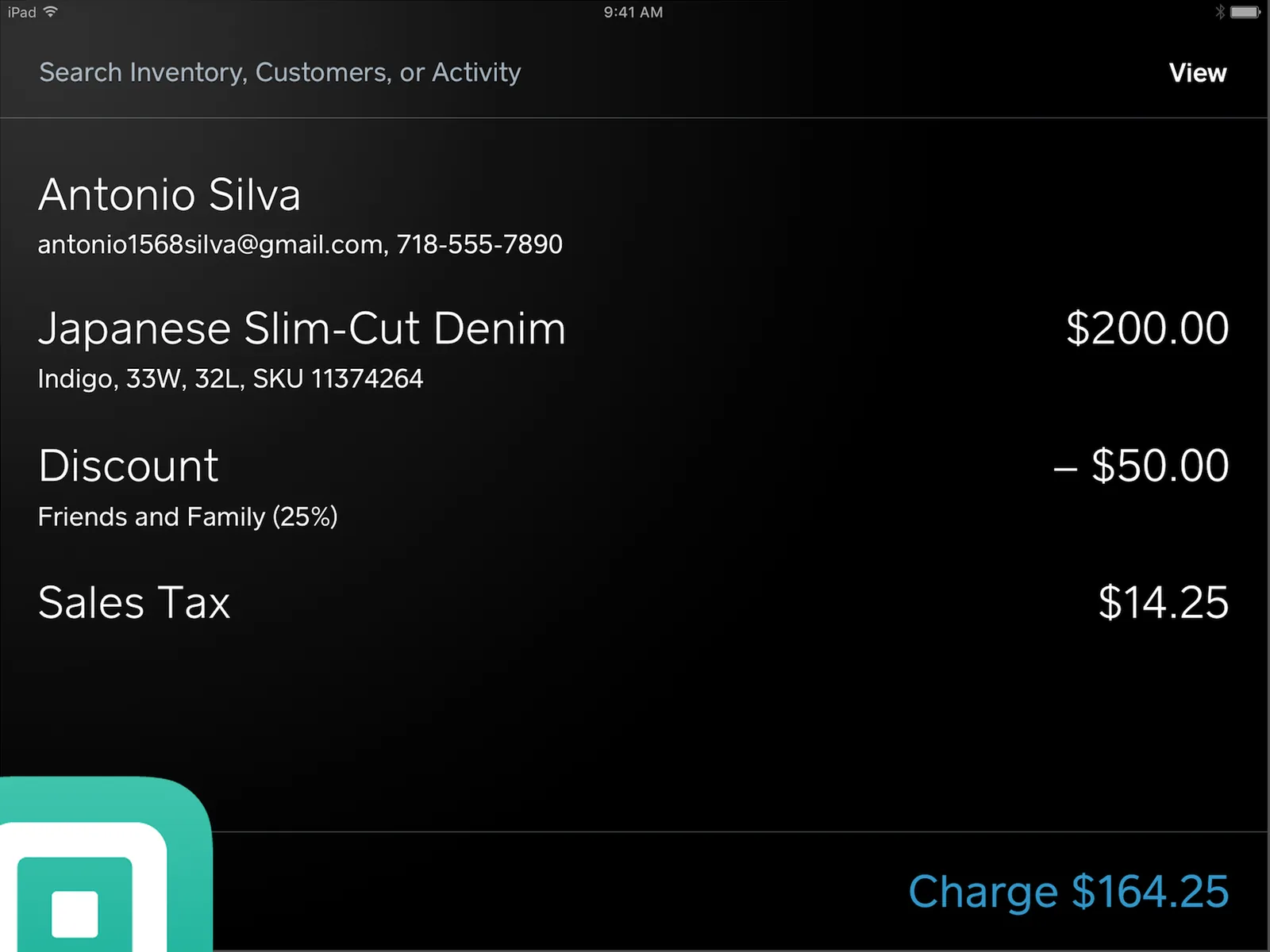
Square for Retail is Square’s point-of-sale setup for shops, with inventory built into the POS. Square Free has no monthly fee. It includes low-stock alerts, so it’s a low-cost way to start. Free also allows unlimited items. In-store and online sales update the same stock count. Plus adds a daily sell-through report that helps you spot dead stock.
Key features
- Automatic SKUs: Create items and SKUs automatically, or scan a barcode to add a product.
- Inventory counts (Plus): Count stock with your device’s camera.
- Stock forecasts (Plus): Get reorder recommendations based on how fast products sell.
- Purchase orders (Plus): Create and manage purchase orders by vendor.
Pricing
Free is $0/month. Plus is $49/month per location after a 30-day free trial, and Premium is $149/month per location. Card processing fees apply on every plan.
Pros
- Cross-location stock sync on every plan.
- A free online store with Facebook and Instagram selling.
- Barcode label printing and cost-of-goods reports on Plus.
Cons
- Syncing with Shopify needs Thrive Inventory, a separate paid app.
- It runs on iPad, iPhone and Square hardware, and card payments must go through Square.
- The app can glitch and crash.
Best for:
Shops that sell in person and want inventory built into checkout.
6. Katana
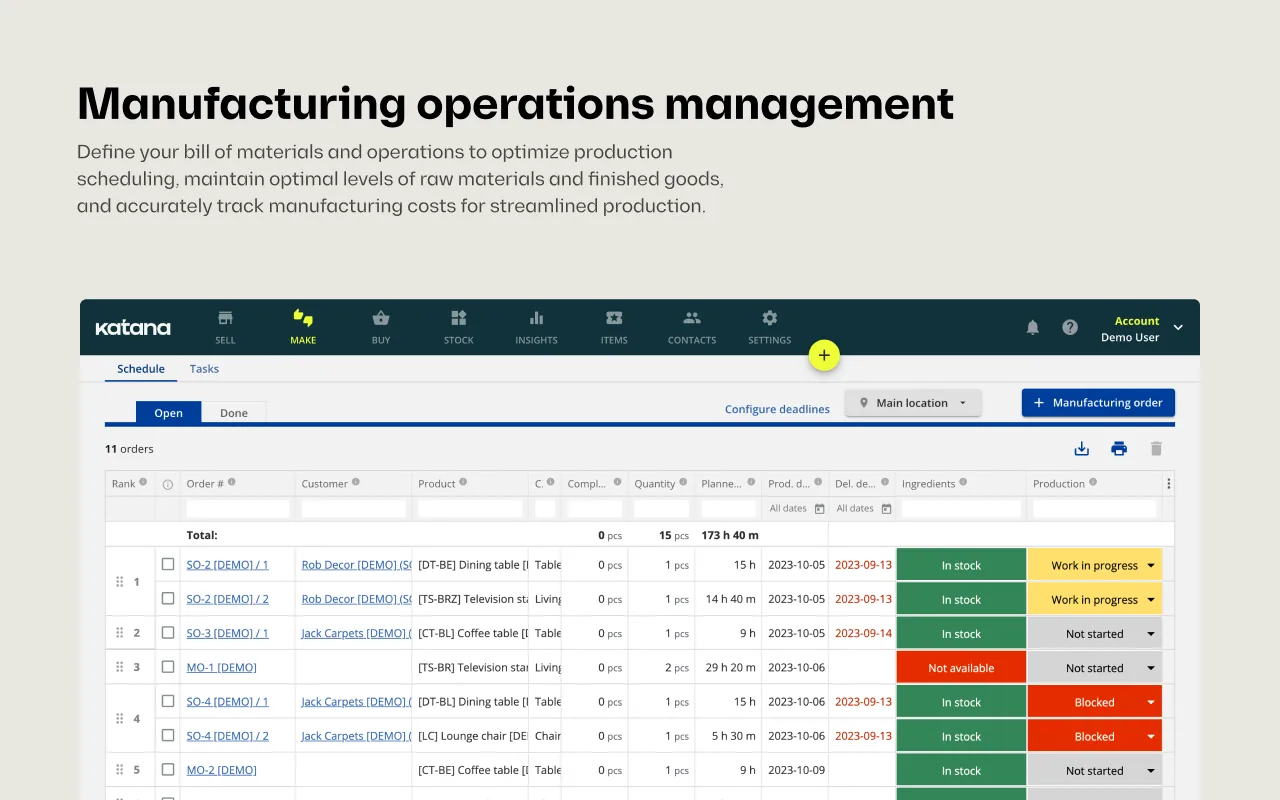
Katana is inventory management software for product businesses that make what they sell. It tracks materials and finished goods together and schedules production in the same system. Purchase orders carry shipping and duty costs, so you see the true landed cost. It connects to channels such as Shopify and Amazon, and to QuickBooks Online and Xero.
Key features
- Bills of materials: Define what goes into each product and track it through work orders.
- Batch and serial tracking: Follow lots, serial numbers and expiry dates from supplier to customer.
- Warehouse app: Assign picking, packing and receiving tasks with barcode scanning.
- Planning and purchasing: Get demand forecasts and AI purchase order recommendations based on your sales history.
Pricing
Free covers up to 30 SKUs. Beyond that, the Advantage plan is custom priced on an annual contract.
Pros
- Every feature, including API access, on the free plan.
- Unlimited users and locations, with no per-seat fees.
- A dedicated customer success manager and 24/7 live support on Advantage.
Cons
- Pricing has changed several times, and some customers report bills rising with order volume.
- The free plan connects only to Shopify for ecommerce, so Amazon needs the paid plan.
- Free plan support is limited to an AI assistant and a knowledge base.
Best for:
Small manufacturers and makers.
7. Cin7 Core
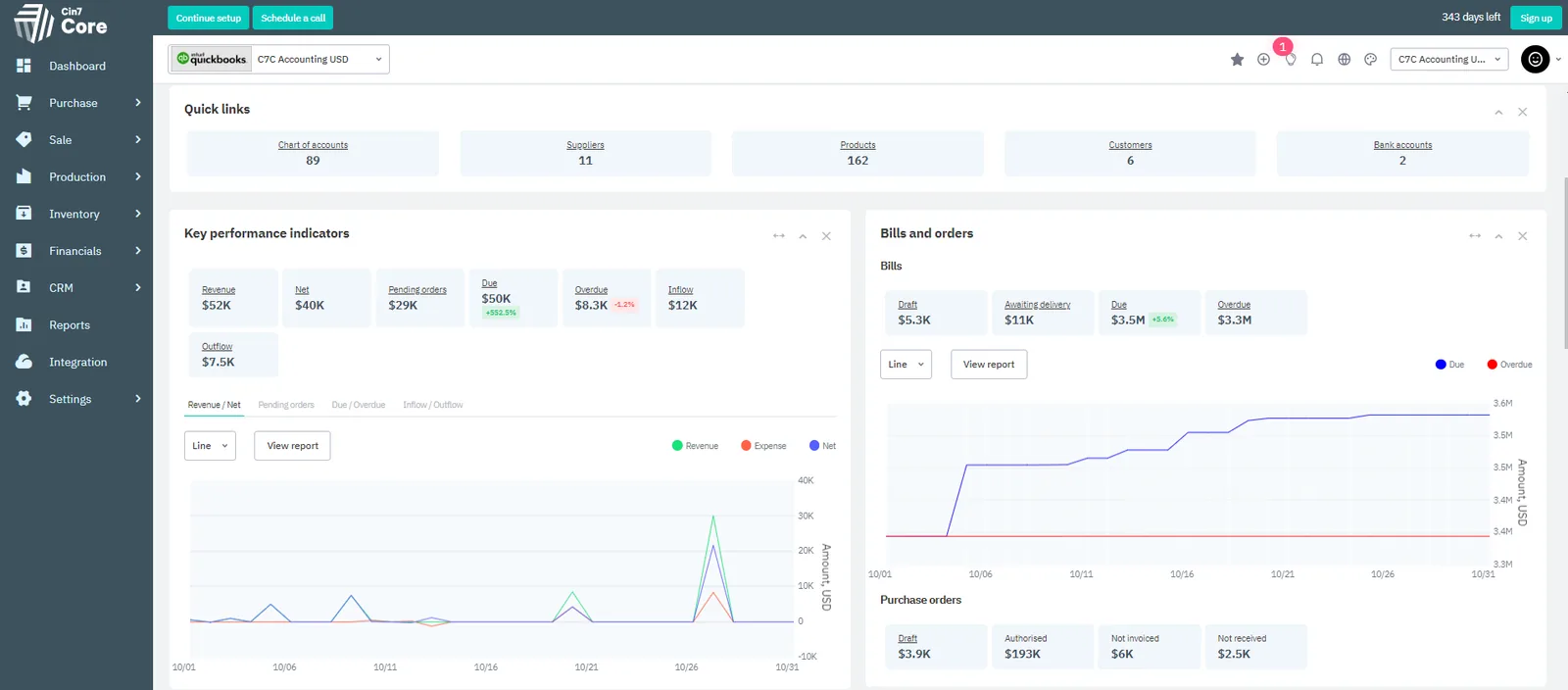
Cin7 Core is inventory and order management software that keeps stock and orders in sync across online and wholesale channels. Formerly DEAR Systems, it now serves more than 8,500 businesses, according to Cin7. Every plan includes purchase orders and assembly manufacturing with bills of materials. It connects to channels such as Shopify and Amazon, and to Xero and QuickBooks Online.
Key features
- Channel sync: Keep orders and stock aligned across your online and wholesale channels.
- Unlimited locations: Track stock across every warehouse and storefront you use.
- Wholesale orders: Manage wholesale inventory and orders next to your online sales.
- B2B portal: Let wholesale buyers order online, as a paid add-on.
Pricing
Plans run from $349/month (Standard) to $1,199/month (Advanced). There’s a 14-day free trial and no free plan.
Pros
- Onboarding managers and solutions architects guide your setup.
- Barcode scanning and a warehouse mobile app on every plan.
- 24/7 global support on every plan.
Cons
- Demand forecasting is a paid add-on on every plan.
- Standard caps you at 6,000 sales orders a year and 2 integrations.
- Extra users and API access raise the monthly price.
Best for:
Fast-growing multichannel businesses.
8. Inventory Planner by Sage
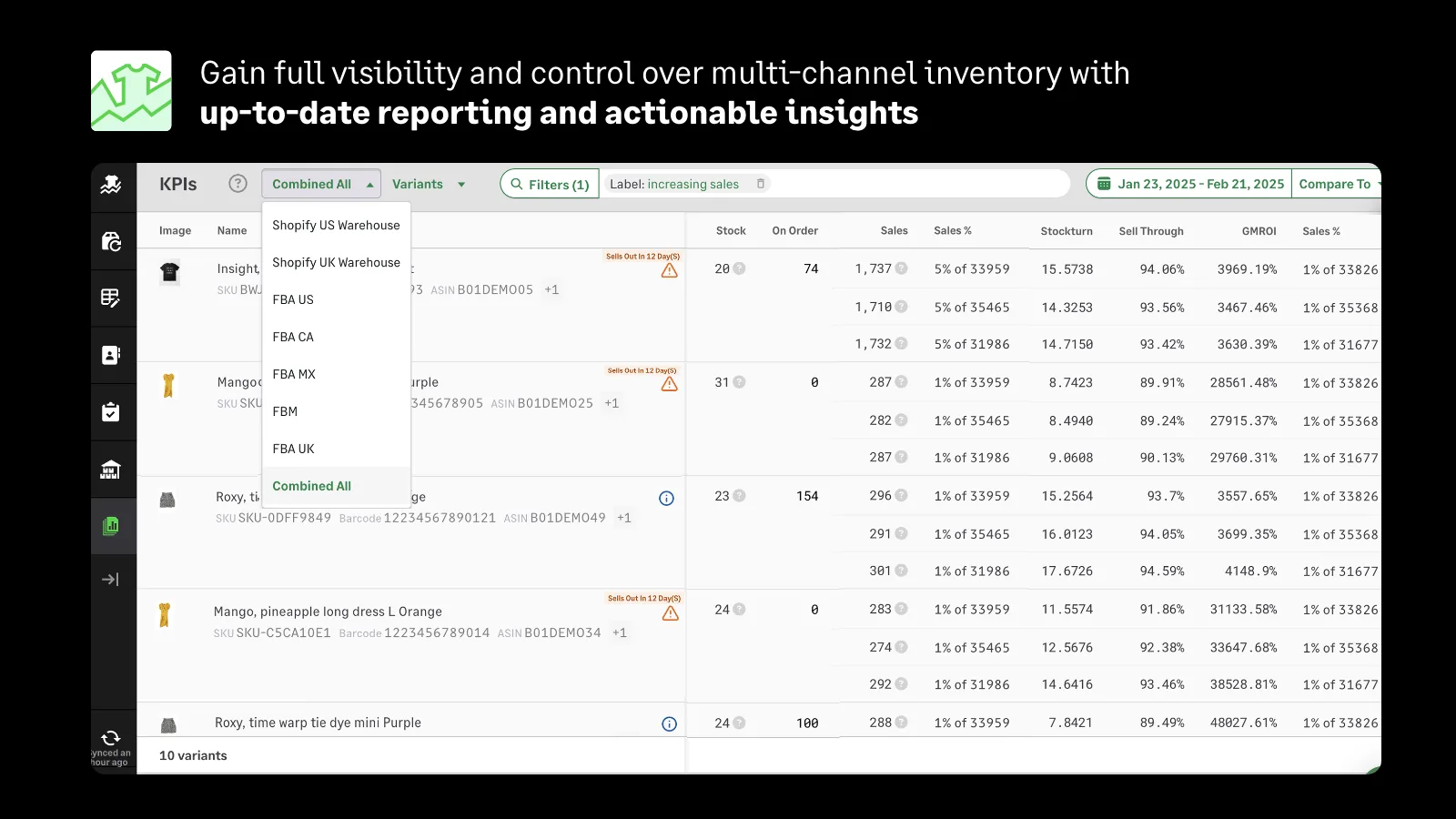
Inventory Planner by Sage is demand forecasting and replenishment software that has been on Shopify since 2013. Sage now owns it. It offers more than 30 native integrations, including Amazon and WooCommerce. Its buying recommendations turn into purchase orders. It also helps you plan cash flow and track inventory turnover.
Key features
- Forecasting methods: Choose from several forecasting methods.
- Purchase and transfer orders: Create purchase orders and transfer orders from your reorder suggestions.
- Open-to-buy budgets: Set a replenishment budget by month or retail week and plan orders against it.
- Reports: Build configurable reports from over 200 metrics.
Pricing
Essentials costs $119.99/month for one location and Shopify only. Higher tiers are custom quoted.
Pros
- Reorder suggestions that replace spreadsheet math.
- Named reps who guide onboarding and support.
- One view of stock across channels.
Cons
- Annual contracts are paid up front.
- The price is tied to your revenue, so costs rise as you grow.
- QuickBooks syncing can need a manual step.
Best for:
Retailers that want a dedicated planning tool.
Selection Criteria
How We Evaluated
Prices come from each vendor’s pricing page, checked in November 2026, and reviews come from app stores and Trustpilot. Each tool gets the same five questions.
- Price: Is there a free plan or public price, and are renewals clear?
- Stock control: Does it send low-stock alerts and create purchase orders?
- Planning: Does it forecast demand and tell you how much to reorder and when?
- Integrations: Does it connect to your sales channels and accounting tools?
- Fit: Who is it built for?
How to Choose Inventory Management Software for a Small Business
Start with how you sell, then decide whether you need tracking, planning or both.
- If you track supplies and equipment and don’t sell online, start with Sortly’s free plan.
- If you sell in person from a shop, Square for Retail’s free plan has no monthly fee and includes low-stock alerts.
- If you sell across a few channels and watch costs, try Zoho Inventory, especially if your books are in Zoho Books.
- If you’re a wholesaler or distributor, inFlow combines barcodes and purchase orders.
- If you make your own products, Katana tracks materials and finished goods together.
- If you run orders and warehouses across several channels, Cin7 Core keeps stock and orders in sync.
- If you’re a Shopify brand with 100+ SKUs, Forstock tells you what to order and when, then drafts the purchase orders.
- If you need deeper forecasting and replenishment planning, Inventory Planner focuses on that.
Three trade-offs cut across these picks. Check each free plan’s cap against your catalog, since Zoho stops at 50 orders a month and Katana at 30 SKUs. Forecasting often costs extra, with Cin7 selling it as an add-on and Square including it only on Plus. Some Sortly renewals jumped sharply and Inventory Planner bills a year up front, so read renewal terms before loading your catalog.
Shopify shut down its Stocky app on August 31, 2026. If you used it, the Stocky alternative guide covers how to move your data.
Try Forstock on your own store
Forstock gives you a Should Order By date for every SKU, so reorders stop being a gut call. It also drafts one purchase order per supplier from your reorder list. Start your 14-day free trial. No credit card needed. You can also book a 20-minute demo, and we’ll connect your store on the call.
FAQs
What is the best free inventory management software for small businesses?
Zoho Inventory suits multichannel sellers, but its free plan tops out at 50 orders a month. Square Free fits in-person shops and has no monthly fee. Sortly’s free plan covers 100 items for supplies and equipment, and Katana’s covers 30 SKUs for makers.
How much does inventory management software cost for a small business?
Paid plans start at $29 a month for Zoho Inventory, billed annually, and $49 a month for Sortly. Forstock starts at $79 a month and scales with your annual revenue. Cin7 Core starts at $349 a month.
What is the difference between inventory tracking and inventory planning?
Tracking tells you what you have and where. Planning tells you what to order and when. Sortly and Square Free track stock and flag low items. Forstock and Katana forecast demand and recommend order quantities, while Cin7 charges extra for forecasting. Tracking is enough while you can eyeball reorders. Once you’re guessing quantities and timing, you need planning.
Can I use Excel to track inventory?
Yes, Excel works for tracking stock while your catalog is small. It strains once you add SKUs and suppliers, and it depends on whoever built it. If you plan orders from a sales export, a sold-out week shows as zero. Your forecast can then understate demand for your best sellers. See how to reorder without spreadsheets.
Can I use Shopify for inventory management?
Yes, Shopify tracks stock by location and lets you record purchase orders with suppliers. It doesn’t forecast demand or suggest when to reorder. Stocky, Shopify’s own app, did both until its retirement on August 31, 2026. For forecasting and reorder suggestions, you need a separate app.